






shop image bottom

  Business Premium Corporate
 
No monthly fees
US$ 749.-Buy US$ 1,499.-Buy
US$ 3,569.-
US$ 2,839.-
Buy3 simultaneous
sessions
Undecided? Try our license wizard or call us!
 
All-In-One: Remote maintenance, remote support, remote access, home office, teamwork, online meetings and presentations Yes Yes Yes
Works properly behind firewalls Yes Yes Yes
Multi-Platform: Windows, Mac, Linux,
iOS*, Android and Windows Phone 8
Yes Yes Yes
Customer modules individually designed Yes Yes Yes
Multi-Language: TeamViewer is available in more than 30 languages Yes Yes Yes
TeamViewer account with your Computers & Contacts list (online status display, messaging function) Yes Yes Yes
Fast video and audio transfer Yes Yes Yes
Number of licensed workstations from which remote control sessions can be run or meetings can be held 1
( each AddOn
US$ 139.- )
unlimited unlimited
Channels: Number of simultaneous remote control sessions or meetings 1 1 3
( each AddOn
US$ 989.- )
Multichannel routing for outstanding high performance   Yes Yes
Priority support (12 months)     Yes
 
Remote control related features
 
Remote maintenance of unattended computers/servers Yes Yes Yes
File transfer, remote printing, and VPN Yes Yes Yes
Installation on server operating systems Yes Yes Yes
Number of hosts unlimited unlimited unlimited
TeamViewer Management Console   Yes Yes
Session handover   Yes Yes
TeamViewer Portable and browser-based connections   Yes Yes
TeamViewer MSI package     Yes
 
Meeting related features
 
Scheduled and instant meetings Yes Yes Yes
Communication and collaboration
video, phone conference, VoIP, chat etc.
Yes Yes Yes
File box for common file sharing Yes Yes Yes
Outlook integration Yes Yes Yes
Allow remote control during meeting Yes Yes Yes
Recording of meetings Yes Yes Yes
Number of participants 15 25 25
 

Save up to 70%


Benefit from a price advantage of up to 70% compared to our competitors.

Any questions?

Our qualified team will be happy to answer all your questions about licensing and technical issues

United States 1 800 951 4573 (toll-free)

Show all contacts

Satisfaction Guarantee

We only want you to pay for software you are 100% satisfied with!

TeamViewer is sold with a 7-day money back guarantee. You may cancel your order for any reason. No questions!

Payment methods

Our payment options are just as flexible as our software

Immediately after submitting your order, you receive your invoice with the license key - we trust our customers and do not require advance payment. This means minimum risk for you.

You can pay the invoice conveniently within 14 days - by bank transfer, credit card or PayPal.

TeamViewer Box When you purchase a TeamViewer license, you can use it for an unlimited time. There is no additional cost per use/month/year, etc.

All updates within the same main version (e.g. 8.0 to 8.1) are free of charge. The subsequent update to a new main version (e.g. 8.x to 9.0) is optional and available at special update prices.
All-In-One, globe in a box A single software package for a wide variety of applications:

Remote maintenance, remote support, presentations, meetings, training, remote access to unattended computers, home office, teamwork
Firewalls, blocked ports or NAT routers are often hindrances for remote control software. With TeamViewer, however, you can find your partner even across firewalls.
Windows, Mac, Linux, Android, iOS, Windows Phone 8 Do you want to access a Mac from your Windows PC? Do you want to host cross platform online meetings or presentations?

TeamViewer enables remote control sessions, meetings and presentations between Windows, Mac, and Linux operating systems.

With TeamViewer, you can even access your remote computer at any time or participate in meetings and presentations using your iPhone, iPad, or Android devices.
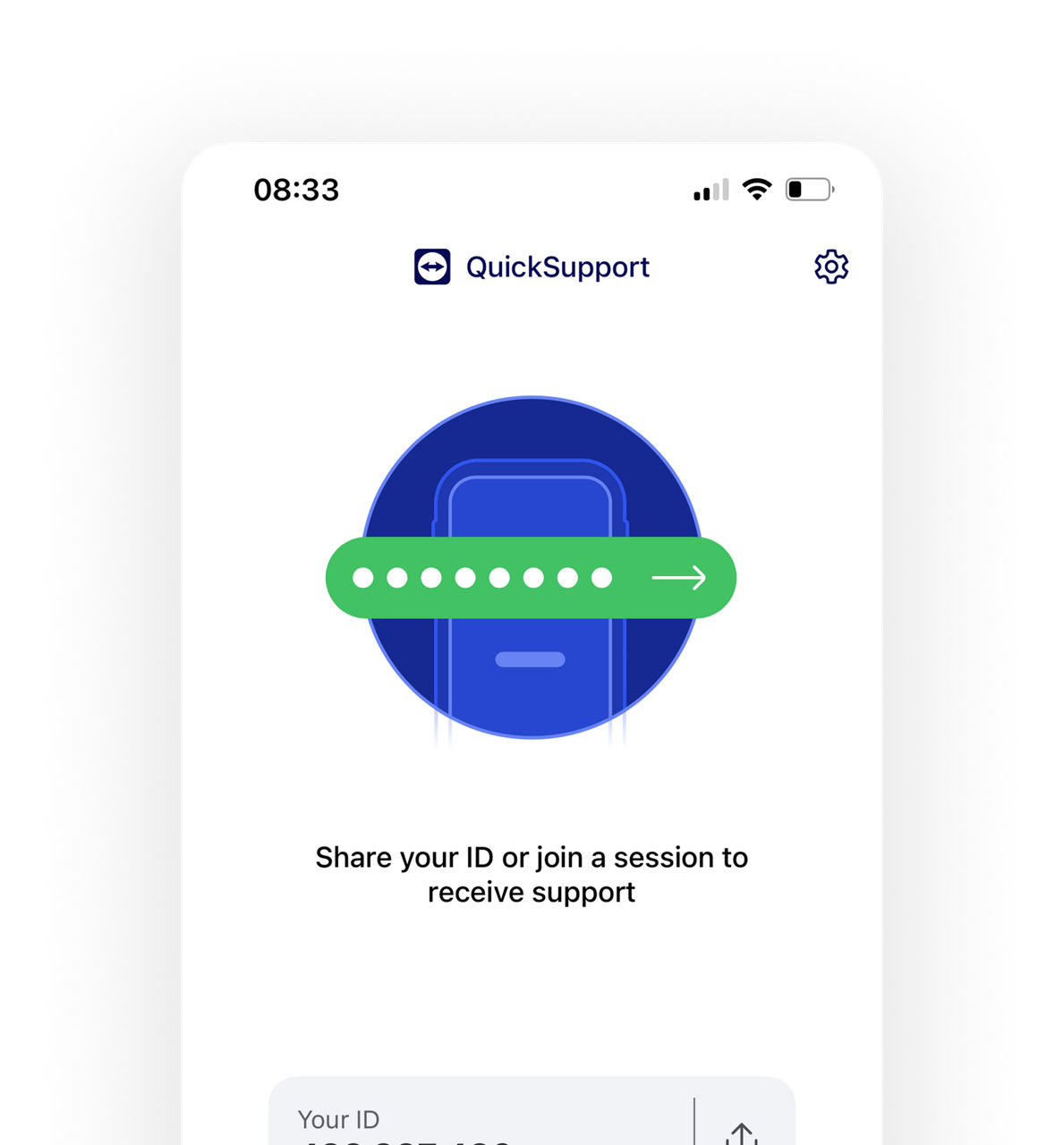
TeamViewer QuickSupport Screenshot
QuickSupport example
Design your own customer modules:
  • QuickSupport for fast, spontaneous support (without installation)
  • TeamViewer Host for permanent installation on servers and computers
  • QuickJoin for presentations and meetings (without installation)
Incorporate your own logo, color scheme and welcome message and link the professional software program to your corporate design. Your customers will love the personal touch! At no extra charge.
TeamViewer is available in a wide variety of languages TeamViewer is available in more than 30 languages. This makes work easier, particularly for those who have customers in other countries. Language barriers are removed.

TeamViewer automatically selects the language used on the operating system.
TeamViewer Computers & Contacts Screenshot Use your Computers & Contacts list (TeamViewer account) to gain a convenient overview for managing your contacts and unattended computers or servers. At a glance, you can see which of your contacts or computers are online.
Audio video transfer in HD Hear and see what's being broadcast on the remote computer, whether it is music, videos, or system sounds. You can show your meeting participants a video in real-time during an online presentation.
One workstation The Business license is valid for activation on one workstation, from which you can start TeamViewer remote control sessions or hold meetings. With each additional workstation you gain the flexibility to perform remote support or hold a meeting from various PCs.

Many workstations

You can activate the Premium license on an unlimited number of computers. Thus you have the flexibility to alternately start connections (remote control session or a meeting) from one PC at a time.

Many workstations

You can activate the Corporate license on an unlimited number of computers. You have the flexibility to start 3 simultaneous connections (remote control sessions or meetings) from different workstations at any given point of time.

Note: For installations on a terminal server, licensing is user-based. Each user is treated like a separate installation. Users who connect from the terminal server to non-licensed target computers need to have a license.
"Channels" means the number of workstations from which remote control sessions or meetings can be run simultaneously.

Business license The Business license lets you install TeamViewer on one workstation. You can use one available channel.
Premium license The Premium license also has one channel available, so that you can establish connections (remote control sessions or meetings) from one of the licensed workstations at any given point of time.
Corporate license The Corporate license includes three channels. This means that at any given point of time you can simultaneously establish connections (remote control sessions or meetings) from three of your licensed workstations.

Example: if you have the Corporate license and one additional channel, you can install TeamViewer on an unlimited number of workstations. You can establish connections from four of your licensed workstations at the same time.

You can upgrade the number of channels for the Premium or Corporate license at any time by simply buying additional ones!
Question Mark Do you need technical support? If you decide on a Corporate license, you benefit from priority support: your issue is handled by our professional employees as quickly as possible and with the highest priority.
Server Install TeamViewer on as many hosts as you want with just one license and at no additional cost.

TeamViewer host runs as a system service and enables continuous access to remote systems. This enables access to unattended computers or servers at any time.
Conveniently transfer files or whole folders to and from remote computers. Print documents from the remote computer locally on your printer-without first transferring the file. With TeamViewer, you can also set up full-fledged VPN connections to other computers.
TeamViewer supports Windows 2000 Server and later server operating systems.
Installation on an unlimited number of hosts TeamViewer can be installed on an unlimited number of hosts. Even with a Business license, this enables you to provide support to as many customers and remote computers (e.g. servers) as you want. The installation on the remote hosts does not incur any extra charges.
TeamViewer Management Console Manage all of the TeamViewer users in your company directly on the web in the TeamViewer Management Console. Add new users, assign or revoke different rights.

Share certain computers’ access data with your team. Ensure precise logging of all support sessions as a basis for billing.
Session Handover Invite a colleague to join an active remote control session and hand it over completely, if necessary.
USB-Stick Connect even without installation:

You can take the portable version of TeamViewer with you anywhere on your USB-stick. Then you'll always have your individually-configured TeamViewer version with you.

Alternatively, you can also connect to your computers and contacts on the go via your web browser. To do so, just log in to your TeamViewer account online at login.teamviewer.com.
Computers Using the MSI package, you can install TeamViewer on all Windows computers in your company or at the customer's facility.

The MSI package is suitable for rolling out TeamViewer via group policy (GPO) in an Active Directory domain.
Planned Meetings Instant Meetings With TeamViewer, both scheduled and instant meetings are very easy to organize.

The "My Meetings" functionality in your TeamViewer account offers an overview of all your scheduled meetings.

Start your instant meeting with only one click.
TeamViewer Widgets Do you provide phone support to your customers? Do you want to hold meetings or training sessions online to save travel costs or spontaneously discuss new ideas with a colleague?

In that case, the TeamViewer communication tools are exactly what you need: VoIP (audio), video, chat, conference call, invitation function, pointer arrow, and whiteboard.

Design your meetings and remote control sessions in an interactive and lively way. These communication tools support you.
TeamViewer File Box Would you like to make documents available for everyone during a meeting? Simply drag them into the common file box. There you can share important files conveniently and quickly. Your meeting participants can also drop documents into the file box.
Schedule your online meetings directly in your Outlook calendar.
Allow remote control icons During a meeting you can allow your counterpart to remotely control your computer with only one click.
TeamViewer Record Record your TeamViewer session, incl. screen, video, sound, and VoIP. If desired the videos can be converted into AVI format.
TeamViewer Participant Widget Organize meetings of up to 25 participants. With TeamViewer all possibilities are open to you: from sales presentations with potential customers in a personal 1:1 situation to large international meetings.