
知识库
聊天选项 - 表格
上次修改时间: 2024年3月14日
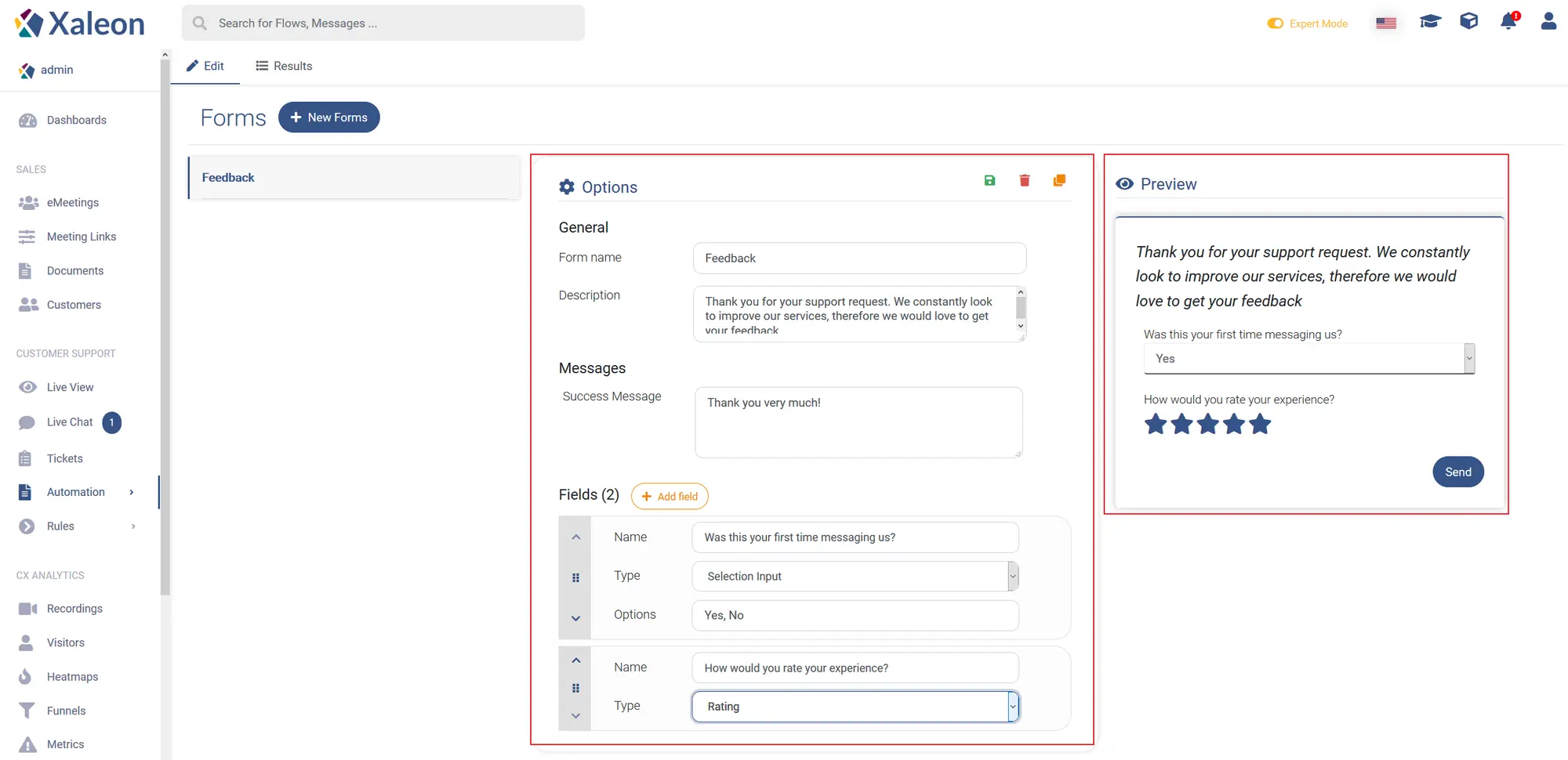
功能说明
第一份表格
通过单击 + 新表格 你将创建一个新表格
选项
常规
| columns/column | 1 |
|---|---|
Label | Description |
Form name | name of your form, not visible to customers |
Description | will be the header of your form, explain the customer your intention here |
信息
| columns/column | 1 |
|---|---|
Label | Description |
Success Message | message that will be sent after completion of the Form |
字段
点击 + 新领域 创建新的表单域以扩展表格。 可以使用左侧的选项对字段元素进行排序。
名字
字段的名字。 不对客户可见。
类型
不同类型的输入如下:
| columns/column | 1 |
|---|---|
Label | Description |
Text input | plain, open text input |
Selection input | will be the header of your form, explain the customer your intention here |
True/False | creates a checkbox |
Rating | creates a 5-star rating scheme |
Textarea | creates a text area where the customer can enter a text |
预览
在预览中,您可以确切地看到表单的设计。