Best remote access software in 2026: Features & use cases

You've scoured Reddit, Capterra, and G2, but you're still not sure which remote access solution is right for you. Every tool has different strengths and use cases, but the challenge is finding the one that truly fits your needs.

That's where this guide comes in. We'll walk you through the 11 best options, evaluating each based on use cases, features, strengths, and limitations.

What is remote access software and what to look for?

Remote access software is a program that allows one computer or device to securely connect to and control another over the internet or a local network. Businesses use it to manage remote servers, provide IT support, and access files or applications from anywhere. This enables faster troubleshooting, flexible work, and seamless collaboration.

Top solutions offer strong encryption, work across all your devices (Windows, Mac, Linux, mobile), and don't require complex VPN setups. You'll want two-factor authentication (2FA), session recording, and compliance with standards like GDPR or HIPAA for secure remote access.

Small and medium businesses adopt these tools to cut IT costs, speed up support responses, and give teams flexibility to work from anywhere. The time savings alone — from eliminating travel for on-site support — typically pay for the software within months.

Comparison

Best 11 remote access tools in 2026

(Data as of June 2026)

We've reviewed these 11 solutions based on security, device compatibility, and feature set. Each tool is evaluated on its strengths, limitations, and ideal use cases to help you find the right fit.

TeamViewer Remote

Zoho Assist

AnyDesk

ConnectWise

LogMeIn

ISL Online

Microsoft RDP

BeyondTrust

RemotePC

Splashtop

GoToMyPC

Key Features

Unattended device management, endpoint monitoring, user & device management, AI-assisted support, global network of 1,400+ routers, integrations (ServiceNow, Zendesk, Jira, and more)

Unattended access, session recording, branding customization

Remote connections, simultaneous sessions

Automation & scripting, multi-tenant support, ticketing & project management

Multi-monitor support, LastPass & ServiceNow integration

Self-hosting option, file transfer, flexible deployment

Built into Windows, application publishing, NLA

Session recording, canned scripts & diagnostics, audit logging

Unlimited sessions, file transfer, remote reboot

Multi-monitor support, central policy management, remote printing

File transfer, remote printing, multi-monitor support

Security & Compliance

AES-256, TLS 1.2, 2FA, HIPAA & GDPR compliant

Encryption, MFA

AES-256 encryption, 2FA, GDPR compliant

Access controls

Encryption, SSO, HIPAA & GDPR compliant

Encryption, SSO, 2FA, HIPAA & GDPR compliant

NLA, TLS encryption

Security controls, compliance features, audit logging

TLS/SSL, AES-256

Encryption, authentication

AES encryption, MFA

Device Coverage

Windows, macOS, Linux, iOS, Android, Raspberry Pi, IoT/edge devices

Windows, macOS, iOS, Android

Windows, macOS, Linux, iOS, Android

Windows-focused, multi-client environments

Windows, macOS, Android, iOS

Windows, macOS, Linux, iOS, Android

Windows primarily; limited macOS/Linux host support

Windows, macOS, Linux, Android, iOS, IoT

Windows, macOS, Linux, iOS, Android

Windows, macOS, Linux, iOS, Android

Windows, macOS, Linux, iOS, Android

Use Case

SMBs and IT teams with diverse device environments seeking a security-first remote support solution

Organizations within the Zoho ecosystem

Small offices and teams running older or lower-spec hardware

Managed service providers and large IT teams

Teams requiring multi-platform remote access with SSO and third-party integrations

Organizations requiring self-hosting and infrastructure control

Windows-centric environments with existing Microsoft infrastructure

Enterprise organizations with strict regulatory requirements

Small offices, homelabs, and personal remote work

SMBs seeking remote desktop without premium spend

Personal use and small businesses


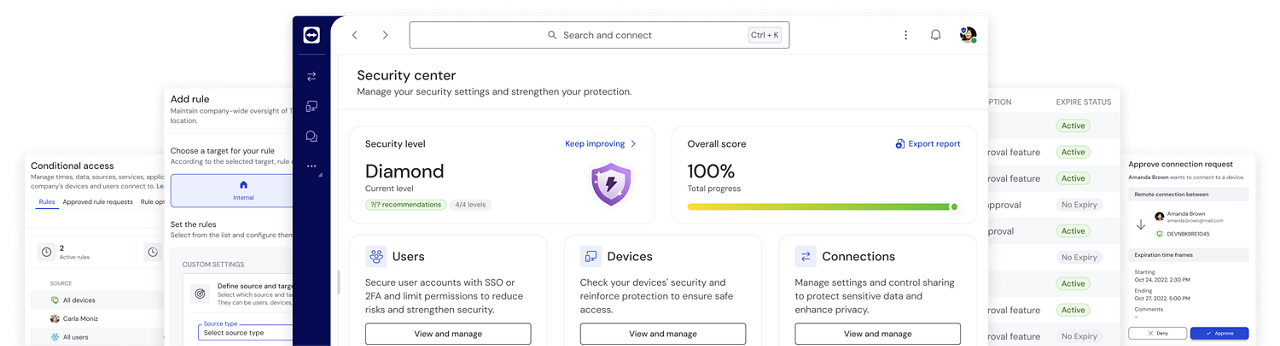
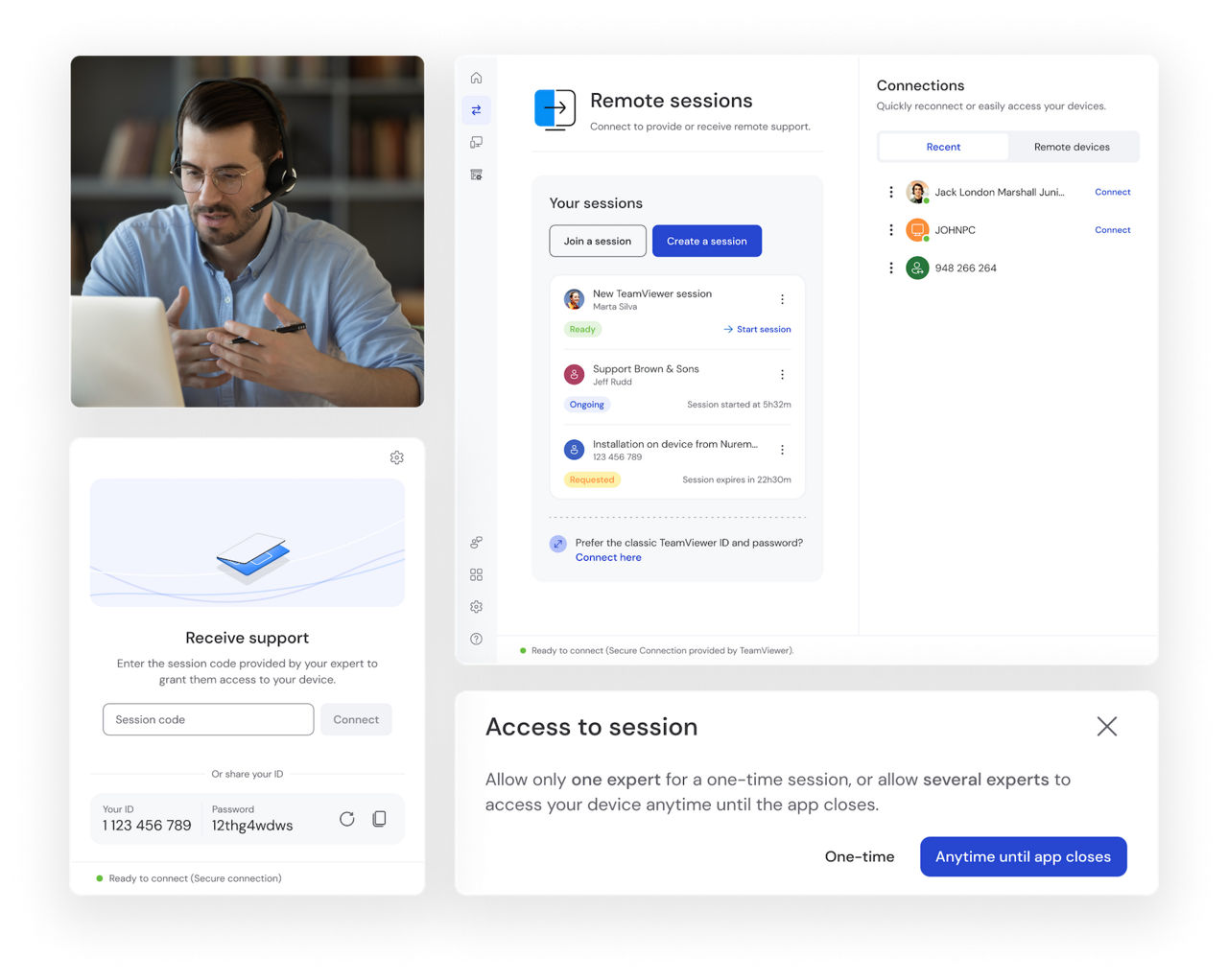
TeamViewer Remote is a secure, all-in-one remote access software that enables businesses to connect to, monitor, and manage devices across any operating system or location.

It combines remote support, unattended device management, user and device management, AI-powered task automation, and endpoint monitoring to help teams resolve issues faster and maintain productivity—no matter where users are.

Best for: SMBs and IT teams that want a reliable, security-first remote support solution without the complexity of an enterprise system.

Key Features

  • Broad device support: Windows, macOS, Linux, iOS, Android, Raspberry Pi, and many IoT/edge devices
  • AES-256 encryption with TLS 1.2
  • Two-factor authentication and audit logging
  • HIPAA and GDPR compliance
  • Easy user management and session reporting
  • Global network of 1,400+ routers for reliable connections
  • AI-powered support and automation (TeamViewer AI featuring Tia, Session Insights & Session Analytics)

Benefits

  • Security-first approach: Advanced encryption and authentication safeguard every session
  • True universal compatibility: Access every device from office PCs to IoT sensors without switching tools
  • Scales with your business: Start with a single user license and expand to large teams without changing platforms
  • Simple pricing: Pay only for what you need with straightforward add-ons
  • Reliable performance: Even in low-bandwidth environments, connections stay stable
  • Deep Integrations: Remote Corporate License includes powerful integrations with ServiceNow, Freshworks, Zendesk, Jira, Jamf Pro, Sophos


* Upgrade note:
 

For enterprises and SMBs that need SSO, auditability, Digital Employee Experience (DEX) monitoring, and deep integrations with Microsoft Intune or Salesforce, TeamViewer Tensor builds on TeamViewer Remote with advanced security, scalability, and automation capabilities.

Zoho Assist is a cloud-based remote support solution built for businesses already invested in the Zoho ecosystem, enabling tight integration across their existing Zoho tools.

Key Features

  • Screen sharing and session recording
  • Two-factor authentication
  • Unattended access
  • Branding customization
  • Integration with Zoho ecosystem

Limitations

  • Limited advanced features on lower-tier plans (Source: Capterra)
  • Customer support can be slow (Source: The CTO Club)
  • Interface occasionally feels cluttered
  • Connectivity issues on unstable internet
  • Third-party integrations are limited

AnyDesk is a remote desktop solution focused on basic remote connectivity for small offices and teams running older hardware, with relatively low system requirements.

Key Features

  • Low-latency connections
  • Lower resource usage
  • Cross-platform support (Windows, macOS, Linux, iOS, Android)
  • Encrypted connections
  • Simultaneous sessions
  • Basic, straightforward interface

Limitations

  • Customer support can be slow or unresponsive (Source: SoftwareSuggest)
  • Security features can be confusing to configure (Source: JoinSecret)
  • Lacks advanced features like conditional access and multitenancy
  • Limited IoT and OT device support
  • Analytics and collaboration features are basic

ConnectWise is an IT operations platform for MSPs and large IT teams, offering automation, scripting, and multi-tenant support.

Key Features

  • Automation and scripting
  • Ticketing and project management
  • Third-party integration options
  • Multi-tenant support
  • Reporting tools
  • Remote security features and access controls

Limitations

  • Steep learning curve for new users (Source: G2)
  • High cost of ownership (Source: Work-management.org)
  • Complex setup and integration process (Source: Reddit)
  • Inconsistent customer support experiences (Source: SoftwareAdvice)
  • Missing some out-of-the-box features for rapid deployment
  • Frequent complaints about pricing increases

LogMeIn is a remote desktop platform with remote access capabilities and integrations with LastPass and ServiceNow.

Key Features

  • Single sign-on (SSO)
  • Multi-monitor support
  • File transfer capabilities
  • Cross-platform compatibility
  • Integration with LastPass and ServiceNow
  • Encryption and security controls

Limitations

  • Expensive with frequent price increases (Source: Reddit)
  • Difficult account cancellation and billing practices
  • Performance can be laggy at times (Source: SoftwareAdvice)
  • Outdated or confusing interface elements (Source: Capterra)
  • Weak central control for IT administrators
  • No web-based account deletion option

ISL Online is a remote access solution that offers self-hosting options and transparent pricing, suited for organizations seeking more control over their infrastructure.

Key Features

  • Self-hosting capability
  • File transfer
  • Cross-platform support
  • Chat-based support
  • Flexible deployment options
  • Simple interface

Limitations

  • Slower performance with many active sessions (Source: TechRadar)
  • No integrated VPN for complex networks
  • Occasional copy/paste issues (Source: JoinSecret)
  • Additional licensing costs for larger deployments
  • Minor bugs with session management (Source: G2)

Microsoft Remote Desktop Services is a built-in Windows remote desktop feature that provides remote access within Windows environments.

Key Features

  • Built into Windows OS
  • Network-level authentication (NLA)
  • TLS encryption
  • Application publishing
  • Strong Windows integration

Limitations

  • Security risks when misconfigured (Source: PeerSpot)
  • Poor support for Linux/Mac as host systems
  • Connectivity issues over unstable networks
  • Can be complex to set up outside Azure or Windows domains
  • Limited cross-platform functionality (Source: G2)

BeyondTrust is a remote support software solution that provides security, compliance, and audit-related functionality for organizations.

Key Features

  • Session recording
  • Canned scripts and diagnostics
  • Multi-platform support
  • Security controls
  • Compliance-focused features
  • Audit and reporting capabilities

Limitations

  • Expensive, especially for smaller organizations (Source: Capterra)
  • Connection speeds can be slow depending on network
  • Complicated user connection process with Mac or dynamic IPs (Source: GetApp)
  • Limited dashboard customization
  • Interface quirks with desktop client (Source: saasgenius)

RemotePC is a budget-friendly remote desktop solution with secure connections and unlimited sessions, used for small offices, homelabs, and personal use.

Key Features

  • Cross-platform support (Windows, Mac, Linux, iOS, Android)
  • TLS/SSL and AES 256-bit encryption
  • Unlimited remote sessions
  • File transfer and remote reboot
  • Cross-device management

Limitations

  • No free version available
  • Limited advanced features for enterprise
  • Compatibility and security software issues possible (Source: AnyViewer)
  • Performance degrades on poor connections
  • Some interface quirks with non-movable menus (Source: Capterra)

Splashtop is a remote desktop solution for small and medium-sized businesses, offering remote access capabilities and security features.

Key Features

  • Security with encryption and authentication
  • Multi-monitor support
  • File transfer and remote printing
  • Central policy management
  • Cross-platform compatibility

Limitations

  • Subscription costs add up over time (Source: Capterra)
  • Administrative complexity with multiple contracts (Source: G2)
  • Mobile experience isn't ideal for desktop control (Source: TechRadar)
  • Advanced enterprise features are limited
  • Can be resource-intensive on less powerful hosts

GoToMyPC is a remote desktop software for personal and small business use, offering security features and a simple interface.

Key Features

  • AES encryption
  • Multi-factor authentication
  • File transfer
  • Remote printing
  • Multi-monitor support

Limitations

  • Limited features for Mac users (Source: PCMag)
  • Performance dependent on internet quality
  • Interface feels dated (Source: TechRadar)
  • Not recommended for enterprise if advanced customization is needed

How remote access software ensures efficiency gains

Remote access software delivers measurable improvements across operations, from support times to bottom-line costs. Based on real-world implementations across industries, here's what you can expect when you deploy the right solution.

  • Dramatic time savings

    When Easy Track Survey deployed remote access software, they eliminated the single biggest bottleneck in their support process: travel time. Previously, technicians spent hours driving between construction sites to troubleshoot complex geospatial equipment.

    With remote access, support became instant — technicians could see exactly what was happening on a customer's device and resolve issues in real time, without leaving the office.

  • Significant cost reductions

    The financial impact of remote access is immediate and substantial. BrauKon reduced travel costs by up to 50% thanks to remote access to their brewing facilities worldwide.

    These savings added up quickly, eliminating international flights, hotel stays, and the opportunity cost of technicians spending days traveling instead of solving problems.

  • Business scalability

    Perhaps the most significant benefit is the ability to scale without proportionally increasing headcount. Health Point Neurodiagnostics  doubled the monthly number of patients served—from around 100 to over 200— by using remote access to monitor its Video Ambulatory EEG equipment.

    Technicians could remotely monitor data streams every two hours and instantly fix connectivity issues, battery failures, or recording problems without sending team members to patients' homes. This scalability allowed HPN to expand operations and become a trusted testing source that physicians actively recommend.

  • Improved accuracy

    Remote access software makes work both faster and better. For Henkel, standardizing on a single remote support solution transformed their IT operations. Mobile devices dropped out of their top 10 ticket drivers because problems could be solved quickly and efficiently.

    Supporting 60,000 devices worldwide became simpler
    when IT agents no longer had to juggle three different remote support tools. They could help employees with Windows laptops, Macs, or mobile devices using one standardized platform.

  • Enhanced customer satisfaction

    In industries where downtime costs money, reliability matters. Armenian Software strengthened both customer and employee satisfaction by implementing remote support that allowed them to manage demands from an expanding customer base without compromising service quality.

    The ability to visually demonstrate solutions and see exactly what customers were experiencing made support more effective and less frustrating for everyone involved.

  • AI-powered documentation and ticket resolution

    Yammm, a 15-person managed services provider in Houston, used TeamViewer AI to automate post-session documentation.

    AI-generated session summaries save 5 to 10 minutes per interaction, cut 25 to 50 hours of manual documentation per month, and reduced resolution times on recurring issues by 25%.

The bottom line

The pattern is clear across industries: remote access software like TeamViewer  delivers faster operations, lower costs, better accuracy, and the ability to scale. Whether you're supporting complex equipment in the field, monitoring medical devices in patients' homes, or managing IT infrastructure for thousands of employees worldwide, the right remote access solution transforms how efficiently your business operates.

Conclusion: How to find the best remote access program
 

Choosing a remote access solution depends on a business’s specific requirements. Factors such as performance expectations, budget constraints, operating system environments, scalability, and compliance needs all play a role in determining which option is most suitable.

TeamViewer is one of the most complete platforms for SMBs managing diverse device environments. AI capabilities like Tia and Session Insights help teams resolve tickets faster and automate case documentation. If you need enterprise-grade security without complexity, want to consolidate remote access with monitoring and analytics, or plan to scale your IT operations, TeamViewer will be the best option for you. With features like conditional access, HIPAA and GDPR compliance, and the only Intune remote support integration on the market, TeamViewer grows with your business while reducing digital complexity.

Ready to see how TeamViewer can transform your IT operations?

Try it free to see firsthand how universal device coverage, enterprise-grade security, and AI-powered insights cut support times, reduce costs, and help your team work more efficiently.

Frequently asked questions (FAQ)

Remote access software lets you control computers and devices from anywhere with an internet connection. It's important because it cuts IT support costs, speeds up troubleshooting, and gives teams flexibility to work from anywhere without compromising security or productivity.

Look for strong encryption (AES-256), cross-platform compatibility, two-factor authentication, session recording, and compliance certifications like HIPAA or GDPR. You'll also want unattended access, file transfer capabilities, multi-monitor support, and integration with your existing IT tools like ServiceNow or Microsoft Intune.

Start by identifying your device environment, security requirements, and team size. Consider whether you need basic remote access or advanced features like monitoring and analytics. Test solutions with free trials, check compliance certifications, and calculate total cost of ownership including licensing and potential add-ons.

Costs typically include subscription fees based on user count, potential add-ons for advanced features, and minimal setup time. Most solutions are cloud-based with no infrastructure costs, but savings from reduced travel, faster resolution, and improved productivity often outweigh the cost within months.