Faster detection and resolution
Collect telemetry in real time and execute automations rapidly to resolve problems before they impact employee productivity.
TeamViewer DEX vs. Riverbed
TeamViewer DEX takes organizations beyond observability, helping IT teams move from insight to action faster with real-time remediation, automation at scale, and native remote support – all from one platform.
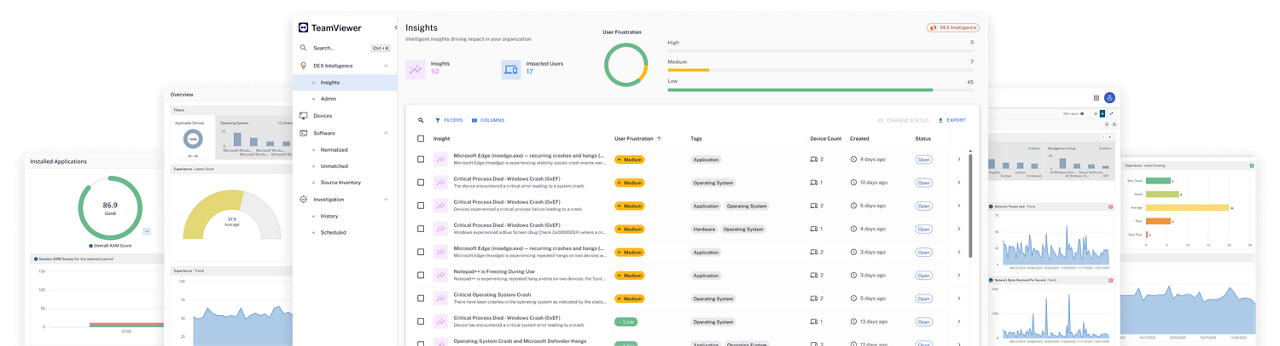
The demands of a modern digital workplace mean IT teams need to move quickly from insight to action, resolving digital workplace issues before they disrupt productivity or increase ticket volumes.
TeamViewer takes organizations beyond observability by combining digital employee experience (DEX), large-scale endpoint automation, self-healing, native remote support, and service desk workflows in a single platform. This reduces complex manual work, additional support tools, and unnecessary costs, making proactive IT easier to operationalize across the business.
With real-time endpoint remediation, automation at the edge, and a unified operational workflow, TeamViewer DEX helps organizations reduce ticket volumes, cut wasteful spending, improve DEX, and move quickly, broadly, and consistently from insight to validated resolution.
Collect telemetry in real time and execute automations rapidly to resolve problems before they impact employee productivity.
When human interaction or confirmation is needed, you can switch to a secure remote support session directly from the DEX platform when Tensor is integrated.
With 3,000+ built-in automations and monitoring templates, organizations can accelerate remediation without relying heavily on coding or building additional automations.
Help continuously enforce configurations and support device compliance at scale with remediation actions that persist even when devices are disconnected or temporarily offline.
Mark Burford Operations Engineer, Arup
“We've used the information that TeamViewer has given us to help us address issues before users report them.”
Feature comparison
(Data as of September 2026)
|
TeamViewer DEX
|
Riverbed Aternity
|
|
|---|---|---|
|
Experience monitoring and analytics
|
|
|
|
Automated endpoint remediation
|
|
|
|
Application performance visibility
|
|
|
|
Root cause analysis
|
|
|
|
Real-time remediation architecture
|
|
|
|
Offline remediation enforcement
|
|
|
|
Desired state management
|
|
|
|
Out-of-the-box automations
|
|
|
|
No-code / policy-based automation creation
|
|
|
|
Native Intune remediation workflows
|
|
|
|
Native Jamf remediation workflows
|
|
|
|
Embedded remote support within ServiceNow
|
|
|
|
Real-time DEX scoring in ServiceNow
|
|
|
No, TeamViewer DEX offers low-code customization. This means modifying out-of-the-box (OOTB) remediations is a breeze and doesn’t demand dedicated development resources to make adjustments. Our platform’s user-friendly design allows for hassle-free customization, empowering you to make necessary changes without any additional effort.
TeamViewer DEX’s SaaS platform isn’t restricted by the number of devices it can accommodate. Our platform can effortlessly scale to support any number of Windows, MacOS, and Linux devices, allowing for seamless management of all endpoints within your organization.
No, our automations live on the devices and continue to run even when offline. You can rely on our platform to provide an uninterrupted service and maintain critical operations, regardless of internet connectivity.
Yes, TeamViewer DEX works seamlessly with TeamViewer Tensor, our enterprise grade remote connectivity solution. Remotely connect to, access, and control your endpoints directly from within the TeamViewer DEX interface—and from anywhere in the world.
We're here to help when you need it. Our customer support team is here for you via call, chat, or support request. Find how-to videos, step-by-step guides, product announcements, and more in the TeamViewer Community.