

TeamViewer vs. GoTo
Why choose TeamViewer over GoTo (LogMeIn)
Connect and support your entire technology fleet with secure remote access from TeamViewer.
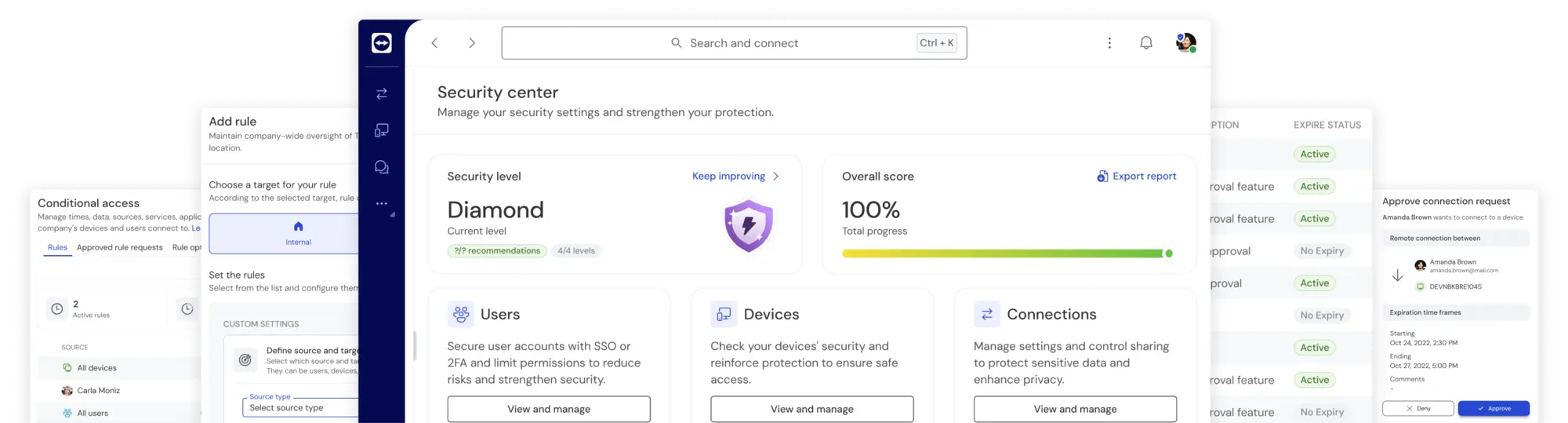
Feature comparison
TeamViewer vs. GoTo (LogMeIn)
(Data as of September 2024)
| TeamViewer Tensor | LogMeIn Rescue | |
|---|---|---|
| Basic remote access functionality (incl. remote control, file transfer, session recording) |  | |
| Single sign-on (SSO) | | |
| Mass deployment | | |
| Conditional access | |  |
| Auditability | | |
| AI capabilities (AI Agent to help with diagnostics, automated issue resolution) | | |
| Multitenancy | | |
| Available light agent | | |
| Available integrations | 25 | 10 |
| Incl. Microsoft Intune, SAP, IBM, and more | | |
| DEX Essentials (add-on for proactive endpoint management) | | |

Where TeamViewer wins
Need powerful remote technology for IT support, device management, and work from home? Then TeamViewer is the way to go. Find out how it outperforms GoTo below.

TeamViewer’s portfolio is as simple as it gets: Select your license based on the number of users you support, then choose your add-ons. With TeamViewer, you only pay for the features you need and always get market-leading technology. GoTo doesn’t give you this flexibility, so you may find yourself paying for a feature set that doesn’t suit your team’s needs.

TeamViewer grows with your business. All TeamViewer solutions share the same environment. This makes it easy to scale up your license as your team grows. GoTo’s solutions are separate from each other. That means switching from a basic license to a more advanced one can be as time-consuming as onboarding an entirely new piece of software.

Your security is TeamViewer’s number one priority. With advanced security features such as conditional access and Bring Your Own Certificate (BYOC), TeamViewer ensures that only authorized individuals can use TeamViewer or access your infrastructure. GoTo doesn’t offer conditional access or BYOC functionality.

You can rely on TeamViewer, no matter what. With a global network of over 1,400 routers, TeamViewer ensures high-quality connections, even in low-bandwidth environments. TeamViewer’s remote access technology supports multi-monitor setups in full 4K resolution, allowing you to work with remote devices just as easily as if they were in front of you.

TeamViewer supports your entire technology fleet. Covering a combined total of 127 different manufacturers, TeamViewer solutions are compatible with a wide range of operating systems, Internet of Things (IoT) devices, and operational technology (OT). GoTo products aren’t compatible with Linux and offer limited options for IoT and OT use cases.

TeamViewer fits right into your existing tech stack—thanks to its integrations with leading software vendors like Google, Salesforce, and SAP. Unlike GoTo, TeamViewer is a 2024 Microsoft Partner of the Year, offering deep integrations for Teams and Copilot and the only remote support integration for Intune on the market to date.

The built-in AI Agent provides constant support through continuous diagnostics and step-by-step guidance that help employees stay productive. Combined with DEX Essentials, organizations gain proactive visibility into device and application health, enabling potential issues to be spotted and resolved before they impact the workforce. Together, these capabilities create an ongoing reliability layer that maintains a consistent, high-quality digital experience across the entire enterprise.
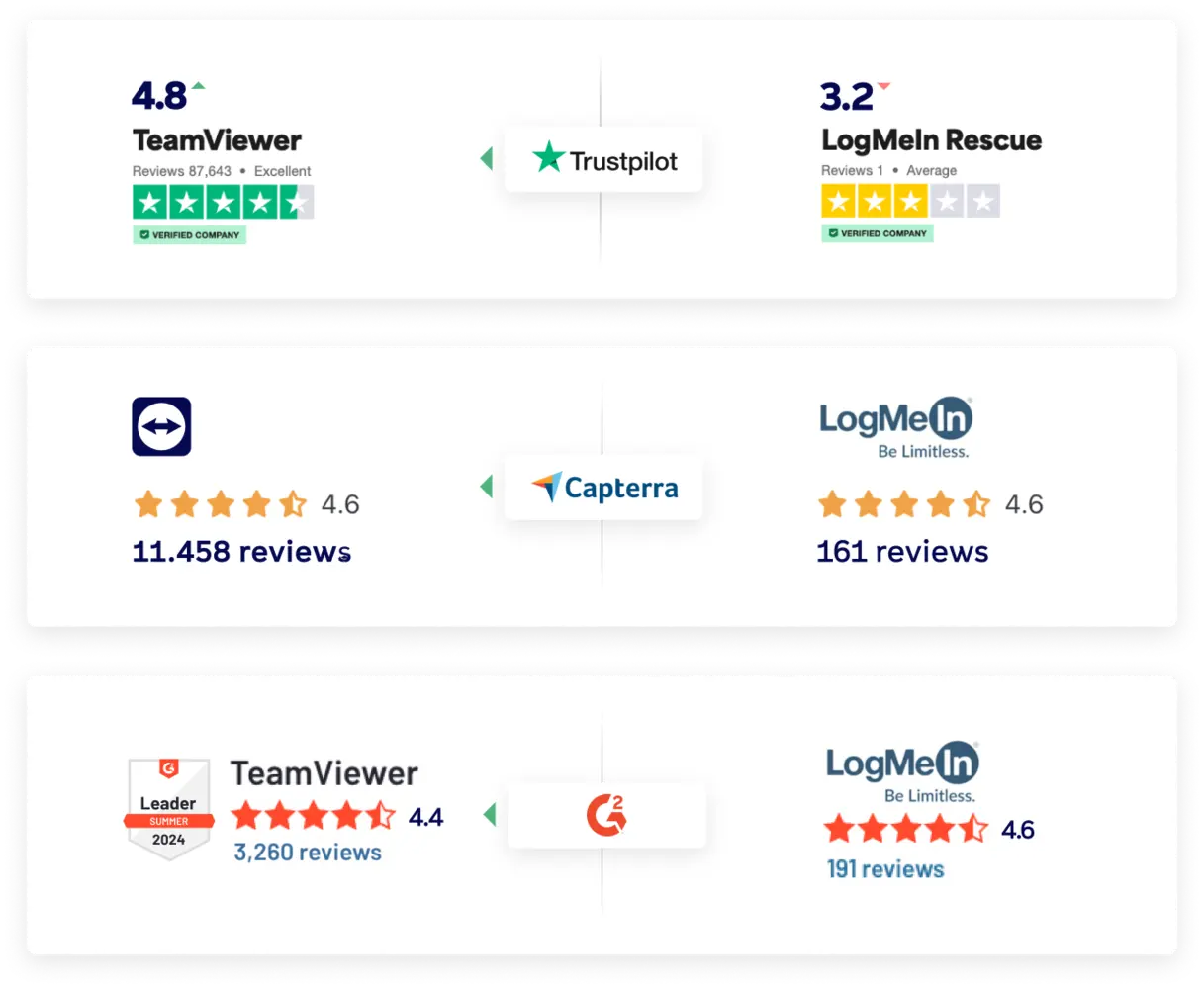
TeamViewer outperforms GoTo/LogMeIn Rescue on all major comparison sites
(Data as of October 2024)*

Deliver better remote support with TeamViewer
What makes TeamViewer special?
TeamViewer is secured by end-to-end 256-bit AES encryption, two-factor authentication, and other industry-grade security features, including conditional access and single sign-on (SSO).

TeamViewer leaves the competition behind when it comes to compatibility. It covers a total of 127 manufacturers for mobile devices, operating systems, and embedded devices.

TeamViewer’s global access network will provide you with the best possible connection, so you can enjoy immersive remote access and support sessions with fast transfer speeds and high image quality.
Why customers are switching from GoTo to TeamViewer
Where TeamViewer excels

Security is at our core
Compliance with ISO/IEC 27001, HIPAA/HITECH, and SOC 2 & 3 reflects our commitment to data protection, operational integrity, and regulatory alignment. So you can work with confidence.

The numbers speak for themselves

customers worldwide

devices connected

devices online at the same time