

TeamViewer vs. RSUPPORT
Why choose TeamViewer over RSUPPORT
Connect with, manage, and support devices anywhere with TeamViewer’s secure remote technology. Get started with TeamViewer today!
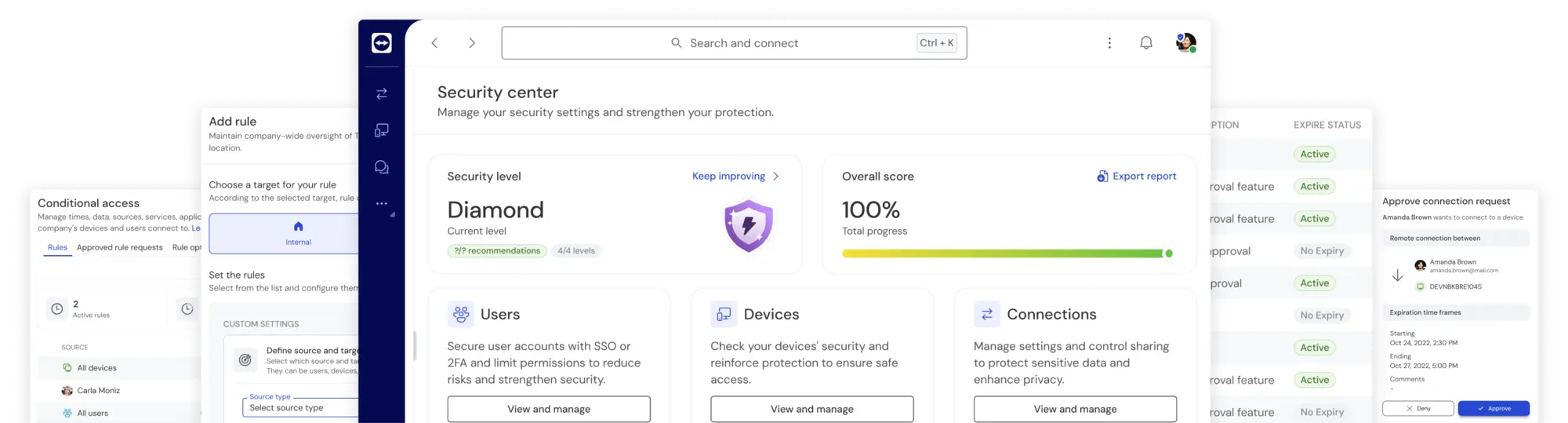
Feature comparison
TeamViewer vs. RSUPPORT
(Data as of November 2024)
| TeamViewer Tensor | RSUPPORT | ||
|---|---|---|---|
| Basic remote access features (Including remote control, file transfer, and session recording) |  | | |
| Single sign-on (SSO) | |  | (OTP support) |
| Conditional access | |  | (Time and IP/MAC based access, not RBAC based) |
| Auditability | | | |
| Multitenancy | | | |
| TeamViewer AI capabilities | | | |
| Available integrations (including Salesforce, SAP, IBM, etc.) | | | |
| Augmented reality (AR) support | | | |
| RMM add-ons (EDR, MDR, MDM, Asset Management, Monitoring) | | | (URL/file access) |
Where TeamViewer wins
Need powerful remote technology for IT support, device management, and work from home? Then TeamViewer is the way to go. Find out how it outperforms RSUPPORT below.

TeamViewer’s portfolio is as simple as it gets: Select your license based on the number of users you support, then choose your add-ons. With TeamViewer, you only pay for the features you need and always get market-leading technology.

TeamViewer grows with your business. All TeamViewer solutions share the same environment. This makes it easy to scale up your license as your team grows.

Your security is TeamViewer’s number one priority. With advanced security features such as conditional access and Bring Your Own Certificate (BYOC), TeamViewer ensures that only authorized individuals can use TeamViewer or access your infrastructure.

You can rely on TeamViewer, no matter what. With a global network of over 1,400 routers, TeamViewer ensures high-quality connections, even in low-bandwidth environments. TeamViewer’s remote access technology supports multi-monitor setups in full 4K resolution, allowing you to work with remote devices just as easily as if they were in front of you.

TeamViewer supports your entire technology fleet. Covering a combined total of 127 different manufacturers, TeamViewer solutions are compatible with a wide range of operating systems, Internet of Things (IoT) devices, and operational technology (OT).

TeamViewer fits right into your existing tech stack—thanks to its integrations with leading software vendors like Google, Salesforce, and SAP. TeamViewer is a 2024 Microsoft Partner of the Year, offering deep integrations for Teams and Copilot and the only remote support integration for Intune on the market to date.
TeamViewer excels on all major comparison sites


Elevate your remote access and support experience with TeamViewer
What makes TeamViewer special?
TeamViewer is secured by end-to-end 256-bit AES encryption, two-factor authentication, and other industry-grade security features, including conditional access and single sign-on (SSO).

TeamViewer leaves the competition behind when it comes to compatibility. It covers a total of 127 manufacturers for mobile devices, operating systems, and embedded devices.

TeamViewer’s global access network will provide you with the best possible connection, so you can enjoy immersive remote access and support sessions with fast transfer speeds and high image quality.
Where TeamViewer excels
Connect to and from any device or operating system with TeamViewer—whether it’s PC to mobile, mobile to PC, or mobile to mobile. Use built-in voice and video calls to communicate with the person you’re supporting. Address issues proactively with integrated device monitoring, mobile device management (MDM), and more.
TeamViewer ensures you get help when you need it. Our customer support team is here for you via call, chat, or support request. Find how-to videos, step-by-step guides, product announcements, and more in the TeamViewer Community.
TeamViewer is so much more than remote access. Combine your remote support with proactive IT management, enhance it with augmented reality (AR), or integrate it with your existing software tools, all within one platform.

Security is at our core
Compliance with ISO/IEC 27001, HIPAA/HITECH, and SOC 2 & 3 reflects our commitment to data protection, operational integrity, and regulatory alignment. So you can work with confidence.

The numbers speak for themselves

customers worldwide

devices connected

devices online at the same time
Award-winning software for both individuals and companies


