Company Readiness is a feature in TeamViewer ONE that helps organizations measure their progress toward IT maturity. It combines the features and functionalities of TeamViewer Remote, Remote Management, and TeamViewer DEX Essentials into one central place, delivering a seamless user experience. The purpose of Company Readiness is to ensure you get the maximum value out of your TeamViewer solution by guiding you through essential steps that unlock advanced capabilities, such as automation and proactive control.
What is Company Readiness?
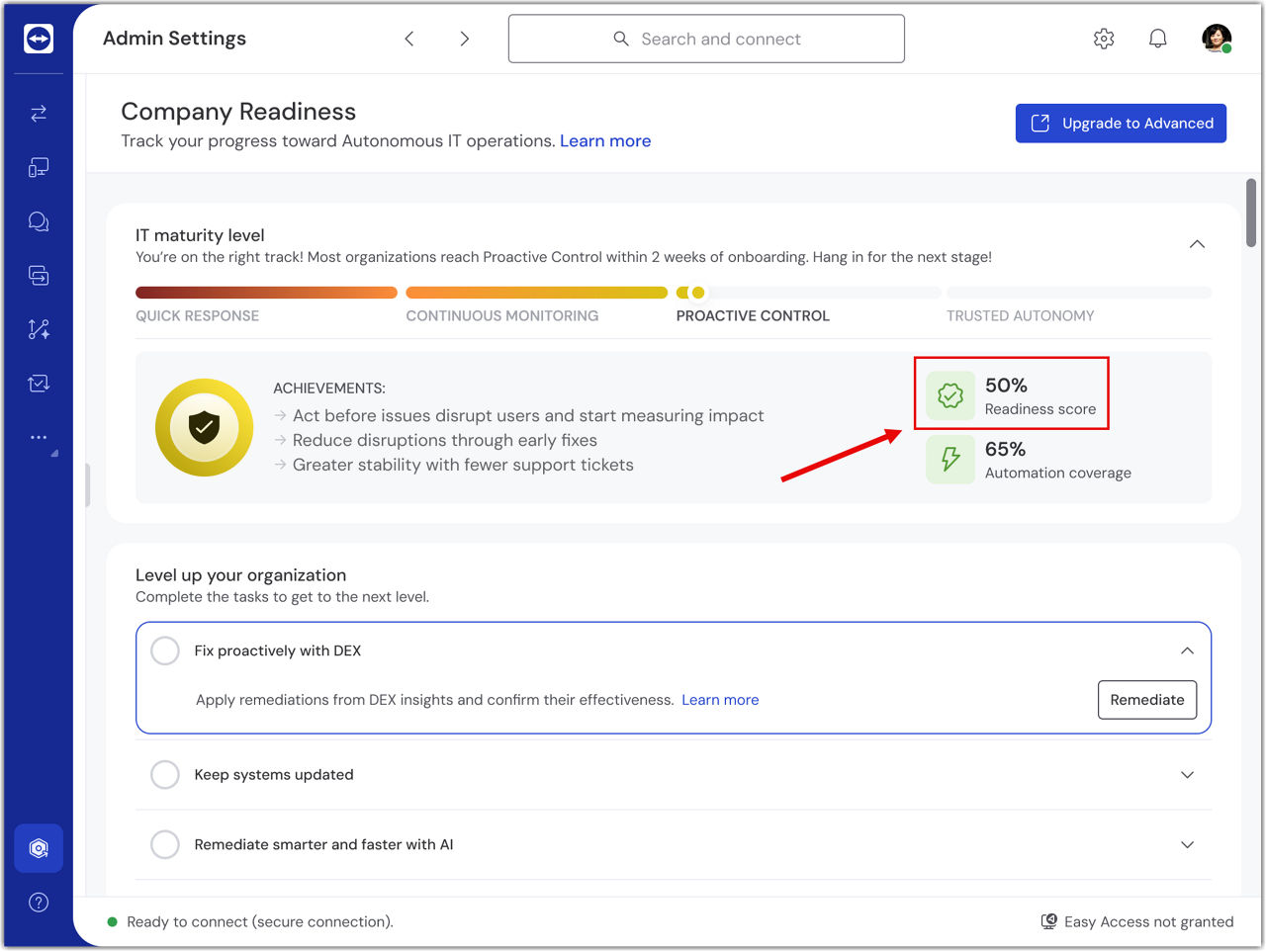
Company Readiness uses two key indicators to show your organization’s adoption level:
Readiness score
Displays the percentage of completed tasks out of all tasks required for full readiness.
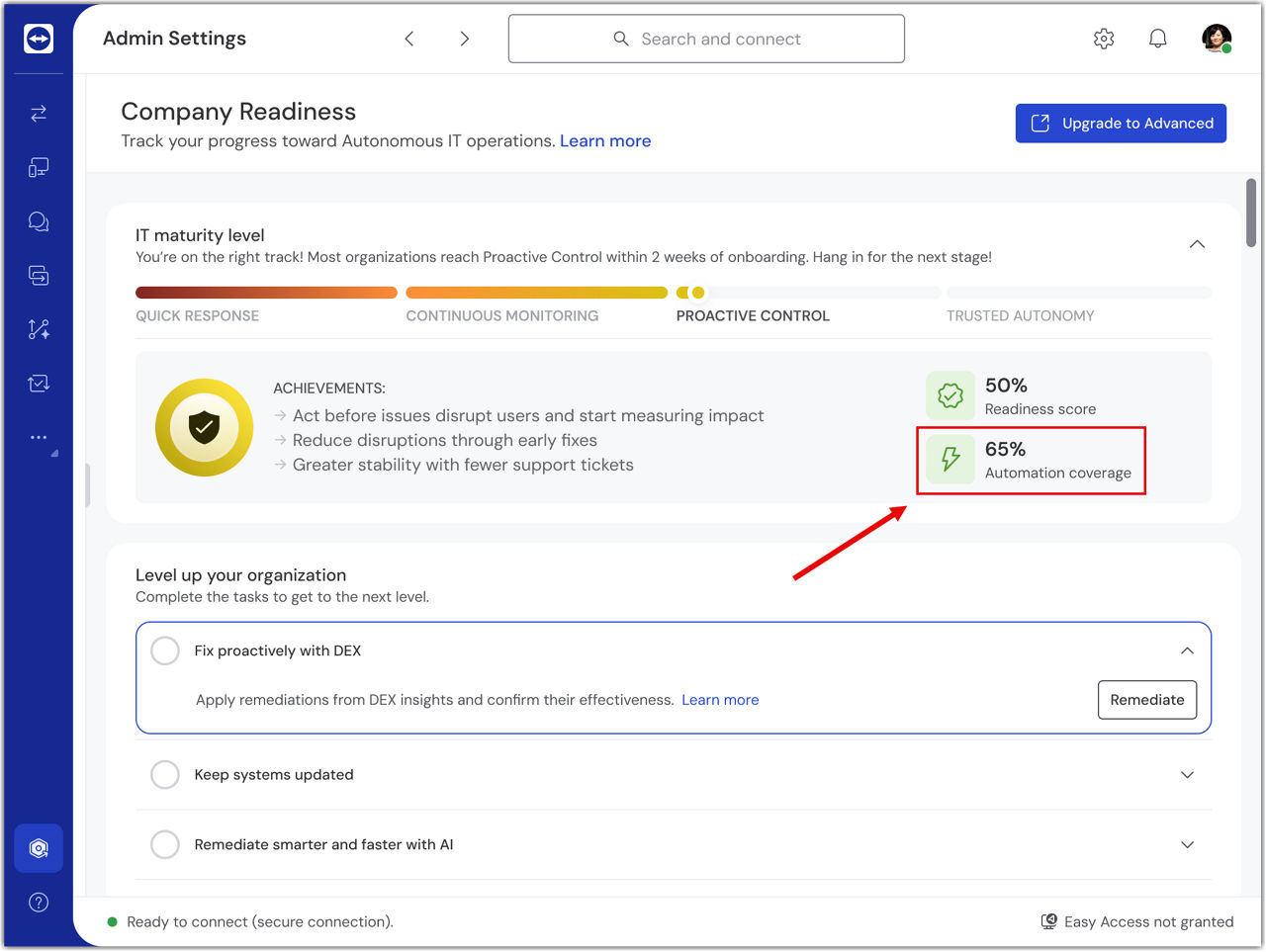
Automation coverage
Indicates how many issues you have automated compared to those that can be automated. Higher automation coverage means fewer manual interventions and faster resolution times.
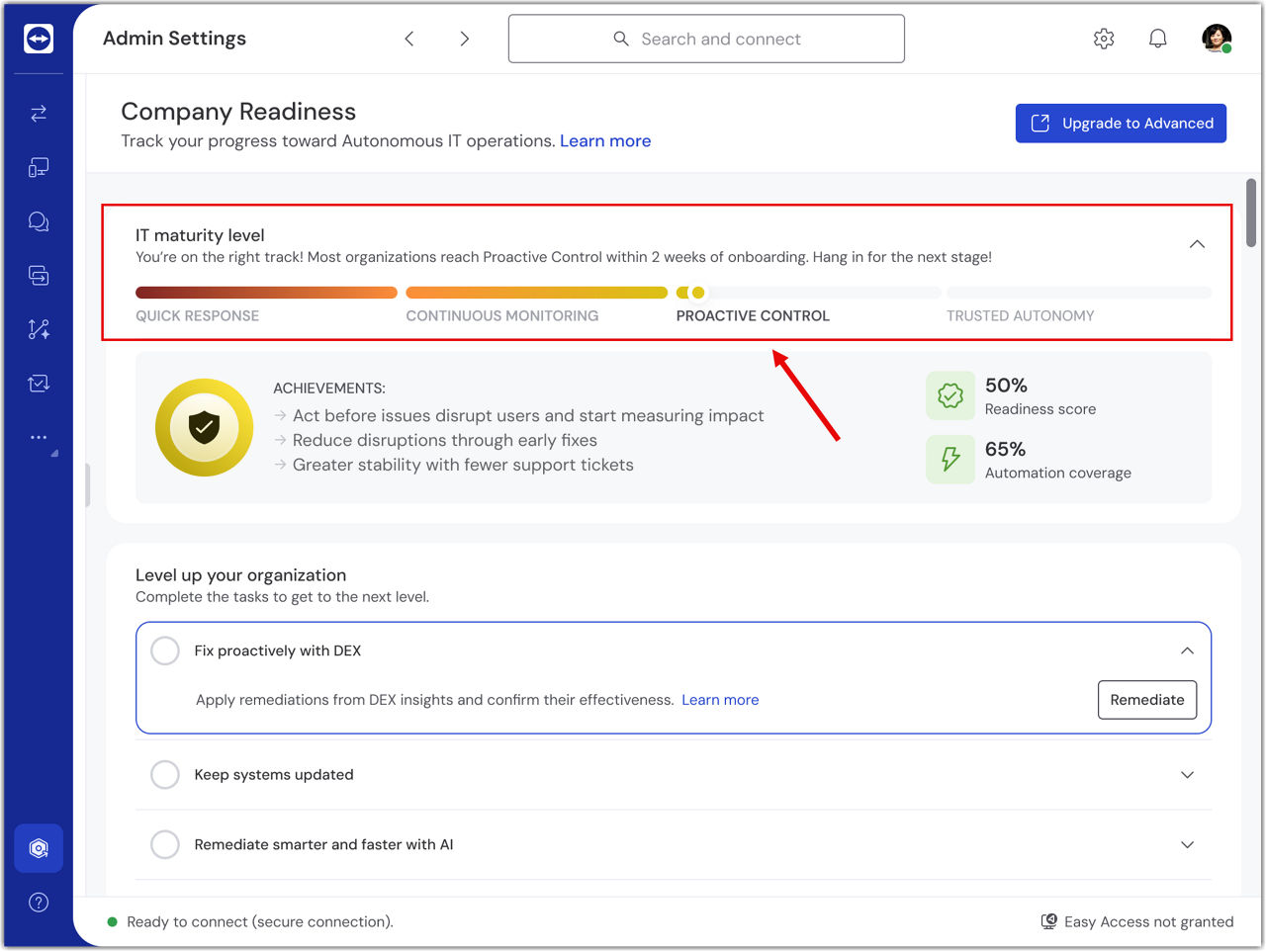
Both metrics are displayed alongside an IT maturity progress bar that visually shows your current level and remaining tasks.
IT maturity levels
Company Readiness is structured into four levels, each designed to build stronger IT capabilities. For each maturity level, you need to enable specific crucial functionalities or features to get the maximum value out of your TeamViewer ONE solution:
- Quick response: Focus on enabling basic remote support and collaboration.
- Continous monitoring: Introduces proactive monitoring and visibility into end-user experience.
- Proactive control: Enables advanced remediation and patch management, plus AI-powered recommendations.
- Trusted autonomy: Represents the highest level of IT maturity, focusing on automation and scheduled tasks.
Benefits for you
A clear roadmap to IT maturity
Company Readiness gives you a structured path to improve IT operations step by step, thanks to the combined capabilities of TeamViewer Remote, Remote Management, and TeamViewer DEX Essentials.
Less downtime
Detect and fix issues before they impact your users with proactive monitoring and remediation powered by TeamViewer DEX Essentials.
Higher efficiency
Automation coverage helps you save time by reducing manual work and accelerating resolution through Remote Management and AI-driven functionalities.
Seamless remote support
With TeamViewer Remote, you can provide fast, secure assistance to users anywhere, ensuring business continuity.
Stronger security and compliance
Features such as audit logs and role-based access control help keep your environment secure and compliant.