Looking for an alternative to Splashtop?
We’ve compared the leading remote computer access solutions to help you find the best fit for your business.
See why TeamViewer stands out with industry-grade security, seamless deployment on any device, and the flexibility modern teams rely on.
Comparison
Top 10 Splashtop alternatives for SMBs in 2026
(Data as of June 2025)
Exploring alternatives to Splashtop? Here’s a breakdown of how they stack up, plus key factors to consider before choosing.
TeamViewer | Splashtop | AnyDesk | RemotePC | Chrome Remote | Zoho Assist | LogMeIn Pro | DWService | Atera | RealVNC | Dameware | |
|---|---|---|---|---|---|---|---|---|---|---|---|
Core features | Remote support, secure file transfer, augmented reality features, session recording, centralized management, AI-powered automation, enterprise-level security, AI Agent for automated issue resolution, DEX Essentials for proactive endpoint management | Remote access, session recording, high FPS streaming (up to 240 FPS in Pro tier), remote printing | Lightweight tool with file sharing, unattended access, custom branding (paid plans) | File transfer, multi-monitor support, mobile access | Browser-based screen sharing and remote control via Chrome extension | Cloud-based remote support with unattended access, screen sharing, file transfer, and browser sessions | Remote file access, printing, session logging, 1TB cloud storage, multi-monitor support | Web-based remote access with minimal setup, intended for personal use | IT management suite with remote access via Splashtop integration, scripting, and automation | Remote access, session recording, file transfer, multi-monitor support | Remote administration, AD integration, system tools, CLI access |
Security features | AES-256 encryption, enforced two-factor authentication, conditional access, GDPR and HIPAA compliant, logging and RBAC | AES-256, 2FA, lacks comprehensive compliance features, limited auditing | TLS 1.2, optional 2FA, lacks role-based access or compliance controls | Basic encryption only, lacks advanced authentication, limited auditing | No 2FA, basic HTTPS encryption, no user or role management | SSL, two-factor authentication, role-based access, limited compliance visibility | AES-256, 2FA, no fine-grained access policies or conditional access | Basic HTTPS encryption, lacks audit trail, no access control | Uses Splashtop’s security model, no added controls or auditing | Shared password model, limited encryption and user control | AES-256 encryption, 2FA, role-based access for internal environments |
Device support | Windows, macOS, Linux, iOS, Android, Raspberry Pi, ChromeOS | Windows, macOS, Linux, iOS, Android | Cross-platform across desktop and mobile | Available on all major platforms including Android/iOS | Windows, macOS, Linux, ChromeOS (via browser) | Browser-based and native apps for all major platforms | Windows and macOS only | Access via any browser, platform-agnostic | Web interface, Windows, macOS via agent | Cross-platform, occasional compatibility issues reported | Windows, partial macOS, focus on internal networks |
Performance | High performance even on low-bandwidth networks, optimized data transmission and stability | Performs well in LAN, lag and resolution issues reported over internet connections | Low latency in simple environments, performance drops with load | Lag and stutter even on fast connections, especially with media | Stable for quick home access, limited on slower connections | Reports of devices showing as offline, requires reboots to reconnect | Stable in general use, UI and performance seen as outdated | Lag, dropped sessions, and inconsistent control in business use | Performance depends entirely on embedded Splashtop, reliability varies | Users report disconnections, resolution scaling issues, and forced logouts | Reliable in internal use, may feel sluggish, especially with agent setup |
Pricing | Tiered commercial plans, volume licensing, trials available | Paid business plans, free version for local personal use only | Free for personal use, commercial plans required for full features | Budget plans for SMBs, lacks enterprise options | Free for all personal use cases | Freemium with paid business tiers, limited features in free version | Paid only, high cost per license | 100% free and open source | Subscription per technician, remote access as add-on | Paid only, no true freemium version | Per-seat licensing, no free version |
Pros | Built-in security, flexible deployment, strong support, scalable integrations (M365, Zendesk, Jira), intelligence tools also available for SMB licenses | Affordable, simple interface, good for quick access | Fast to deploy, low system usage, good for freelancers | Attractive pricing, mobile access support | Simple, no install, convenient for basic needs | Clean UI, fast setup, integrates with Zoho suite | Familiar to IT pros, includes storage and advanced features | Lightweight, no install, free forever | Bundled platform includes monitoring, ticketing, automation | Easy to set up for occasional access | Strong for sysadmins in Windows environments |
Cons | No self-hosting option, limited control over server management | Session lag, blurry resolution, inconsistent performance across networks | Weak on security, lacks compliance, not suitable for regulated industries | Lag and outdated UI, support often rated poorly | No user management, weak encryption, not business-grade | Device offline errors, not reliable for real-time support | Pricey and UI/UX feels outdated compared to modern tools | No session logs, role control, or compliance visibility | Relies on Splashtop, inherits its technical and security limitations | Poor encryption model, unreliable when unattended | Limited platform support, clunky setup, poor cross-device experience |
Why you might want to look for a Splashtop alternative
Splashtop delivers remote access software with features like file transfer, session recording, remote printing, and high-frame-rate streaming, targeting basic remote access use cases, small teams, and media-oriented environments.
However, many users report frequent connection lag, blurry resolution, and unstable session performance—especially across networks (Source: Capterra). These issues can disrupt workflows and make it harder to meet business or compliance requirements. When stability and compliance become essential, SMBs should consider a more robust solution like TeamViewer.
Why many businesses choose TeamViewer as an alternative to Splashtop
TeamViewer combines secure access, flexible deployment, and wide-ranging integrations in one platform—making it a strong fit for businesses that value reliability, compliance, and scalability. For teams looking to streamline IT support and remote work without unnecessary complexity, TeamViewer provides the depth and flexibility needed to grow confidently.
Here are the standout features that set TeamViewer apart from other remote access software:

Bank-level security
TeamViewer uses encryption standards comparable to those used by banks—ensuring every session is secure from end to end. Combined with advanced access controls and compliance with GDPR and HIPAA, it gives businesses the confidence to operate securely, even across distributed teams.
- AES-256 encryption and two-factor authentication to block unauthorized access
- Incoming and outgoing connection reporting for transparency and control
- Session timeout policies and blocklisting for added security
- Enterprise-grade Zero Trust access controls for sensitive and regulated environments
- AI-supported risk detection for elevated session protection

Scalable for growing teams
Licensing and features are designed to scale effortlessly with your organization. Tools like unattended access and device management are included across plans. No matter how complex your IT environment becomes, TeamViewer ensures seamless performance.
- Multi-user and multi-device support
- Flexible licensing options for SMBs and larger organizations
- Cloud or on-premises deployment to match IT requirements
- DEX Essentials: Monitor digital employee experience across all endpoints to proactively detect and resolve issues

Integrations that save time
Providing over 40 integrations with the tools your business already relies on, including Microsoft 365, Zendesk, and Jira, TeamViewer fits into your existing workflows—no extra connectors or workarounds needed.
- Microsoft 365, Zendesk, Jira, ServiceNow and more
- Remote monitoring and management (RMM) add-ons
- Full API access for customization

Ease of use: Simple, fast, and reliable
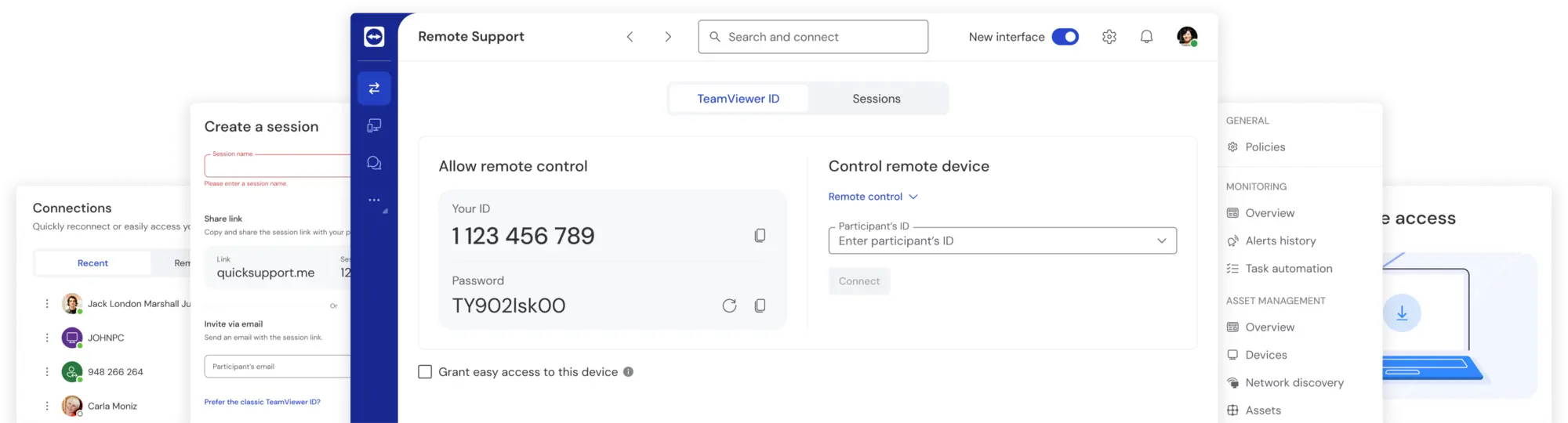
TeamViewer is built for simplicity—so your team can connect and support devices without hurdles. With one-click connections, a clean interface, and broad platform support, getting started takes minutes.
- Works on Windows, Mac, Linux, iOS, Android, and even Raspberry Pi
- Drag-and-drop file sharing between devices
- Instant access via browser or QuickSupport (no install needed)
- AI capabilities for automation and intelligent workflows, AI Agent for faster resolution times
- AR support enables real-time troubleshooting
Concerns about TeamViewer? Let’s address them.
If you’re comparing remote access tool alternatives, it’s normal to have questions—especially around pricing, security, or performance. Here is how TeamViewer addresses common concerns:

118,115 reviews

3,649 reviews

2,714 reviews

11,513 reviews
Bottom line
TeamViewer supports your business every step of the way
TeamViewer combines essential security features, broad device compatibility, and a user-friendly interface. Thanks to built-in integrations and a unified platform, it supports remote access needs in SMB environments—without the typical constraints of free or entry-level tools. Whether you’re supporting a growing team or managing complex IT environments, it's built to adapt to your needs.
Experience award-winning software for secure remote access and support