

TeamViewer makes it fast to transfer large files, with speeds of up to 200 MB/second. You won’t need to wait ages for your files to appear on your other device.
Easy Android file transfer to PC
Let’s say you want to do some extensive editing of a photo that you took with your Android’s HD camera. Or that you want to get your favourite new songs onto your phone so you can listen to them on the go. How do you transfer these files?
Luckily, it’s easy to transfer files from Android to PC and vice versa with TeamViewer – even without a USB cable.
Step-by-step
How to transfer files from Android to PC
With TeamViewer installed on your Android and your PC, you’ll be able to access your device as if it were right in front of you. That also means that sharing files between both devices is a cinch. We’ll go over the process of Android transfer below.

Enter ID
Enter the Partner ID of the PC that you would like to transfer files with.

Connect
Click on File Transfer and start the connection.

Access files
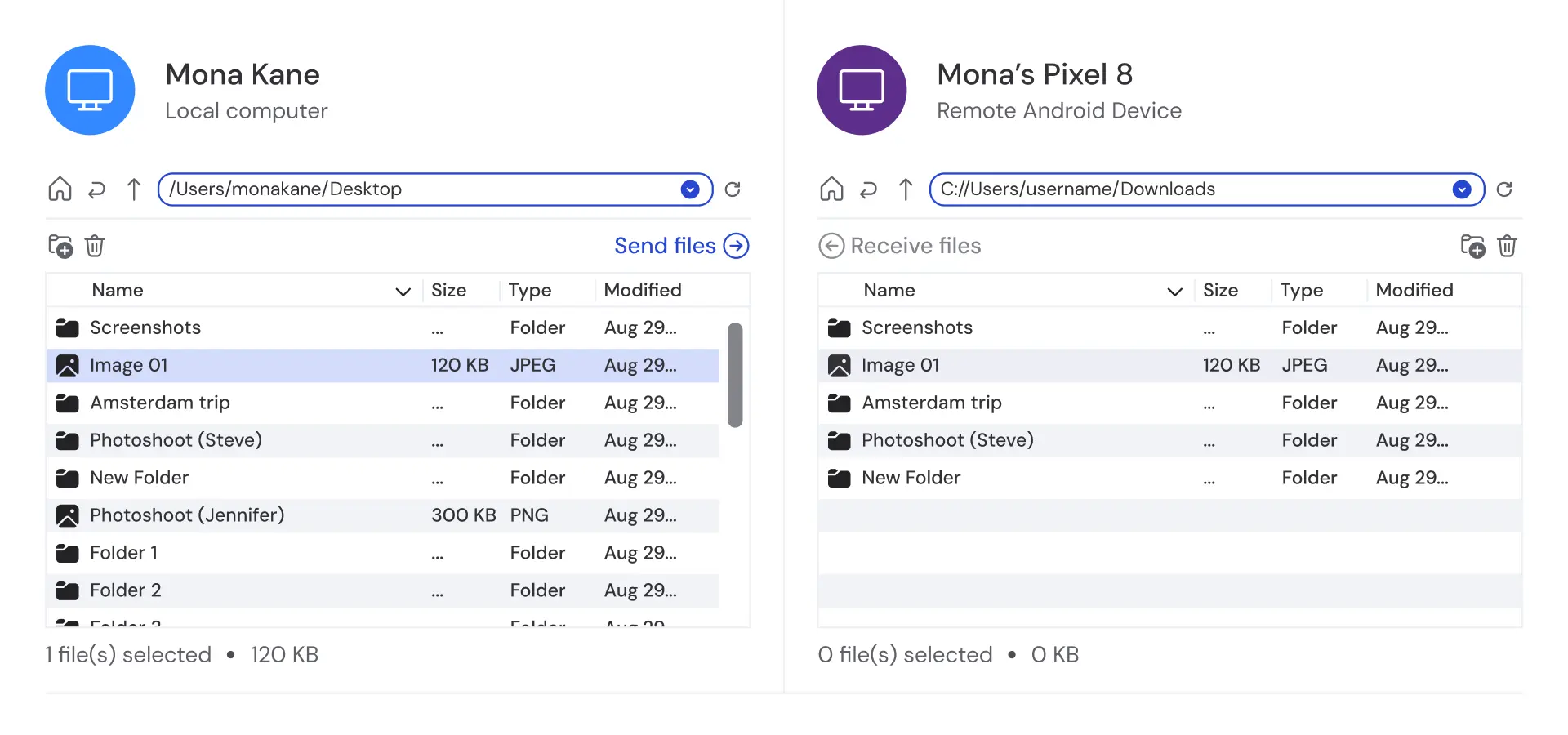
The File Transfer Window will open. The files on your Android will be displayed on the left and those on your PC on the right.

Transfer
To transfer files from one device to the other, use the buttons at the top or drag and drop them between the two panels.

It’s as easy as that!
The benefits of using TeamViewer for Android file transfers to PC
- Industry-leading security and end-to-end encryption
- Fast and intuitive file transfer
- Share files with other devices, no matter their operating system
- Easily integrates with cloud sharing systems
Take Android data transfer to the next level
Because TeamViewer is also so much more than simply a file sharing program, you can also take it to the next level. If you install TeamViewer on your PC and then set up unattended access, you can access the files on your PC from your Android at any time and from anywhere in the world.
Plus, you’ll be able to easily share files with other devices no matter their operating system, thanks to TeamViewer’s cross-platform compatibility.
When you use TeamViewer to transfer photos from your Android to a PC, or any other files for that matter, you can rest assured that their contents are protected with end-to-end encryption and top-notch security.
TeamViewer can be easily integrated with other file sharing systems like Dropbox, Google Drive, OneDrive for Business, and the iOS app Files, making it a convenient way to manage all your files, even those stored in the cloud.