Knowledge Base
Create your company (with a Master account) - 1/9
Last Modified: Nov 25, 2024
The first step consists of creating your company.
We highly recommend creating your company with an impersonal email account in your company that is not assigned to a specific person. For more information about why we recommend this, please read the following article: Use a Master Account for your company.
How to create your company profile
To create your company profile, please follow the instructions below:
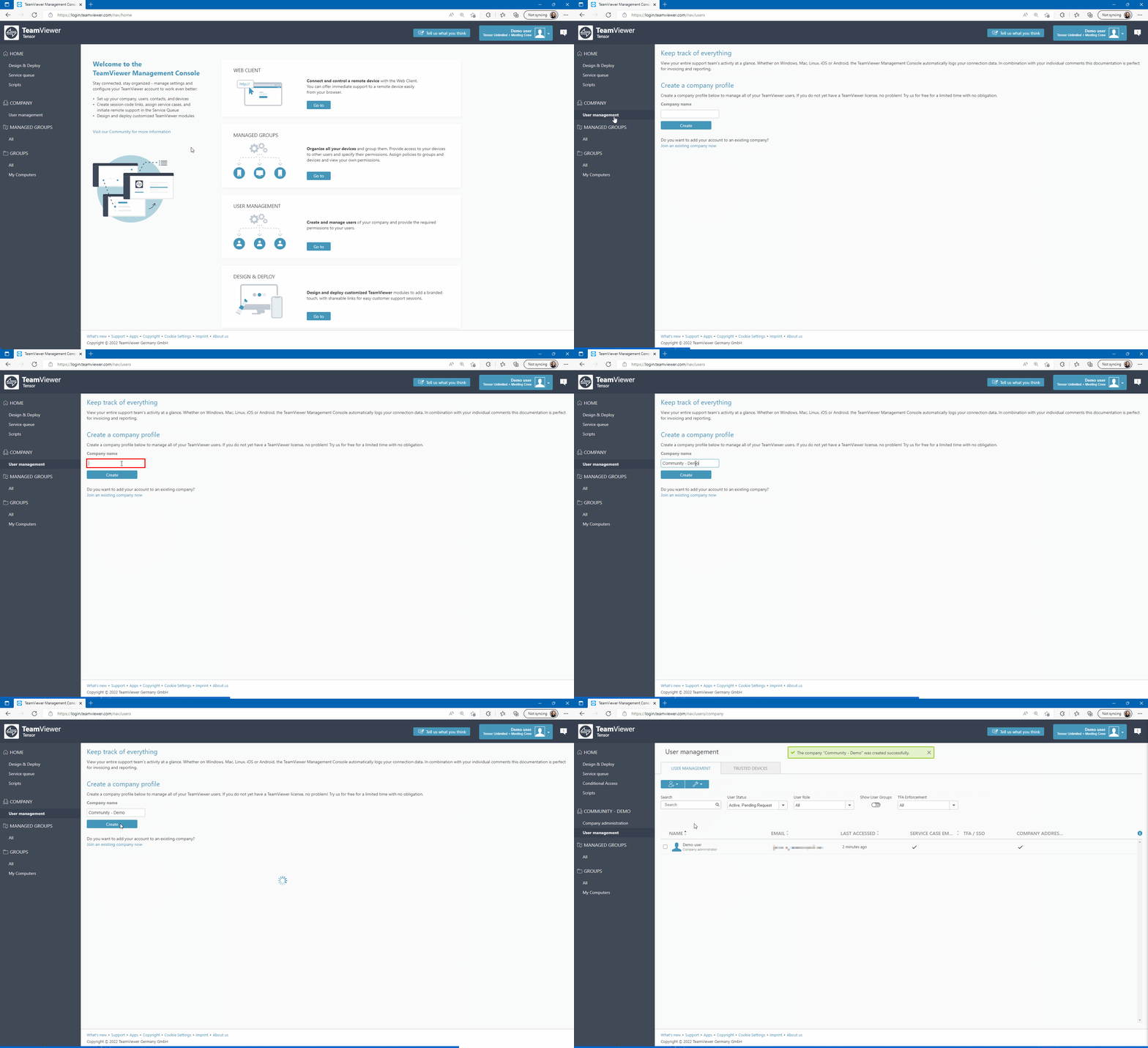
- Log in to the Management Console under https://login.teamviewer.com
- Click User Management in the upper left corner
- Enter a company name in the dedicated field and click Create