
Knowledge Base
Create your company (with a Master account) - 1/9
Last Modified 25 нояб. 2024 г.
The first step consists of creating your company.
We highly recommend creating your company with an impersonal email account in your company that is not assigned to a specific person. For more information about why we recommend this, please read the following article: Use a Master Account for your company.
How to create your company profile
To create your company profile, please follow the instructions below:
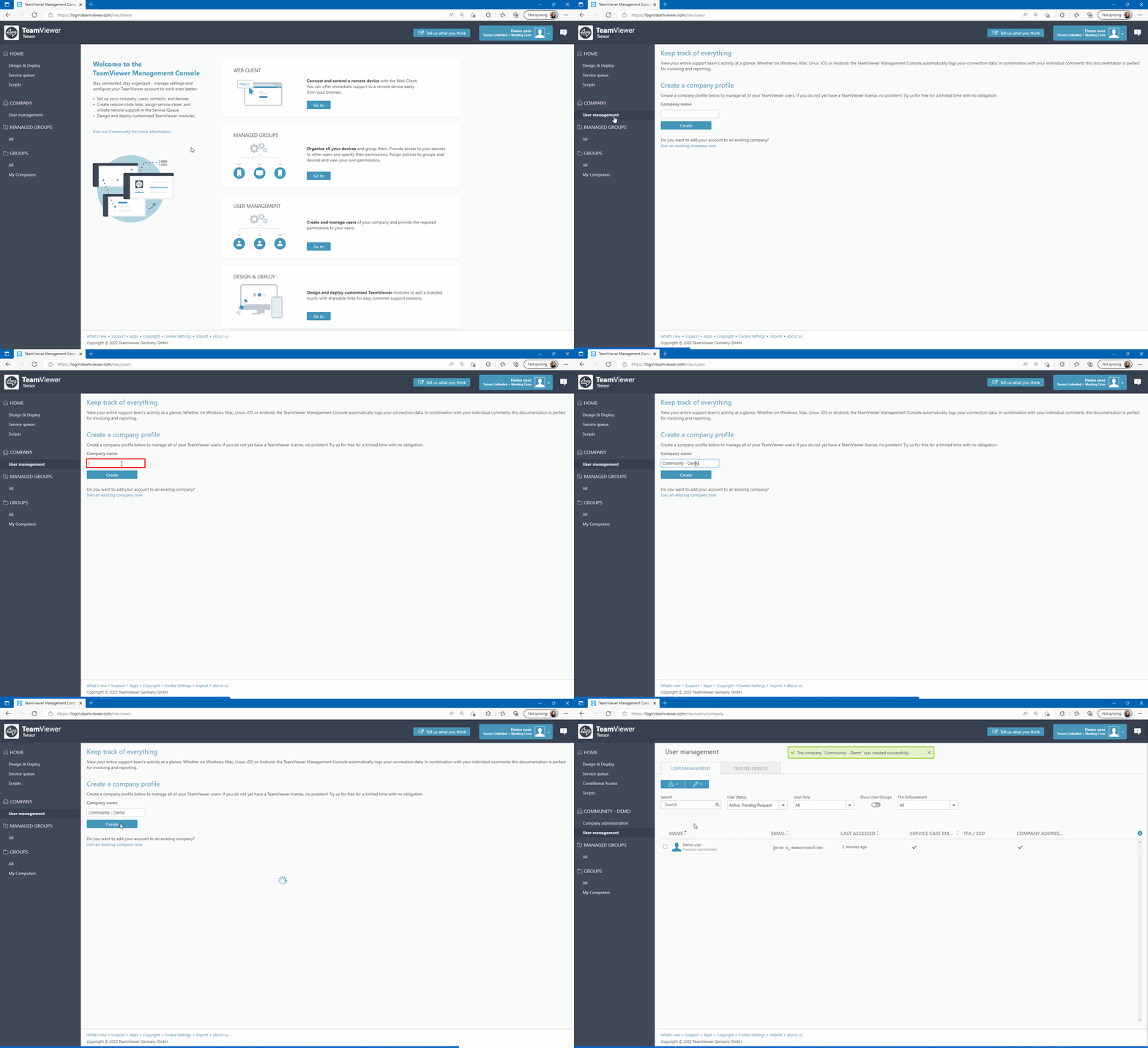
- Log in to the Management Console under https://login.teamviewer.com
- Click User Management in the upper left corner
- Enter a company name in the dedicated field and click Create