End user experience monitoring: Definition, benefits, and key differences


End user experience monitoring is the practice of measuring IT services, applications, and devices from the end user's perspective. It tracks what employees actually experience on their device. The goal is accurate, user-side visibility so IT teams can catch and fix performance issues that affect productivity before users escalate them.
Where traditional monitoring tools ask "is the system up?", EUEM asks "can the employee actually work?"
Main benefits include:
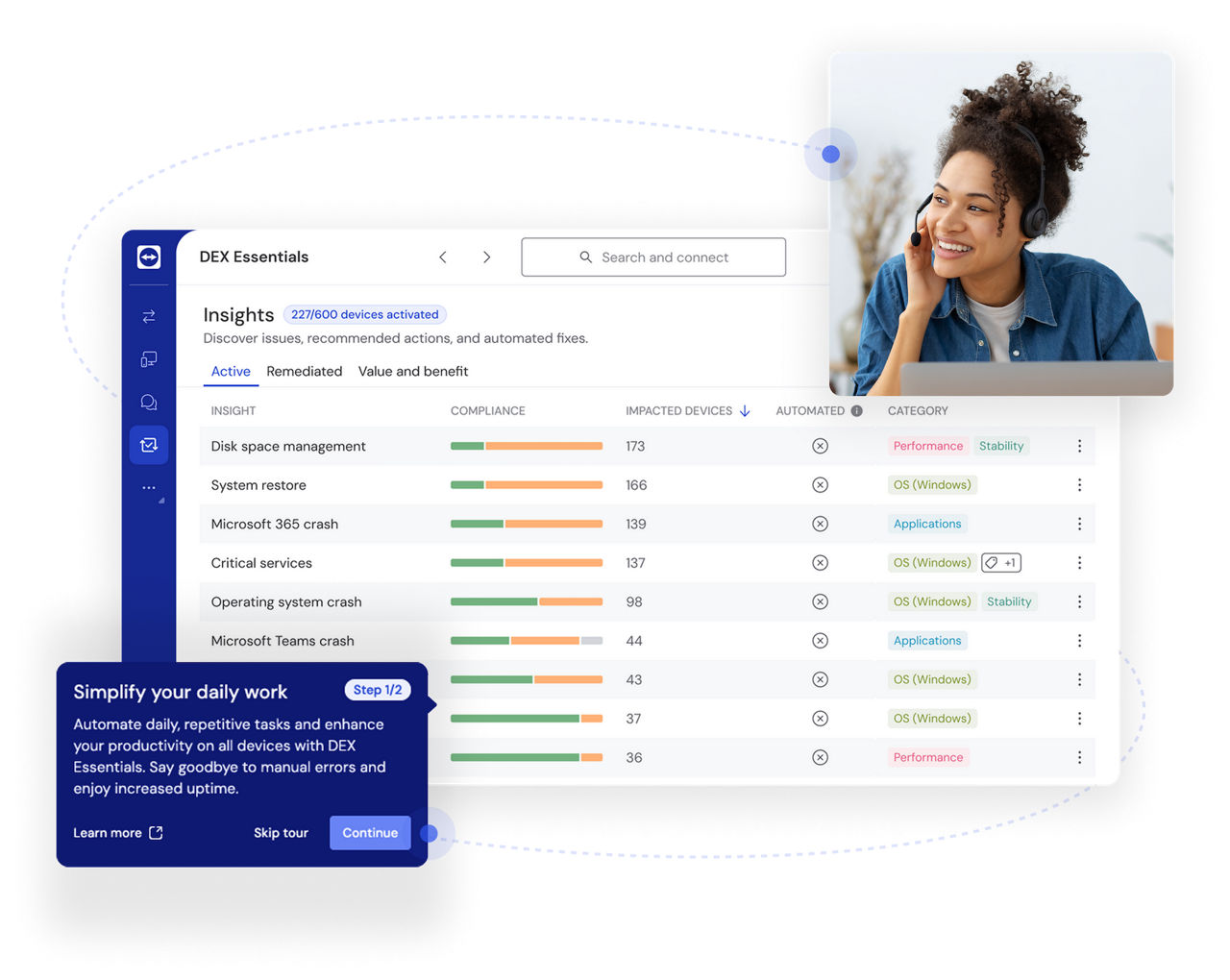
Infrastructure monitoring isn't broken, but it's measuring the wrong layer.
Server dashboards report what servers do. Network tools report what the corporate network does. Neither sees the employee working from a kitchen table, on a consumer ISP, accessing a SaaS app whose CDN happens to be degraded in their region. To infrastructure monitoring, everything is fine. To the employee, nothing is.
Three forces have widened this gap.
The value of EUEM maps directly to the daily pain points IT teams and employees deal with in hybrid, SaaS-driven workplaces.
Without user-side data, troubleshooting starts blind. An engineer sees "Outlook is slow" and has to manually correlate network logs, app metrics, and device health across different tools. EUEM brings those signals together in a user-context view.
Point tools each see their slice of the stack and miss the compound issues that actually break the user's digital experience. EUEM correlates signals across layers to surface what isolated dashboards can't.
Lower user satisfaction impacts employee productivity and creates a lot of frustration. Repeated digital friction erodes trust. 28% of employees had considered quitting due to technology challenges, and 42% said their company had lost revenue because of dysfunctional IT. EUEM gives IT the visibility to address friction systematically.
When users have to file a ticket to get heard, support volume climbs, and resolution queues grow. EUEM flips the sequence. IT sees the issue first, and often before the user does.
EUEM works by correlating four signal types: endpoint health, network path data, application performance, and real user behavior, into a single view. It combines active monitoring (scripted tests that run on a schedule) with passive monitoring (telemetry captured from real users as they work).
The output is a complete picture of what actually contributed to a specific user's experience at a specific moment:
Endpoint signals: CPU usage, memory usage, disk I/O, Wi-Fi quality, app crashes, login times
Network signals: Latency, packet loss, jitter, DNS resolution, last-mile ISP performance
Application signals: Page load time, API response time, transaction success rates, SaaS availability, video and audio quality
User signals: Employee sentiment data, friction event counts, time-to-complete for workflows, session replay where supported

EUEM relies on four complementary techniques. Most platforms combine them.
End user experience monitoring software is most useful when it's mapped to the user journeys that matter most to the business operations, and the right platform handles the correlation work in the background.
Logins, collaboration tools, SaaS app access. A synthetic login test running every five minutes from each region can catch VPN authentication latency in Frankfurt at 7 AM, before the first employee in Germany tries to log in. Real user monitoring can flag which specific locations are seeing degraded Microsoft Teams call quality, and when. End user experience monitoring tools like TeamViewer DEX surface these signals on a single dashboard, so patterns across a distributed workforce become visible without manual correlation.
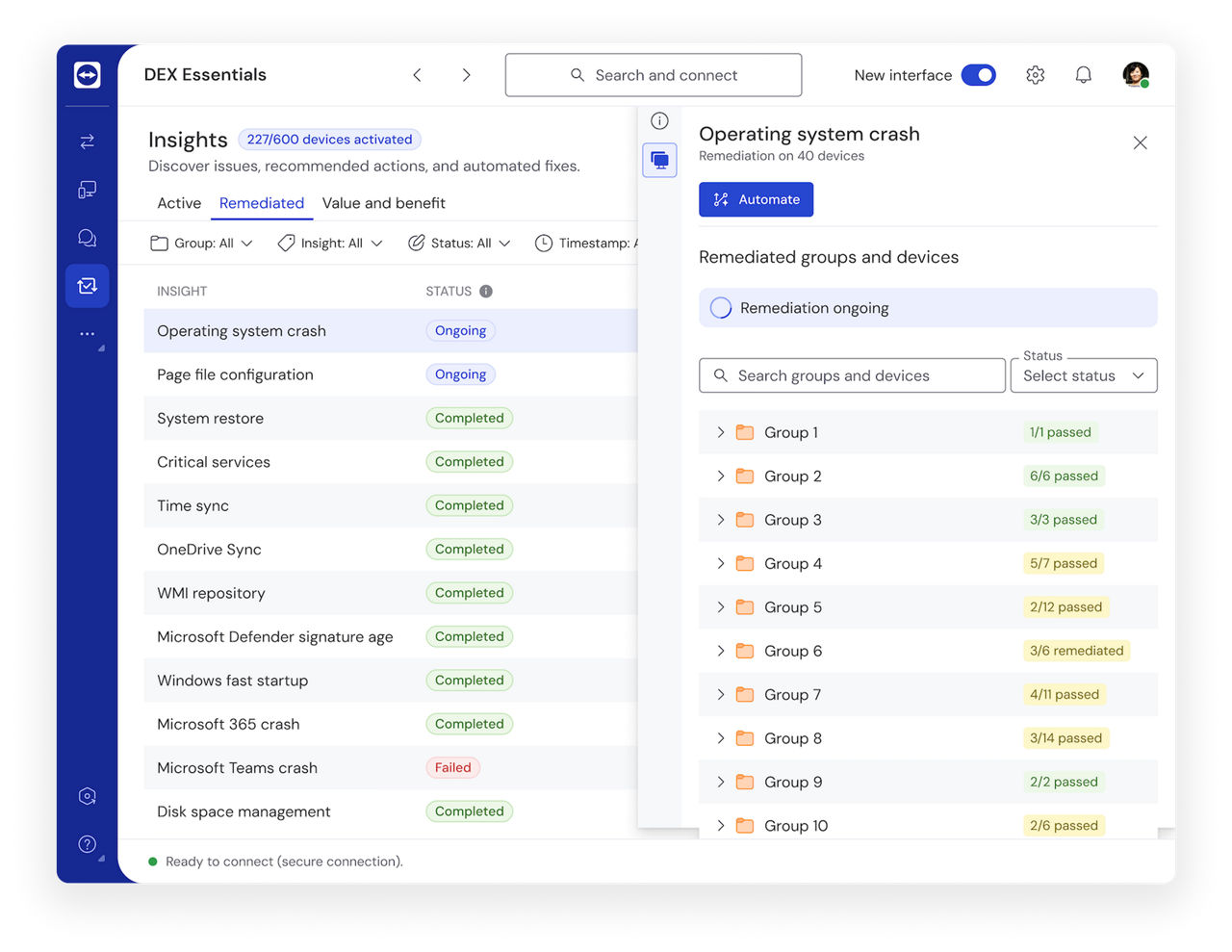
Imagine a group of employees in one office experiencing video call drops every afternoon. Endpoint signals flag Wi-Fi fluctuation; network diagnostics trace the cause to a single failing access point. IT replaces it before help desk tickets start arriving. This is where automated remediation earns its keep. TeamViewer DEX, for example, can trigger fixes for common endpoint issues, like patches, configuration resets, restarts, without manual intervention.
Performance insights let IT focus on the business critical applications. A 2x SaaS CRM slowdown affecting 400 sales reps on residential broadband is a different priority than a minor dashboard glitch in an internal tool used by three people. EUEM tools that tie technical signals to usage patterns (which team, which app, which business outcome) turn raw monitoring data into a triage list IT can actually work from. For instance, TeamViewer DEX ranks endpoint and application issues by the number of users affected and the business criticality of the workflow, so IT can work the top of the list with confidence it's the right top.
Final thoughts
The visibility gap between infrastructure dashboards and real user experience isn't narrowing. Hybrid work is permanent. SaaS sprawl keeps growing. Employees keep running into weekly frictions, and most of them still never file a ticket.
What you can change is whether your IT team sees those frictions before your employees do.
User-side visibility matters, and the productivity and retention numbers make that clear. The real question is whether you want to see the friction in time to fix it, or keep learning about it from exit interviews.
In hybrid, SaaS-driven workplaces, employees access apps over home ISPs and cloud services IT doesn't control. Infrastructure tools lose them there. EUEM closes that gap, so IT can troubleshoot faster, reduce escalations, and act proactively.
EUEM combines active methods (synthetic tests that simulate user actions) with passive ones (real user monitoring, browser telemetry, and endpoint agents tracking CPU, memory, and Wi-Fi). These signals are correlated into one view of each user's experience.
Traditional monitoring relies on network or application performance management. EUEM measures what users actually experience on their device. EUEM catches friction that infrastructure tools simply can't see.