Hero highlight: Light

Screen recording: capture and save sessions

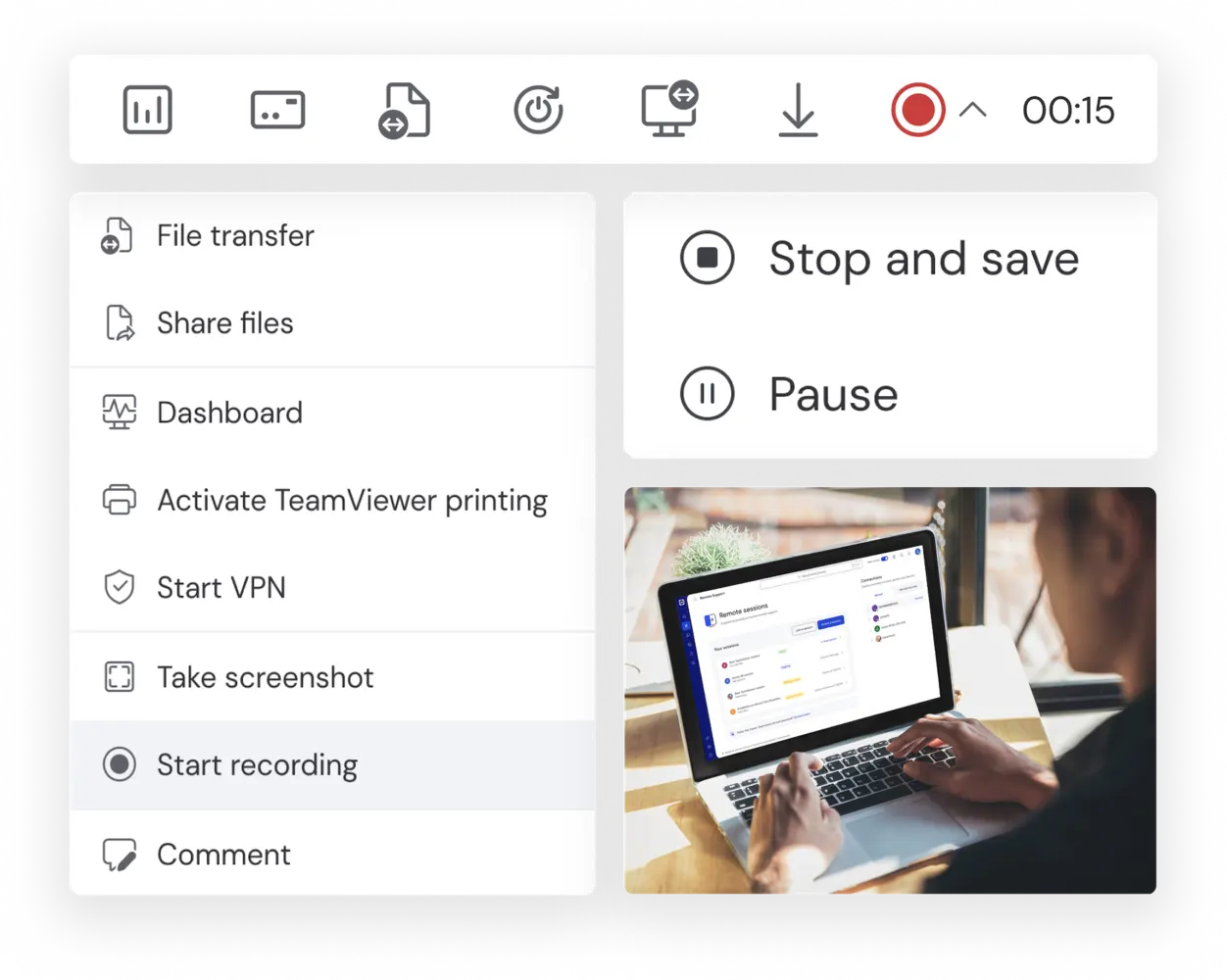
Screen recording features as seen in the TeamViewer client

Screen recording with TeamViewer Remote

With full remote control and remote access capabilities, TeamViewer Remote allows you to control virtually any other device from a distance, granting you the same functionality as though you were sitting directly in front of it. And once you have set up a connection with the remote device and gained access, you can execute TeamViewer’s screen recording feature to start recording the screen contents.

In this way, TeamViewer Remote can help you get the most out of your remote access software, allowing you to connect to, control, and record the screen contents of any device — right at the point of need — without having to leave your desk.

Features of screen recording

Young businesswoman working in her office

Benefits of screen recording

 The same technology can be used to generate a solution, either by annotating or providing commentary to the original video recording, or creating a new screen recording. This way, screen recording becomes a way of providing rapid, simplified explanations of both problems and solutions, enabling faster resolution at lower cost.

In the context of IT support, customer service, as well as employee training and onboarding, you can build up a repository of screen recording video assets to utilise as go-to fixes for commonly-encountered issues. Greater use of pre-made screen recordings can help to reduce employee workloads by removing the need to generate fresh explanations for each customer or user interaction.

For real-time virtual meetings, team members can use screen recording software to show colleagues what they are working on. For asynchronous communication, your screen recorder can be used to capture meetings – or key parts of them – for onward distribution to other project participants.

By accessing employees’ devices with TeamViewer Remote and deploying your screen record software of choice, you are able to analyze their work, pinpoint strengths and weaknesses during customer interactions and deliver a meaningful appraisal.

Recording icon
Communication and collaboration
Video recording icon
Presentations
Slide text recording icon
How-to demonstrations
Screen camera icon
IT support
Video person call icon
Customer support
Video6 icon
Training and onboarding
Take your remote support and access to the next level. Try TeamViewer Remote now.

Nagradzane oprogramowanie zarówno dla osób prywatnych, jak i firm

G2 Award: Leader
G2 Award: Momentum Leader
G2 Award: Fastest Implementation, Mid-Market (MDM, SAP Store)
G2 Award: Best Meets Requirements, Enterprise (SAP Store)
G2 Award: Top 50 IT Infrastructure Products
G2 Award: Users Love Us
Remote access and support
Customer service
Remote access and support
IT support
People-centric organizations
Sales and marketing
Applications
Training and performance management

See what our customers have to say

Spotlight

Customer stories