Feature 

Active connections

Want to take a tour of active connections?

Take a self-paced tour to see how TeamViewer is bringing visibility and control across your entire IT environment.

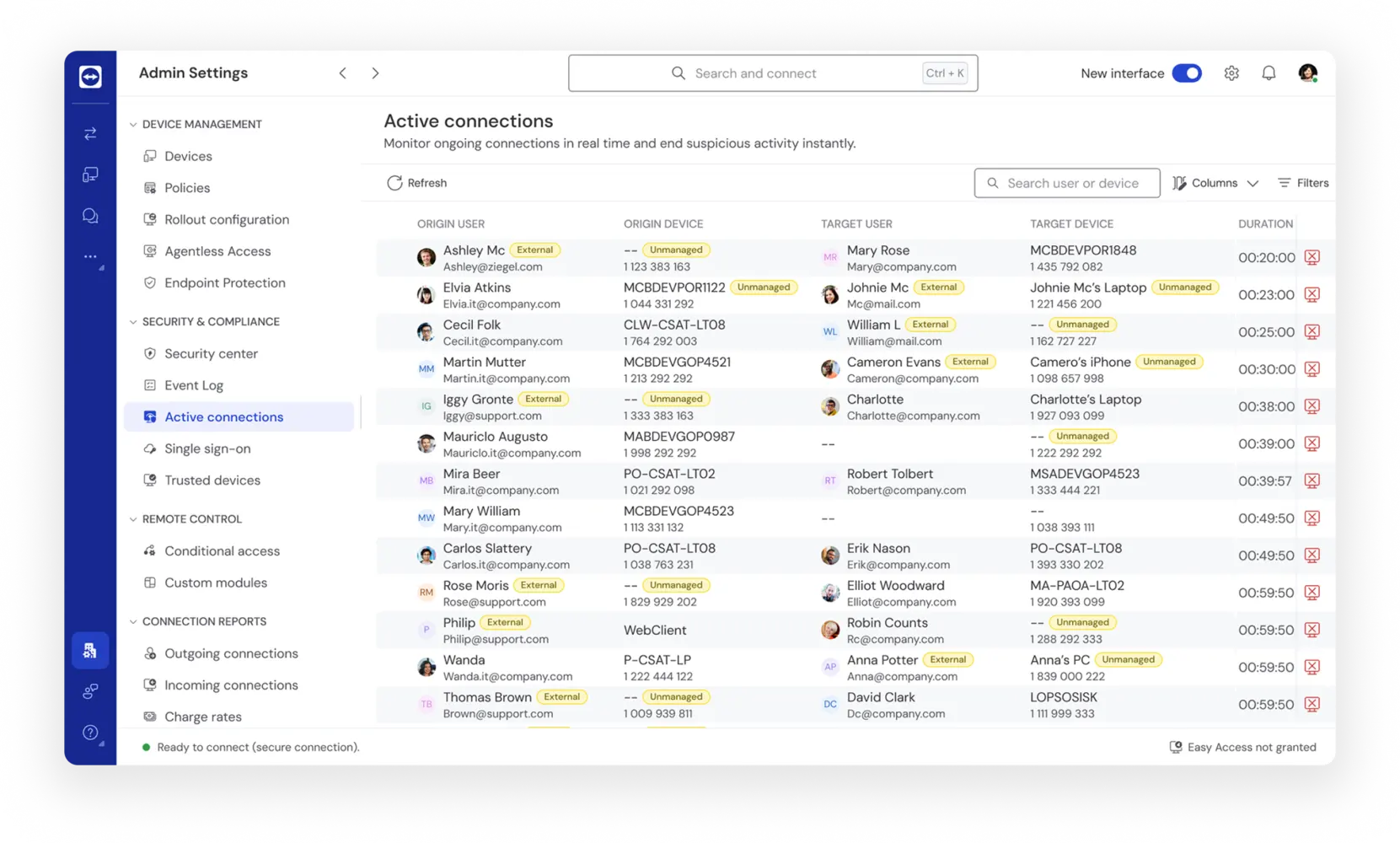
Real‑time oversight and control of live remote access across your organization

Active connections as seen in the TeamViewer client

Core capabilities

  • Monitor all ongoing remote connections in real time
  • Understand who is connected, where, and to which device
  • End sessions immediately, individually or at scale
  • See the different type of sessions taking place (Remote Access, Assist AR, etc.)

Real-world applications

  • Active, organization‑wide monitoring ensures every live remote session has clear ownership, allowing IT teams to immediately identify who is connected, to which device, and why; eliminating lingering or unattended access at scale.
  • Centralized oversight removes the need for manual checks and post‑event reviews, allowing teams to take instant action on live connections and significantly reduce response times across large environments.
  • Continuous visibility into all active connections enables earlier detection of risky or unexpected activity, so security teams can respond in real time instead of discovering issues after impact.
  • Real‑time awareness of active access simplifies audits and investigations, providing a single, authoritative view of live connections that aligns operational monitoring with security and compliance needs.

Key benefits

Eye tracking icon
Real-time view of all live remote connections
Compliance health care security icon
Reduced risk by enabling admins to end suspicious sessions instantly
Certificate icon
Improved governance with proactive oversight across the organization
Handshake icon
Streamlined compliance with clearer visibility and faster response
Top speed icon
Improved efficiency through reduction in manual checks and log reviews

Frequently asked questions