- Sign in to the TeamViewer web app or desktop client.
- Go to Settings > Apps & Tokens.
- Select Create app or token.
- Select Create script token.
- Enter a name and optional description.
- Select the required token permissions.
Token permissions
| Category | Permissions to enable |
|---|---|
User management | create users, edit users, view users |
User management (only if you also provision company administrators) | create company administrators, edit company administrators |
Group management (required for Group Push) | create groups, edit groups, delete groups, read groups |
- Click Save.
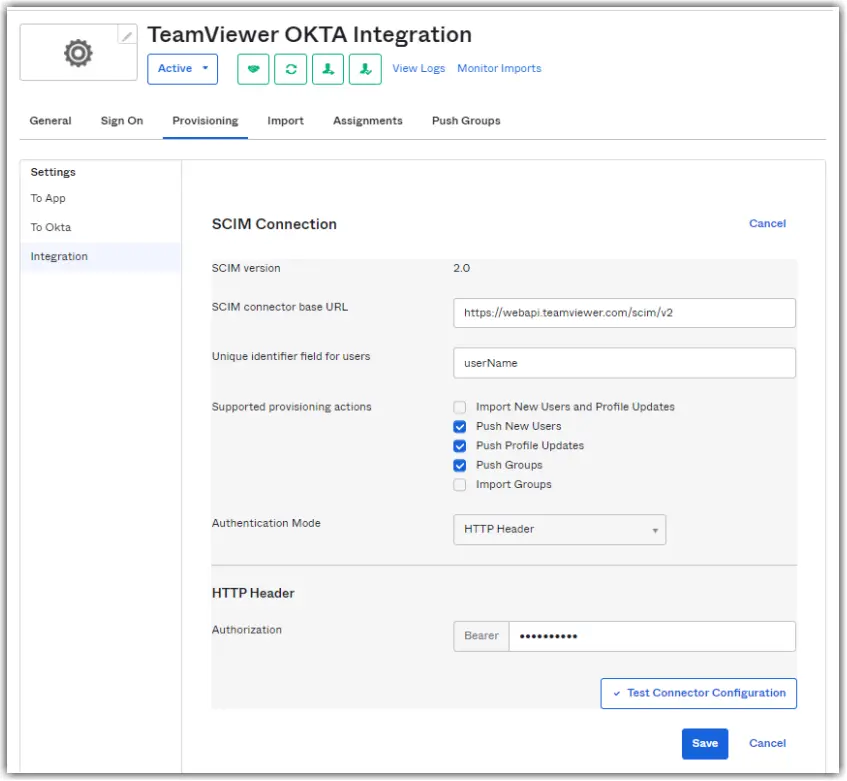
- Open the token menu and select Copy token. We will paste this value into Okta in Step 2