Knowledge Base
Download the .msi installer - 4/9
Last Modified: Nov 28, 2024
To deploy TeamViewer successfully, you need the .msi package matching your module.
Note: For the deployment of the full client, we recommend using the 64-bit version.
How to download the .msi installer
To download the .msi installer, please follow the instructions below:
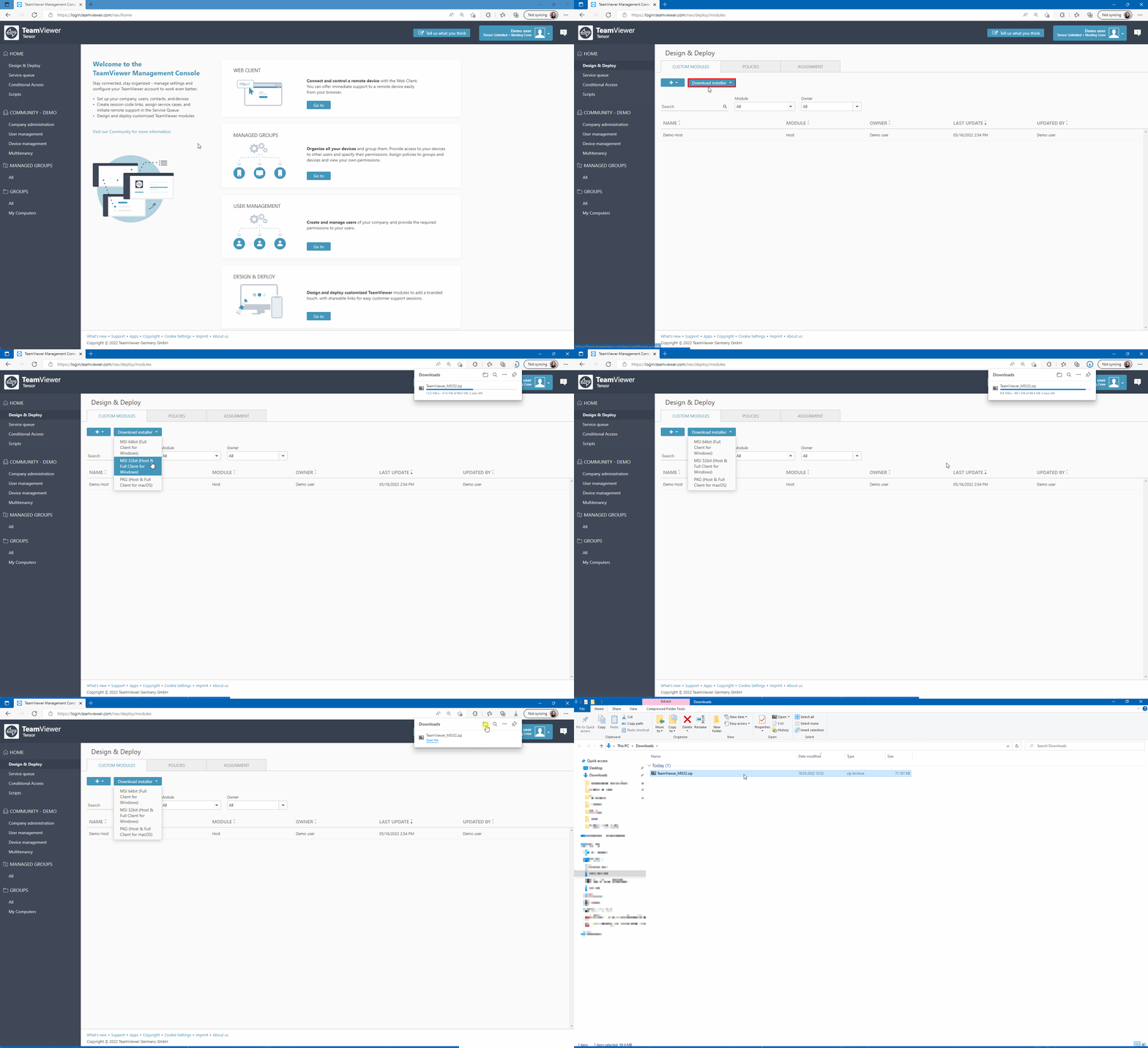
- Log into the Management Console: https://login.teamviewer.com/.
- Click on Design and Deploy.
- Click on Download Installer.
- Choose the installer matching your module.