After you’ve onboarded your fleet of devices, the Home Dashboard becomes your command center. It gives IT admins a clear, real-time view of system health, highlights detected issues, and reflects your organization’s current IT maturity level. Use this dashboard as your starting point to prioritize actions, track progress, and drive continuous improvement.
Why the Home Dashboard matters
Managing IT environments can be complex, especially for lean teams. The Home Dashboard streamlines this process by consolidating critical insights into a single view. Instead of jumping between tools, you can monitor health, readiness, and issues from a single pane of glass and take action immediately.
Key components of the Home Dashboard
Health Score
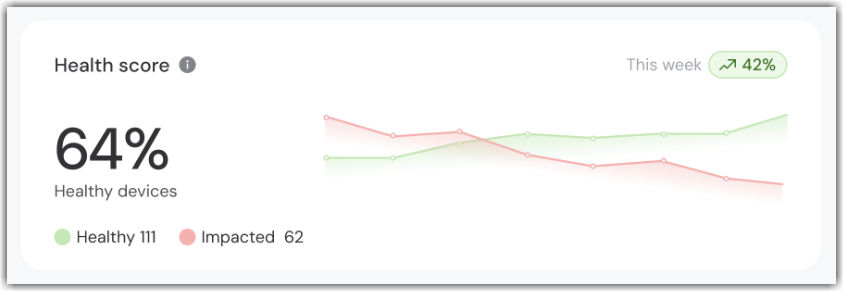
The Health Score shows:
- Percentage of healthy devices in your fleet.
- Total number of impacted devices.
This metric gives IT admins instant visibility into system performance and where attention is needed. If a device has one or more unresolved issues, it’s marked as impacted.
Company Readiness
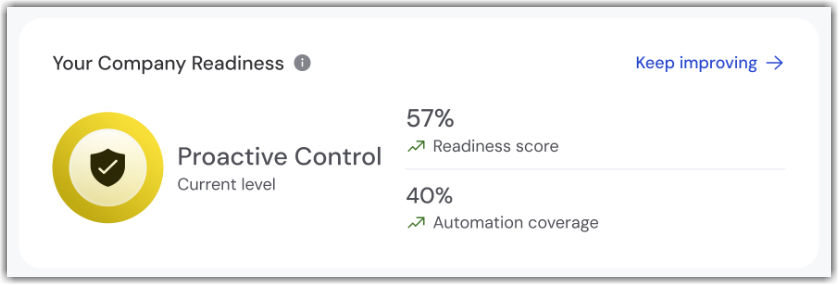
The Company Readiness score reflects your organization’s progress toward IT maturity from reactive troubleshooting to proactive automation.
- It shows completed tasks and automation coverage.
- It guides your next steps to unlock the full value of TeamViewer ONE.
Think of it as your roadmap to trusted autonomy, where common remediations and patching happen automatically.
To learn more about Company Readiness, please read this article:
Categories impacting devices
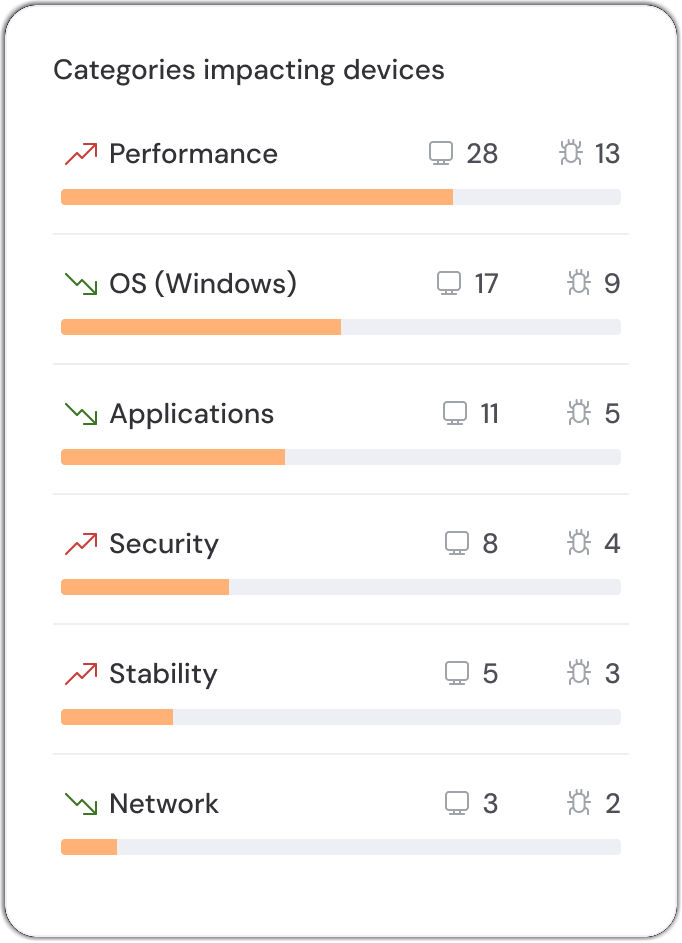
This section highlights the issue types that affect your devices the most, for example, missing patches, performance bottlenecks, or security gaps.
Use this insight to focus your efforts where they’ll deliver the greatest impact.
Latest consolidated issues
Here, you’ll see a preview of the most recent issues across your environment, including:
- Priority level
- Source of the issue
Every issue comes with a recommended fix you can view directly from the dashboard. With one click, you move from detection to resolution, no context switching.
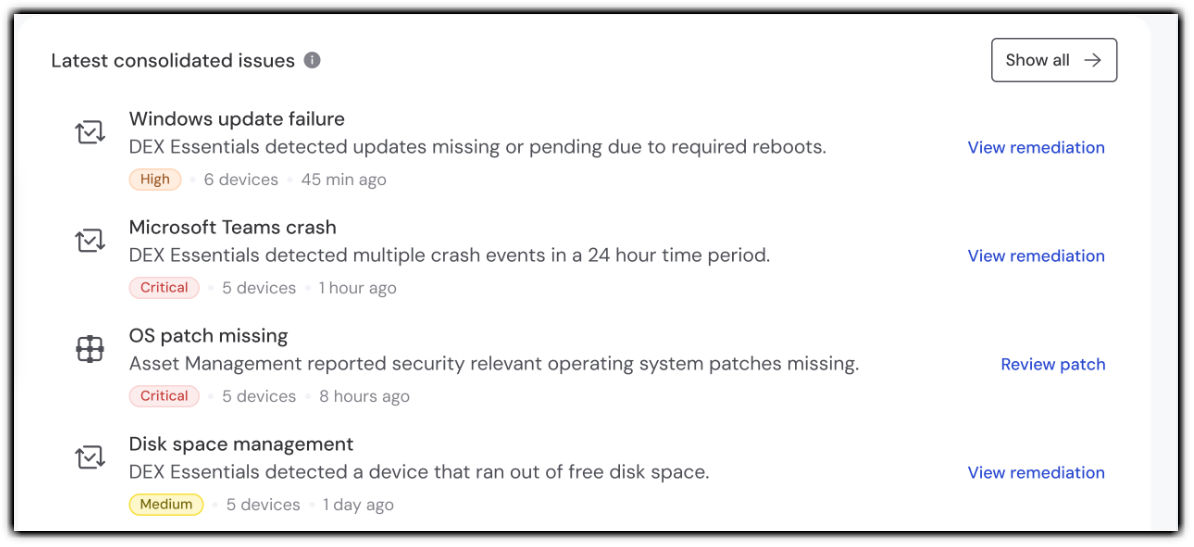
To explore all issues in detail, click Show all. This takes you to the full consolidated issues list, where you can review severity levels, impacted devices, and take informed action at scale.