Autonomous endpoint management uses automation and AI to manage, secure, and maintain all devices in your network with minimal manual intervention. Systems automatically handle patching, monitoring, security responses, and compliance checks, reducing the need for constant IT oversight.
Your business is growing. Fifty employees become seventy-five. One office becomes three locations. Every new hire brings two or three devices: laptops, smartphones, tablets. Your single IT administrator now manages 180 endpoints instead of 80. Patch Tuesday takes all week. Security updates fall behind. A device somewhere runs outdated software, but you don't know which one until it's too late.
You need another IT hire, but the budget isn't there yet. You need better visibility, tighter security, and faster response times. You need autonomous endpoint management (AEM).
Autonomous endpoint management uses automation and AI to manage, secure, and maintain all devices in your network with minimal manual intervention. Systems handle patching, monitoring, and security responses automatically, eliminating the workload that overwhelms small and lean IT teams.
This article explains how AEM reduces IT workload, improves security, supports remote teams, and helps businesses scale affordably.
Why endpoint management matters
Endpoint management determines whether your IT infrastructure supports or hinders business growth.
Growing device ecosystems even in small teams
Even small businesses now manage complex device ecosystems that include laptops, mobile devices, tablets, and remote workers spread across different locations.
A 50-person organization often manages 120 or more endpoints. Each employee typically has a laptop and smartphone. Some require tablets for presentations or fieldwork. Remote workers connect from multiple locations, often across different states or countries.
This explosion in devices isn't slowing down. Remote and hybrid work models mean more laptops connecting from outside your office. Mobile devices access company data constantly. Organizations can't afford unmanaged endpoints as each unpatched device is a potential entry point for attackers.
Security and compliance pressure without big budgets
Endpoint security is another bigger reason for investing in autonomous security endpoint systems. Many organizations face growing security threats and strict compliance obligations, including HIPAA, GDPR, and industry-specific regulations, yet must manage them with limited IT resources.
The consequences are severe. Ransomware attacks can disrupt operations to the point where recovery becomes extremely difficult. Data breaches trigger regulatory fines that can eliminate an organization's operating capital.
Your competitors face these same pressures. The difference often comes down to how efficiently they manage their endpoints while maintaining security. Endpoint automation levels the playing field, giving lean IT teams enterprise-grade protection without enterprise-level staffing.
Challenges organizations face without automated endpoint management
The absence of automated endpoint management creates four critical operational IT challenges for organizations of all sizes.
High IT workload and human error
IT security teams invest excessive time in repetitive manual tasks. Patching systems and software deployment consume entire afternoons each week. Device health monitoring requires constant dashboard review. Troubleshooting displaces strategic initiatives. Operational costs skyrocket.
Human error becomes inevitable under these conditions. Manual processes involving hundreds of steps create opportunities for mistakes. A missed patch or overlooked security check compounds over time, creating significant vulnerabilities.
Limited visibility across endpoints
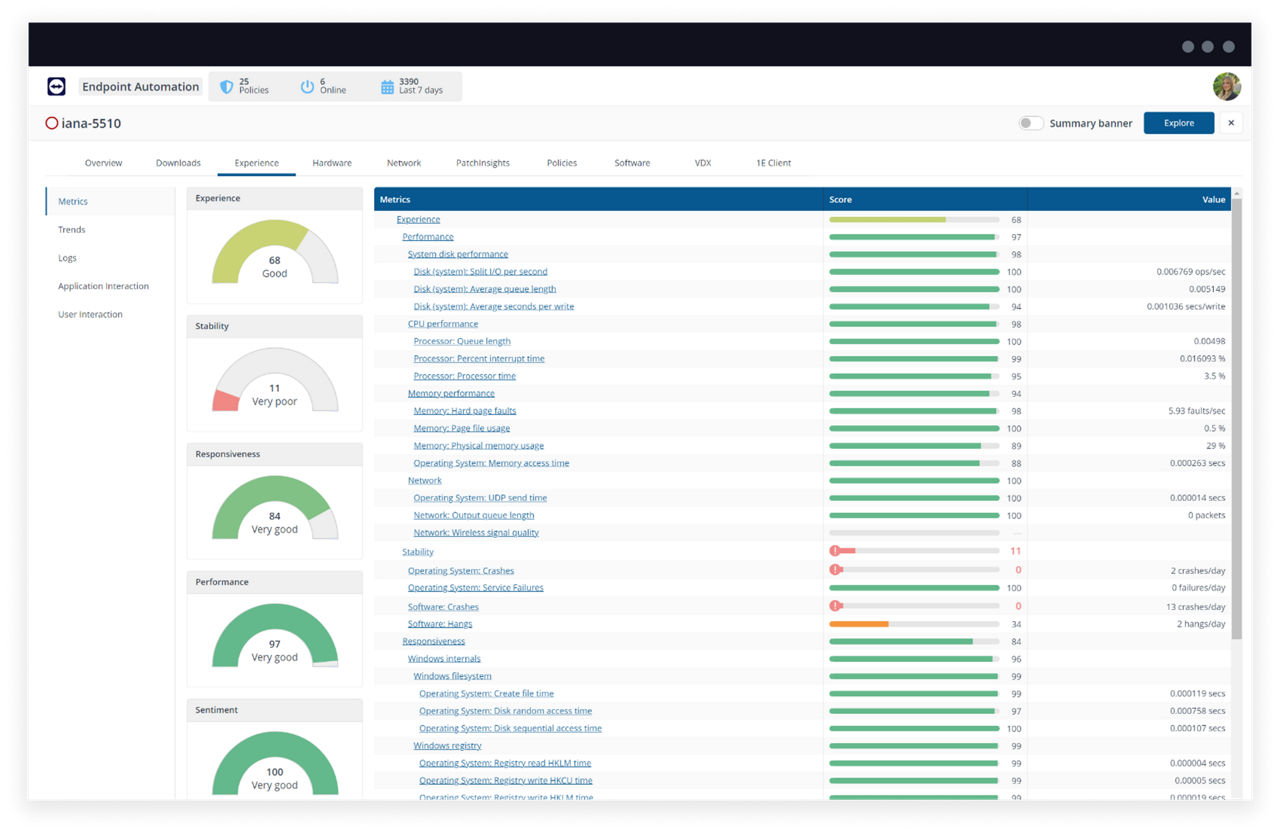
Without centralized monitoring and IT asset management, IT teams lack real-time insight into endpoint health and performance. Remote access troubleshooting becomes inefficient. Performance degradation remains hidden until users report problems.
Network issues that should take hours to resolve can extend to multiple days when IT lacks visibility into endpoint performance. Identifying a single problematic device among dozens requires manual checking of each system.
Increased security risks
Unpatched systems remain vulnerable for extended periods. Unmanaged devices connect to networks without proper security controls. Endpoint security weakens across your organization when you can't maintain consistent protection on every device.
The impact is measurable. Missing a critical Windows patch on remote devices can expose entire networks to ransomware attacks. Organizations have experienced complete file server encryption, requiring weeks of recovery and resulting in lost client relationships.
Scalability issues
Manual endpoint management becomes unsustainable as organizations grow. Each new employee requires hours of setup. New locations multiply workload exponentially. Every additional device increases complexity.
Organizations reach growth barriers where expansion requires additional IT staff, but hiring isn't financially viable until after growth occurs. This creates operational constraints that endpoint management software resolves.
These challenges compound over time, draining resources and exposing organizations to preventable risks. Operational efficiency suffers when IT teams spend their time on manual tasks instead of strategic initiatives. Investing in autonomous endpoint management software eliminates these constraints, allowing businesses to operate efficiently while maintaining security and supporting growth.
6 core benefits of autonomous endpoint management
AEM addresses the core operational challenges businesses face while delivering measurable improvements in efficiency, security, and scalability. These six benefits represent the primary value drivers that justify adoption and demonstrate clear ROI.
1. Reduces IT workload through automation
Autonomous endpoint management systems handle repetitive tasks automatically, automating routine tasks and allowing IT teams to focus on strategic initiatives that drive business value.
- Automated patching updates systems on predetermined schedules.
- Policy configuration occurs once and applies across all devices.
- New device provisioning completes in minutes rather than hours.
- Real-time policy enforcement eliminates manual oversight.
Organizations consistently report dramatic time savings. IT managers who previously spent 15 hours weekly on patch management reduce that investment to 30 minutes of oversight. Reclaimed time enables disaster recovery planning, collaboration tool implementation, and other strategic projects.
2. Improves endpoint security and threat response
Automated endpoint security systems detect and respond to threats faster than manual monitoring and resolution, with real-time monitoring and immediate endpoint remediation capabilities. A proactive approach to endpoint security protects your network before threats escalate.
- Security threats trigger immediate automated responses.
- Systems isolate compromised devices, apply patches, and remediate vulnerabilities without waiting for manual intervention.
- Security operations are always on the background, protecting your network 24/7.
Response time improvements are significant. Autonomous systems detect unusual behavior and quarantine affected devices within seconds, preventing ransomware from spreading across networks. This speed difference transforms security postures from reactive to proactive.
3. Enables remote and hybrid work support
Distributed teams receive consistent, secure access to company resources regardless of location, maintaining the same protection and performance as office-based workers.
- Secure remote access becomes standardized across organizations.
- IT maintains equivalent visibility into remote endpoints and office devices.
- Performance consistency is maintained whether connections originate from home offices, mobile locations, or client sites.
Organizations transitioning to hybrid work models benefit significantly. Autonomous endpoint management enables secure remote worker connections without VPN complications. IT teams monitor and support distributed workforces with the same efficiency as centralized teams.
4. Scales with business growth
Organizations can expand and add devices without proportionally increasing IT headcount or watching costs escalate.
- Central control over hundreds or thousands of devices doesn't require corresponding increases in IT staff.
- Teams managing 50 endpoints can effectively handle 500 when autonomous systems manage routine operations.
Organizations experiencing rapid growth particularly benefit. Companies doubling their workforce within 18 months successfully scale IT operations without doubling IT teams. Autonomous endpoint management systems handle new devices seamlessly without additional operational overhead.
5. Minimizes downtime and user disruption
Issues resolve quickly, often before users detect them thanks to proactive digital monitoring insights. This approach improves productivity while reducing helpdesk volume.
- Self-healing systems detect and correct common problems automatically.
- Issue resolution accelerates significantly.
- Users maintain productivity instead of waiting for support responses.
The measurable impact is substantial. Organizations report reductions in helpdesk tickets after implementing autonomous endpoint management. Problems that previously generated support requests resolve automatically. IT only addresses issues requiring human intervention.
6. Simplifies compliance for regulated industries
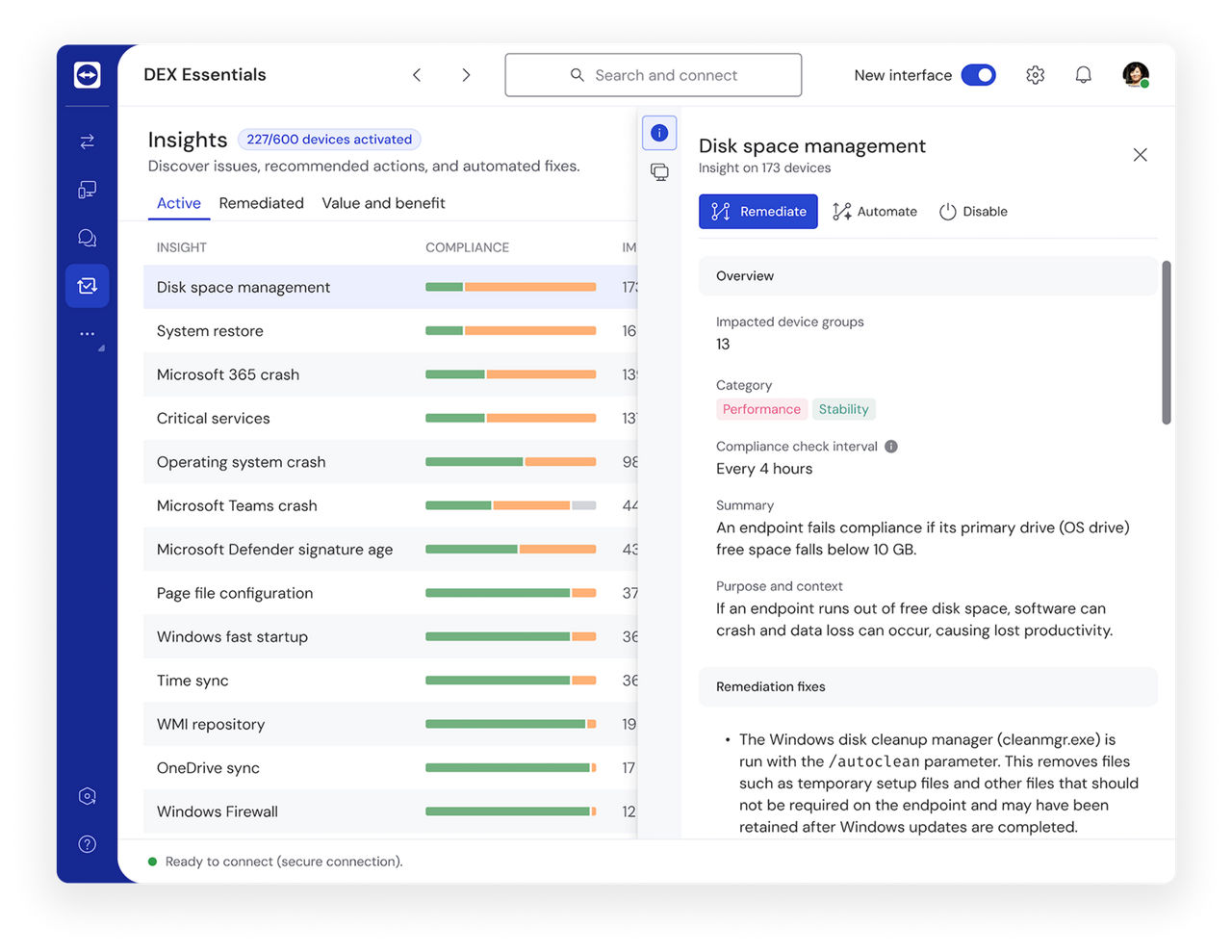
Built-in logging and automated compliance checks streamline audits and reduce violation risks.
- Automated compliance monitoring ensures all devices meet regulatory requirements continuously.
- Built-in logging provides comprehensive audit trails.
- Organizations can demonstrate compliance without manual documentation efforts.
Healthcare organizations particularly value adherence to industry regulations and compliance enforcement. HIPAA compliance becomes manageable when systems automatically enforce security policies and document all actions. Audit preparation time decreases from weeks to days because required data is already organized and accessible.
While these benefits are clear in theory, real-world implementation demonstrates their practical impact. The following case study shows how one organization used AEM tools to transform their IT operations and achieve measurable results.
How IT teams can use autonomous endpoint tools to scale
Carollo Engineers, the largest water-only consulting firm in the US, specializing in environmental engineering and water facility construction, has experienced the transformative impact of autonomous endpoint management in real-world operations.
With a highly dispersed workforce (most employees working from home), Carollo needed accurate, real-time data to monitor and remediate technical issues across all endpoints. Traditional tools like SCCM provided outdated data, sometimes days old, making it difficult to maintain security, manage compliance, and make informed decisions.
TeamViewer DEX transformed Carollo's IT operations by replacing days-old data with real-time insights and predictive analytics, eliminating hours of manual work. The platform enabled data-driven decisions that prevented unnecessary hardware upgrades and improved security response times across their distributed workforce.
According to Erik Dixon, Systems Administrator at Carollo Engineers, the TeamViewer platform helped both securely maintain their workforce's devices and streamline their IT management processes.
Erik Dixon Systems Administrator at Carollo Engineers
"The TeamViewer DEX platform is a game-changer for us. By utilizing Digital Employee Experience (DEX) data, we can make the case for things like not upgrading machines that provide a great experience, unlocking huge cost savings along the way. It also allows us to identify performance issues early – often before users have noticed."
Key results:
- Hours reclaimed weekly for strategic IT work instead of manual reporting
- Immediate remediation regardless of VPN access
- Significant hardware cost avoidance through data-driven decisions
- Improved security through faster vulnerability remediation
- Better compliance through automated tracking and removal of unsupported products
Autonomous endpoint management helped Carollo turn IT operations from reactive firefighting to proactive optimization.
How to choose the right autonomous endpoint management solution
Selecting the best autonomous endpoint management solution requires careful evaluation of several critical factors.
Prioritize ease of use and setup
IT teams require solutions that simplify operations rather than adding complexity.
Intuitive interfaces minimize training requirements and accelerate deployment. Quick setup delivers faster time to value. One-click operations reduce error rates and save operational time.
Organizations have abandoned complex solutions requiring expensive consultant engagement. Choose platforms your team can implement and manage independently.
Look for cross-platform support
This is no longer an optional requirement. Solutions must function across ALL devices and operating systems: Windows, macOS, Linux, mobile platforms, and specialized systems.
Modern organizations rarely maintain uniform device environments. They typically deploy Windows laptops, Mac systems for design teams, Linux servers for development, and both iOS and Android mobile devices. Unified endpoint management handles this diversity from a single platform.
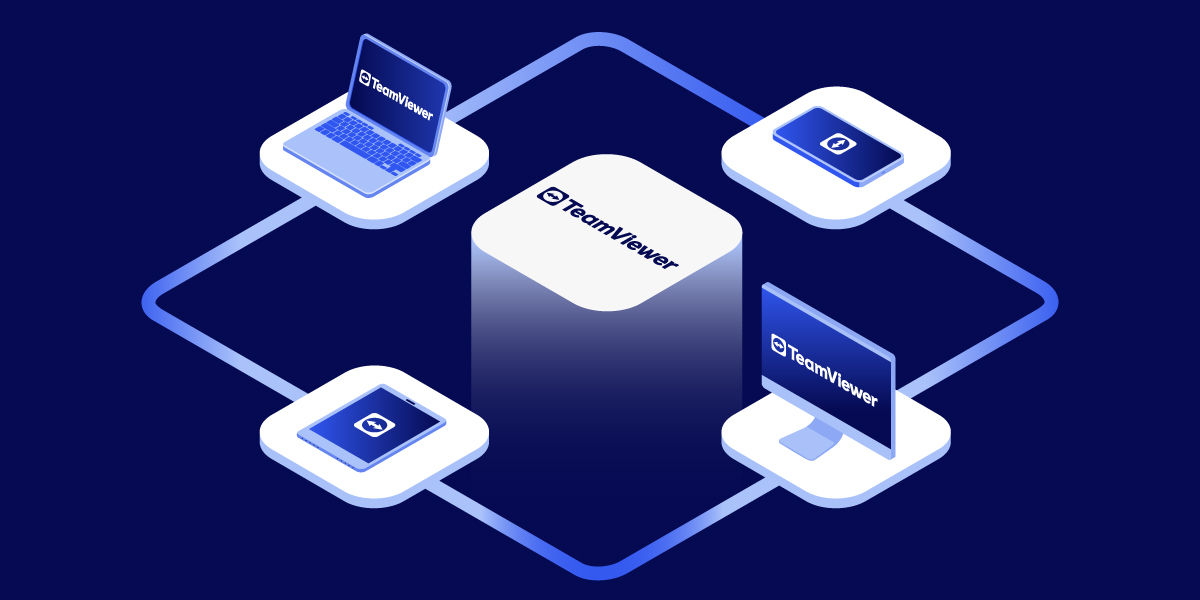
TeamViewer operates on all devices: Windows, macOS, Linux, iOS, Android, Raspberry Pi, and IoT devices. This provides consistent management across entire ecosystems without deploying multiple specialized tools.
Ensure security and compliance features
Endpoint security requirements are fundamental. Good endpoint management solutions protect entire infrastructures.
- Essential features include AES-256 encryption and TLS 1.2 for secure connections.
- HIPAA and GDPR compliance must be built into the platform for organizations handling sensitive data.
- Two-factor authentication provides necessary access protection.
- Conditional access and audit logging give IT administrators required control capabilities.
These capabilities are business-critical for organizations handling sensitive data. A single security breach can cause severe operational and financial damage.
Consider integration with existing tools
Endpoint management solutions should complement existing systems. You don't want your IT team to waste hours on switching between different tools. Not to mention that's how a lot of information gets lost in the process.
Prioritize native connections with Microsoft Intune, Salesforce, ServiceNow, Jira, and other ITSM tools currently in use. API support enables custom seamless integrations when standard connections are insufficient.
Organizations struggle when tools don't share data effectively. Integration ensures systems work together, reducing manual work and improving operational visibility.
Final thoughts
Remember that growing business with 180 endpoints and one overwhelmed IT administrator? Autonomous endpoint management solves exactly that problem. It reduces workload, strengthens security, supports remote teams, scales affordably, minimizes downtime, and simplifies compliance, without requiring additional headcount.
Your business will keep growing. Devices will multiply. Security threats won't wait. The choice is between hiring more IT staff or implementing IT automation that scales with you. Competitors are already making that choice.
Ready to automate your IT? Start your free trial of TeamViewer and see how easy endpoint management can be.
Frequently asked questions (FAQ)
Autonomous systems handle repetitive tasks like patching, device provisioning, and policy enforcement automatically. IT teams that previously spent 15 hours weekly on manual patch management can reduce that to 30 minutes of oversight, freeing time for strategic initiatives that drive business growth.
Modern autonomous endpoint management solutions prioritize ease of use. They feature intuitive interfaces, quick setup processes, and one-click operations that small teams can implement independently. The goal is simplifying IT operations, not adding complexity that requires extensive training or consultant engagement.
Yes. Autonomous systems provide automated compliance verification, built-in logging, and comprehensive audit trails. They continuously ensure devices meet regulatory requirements like HIPAA and GDPR, document all actions automatically, and reduce audit preparation time from weeks to days through organized, accessible data.
Pricing varies by provider and features needed. Most solutions offer tiered pricing based on the number of devices managed. Many providers, including TeamViewer, offer free trials so organizations can evaluate functionality before committing. The investment typically delivers ROI through reduced IT labor costs and avoided security incidents.