The approval option within TeamViewer Tensor's Conditional Access provides an additional layer of security by allowing for explicit approval of connections to devices, enhancing security and control.
This article applies to all TeamViewer Tensor license holders who purchased the Conditional Access add-on.
How to set up the approval option
The approval option is designed for scalability and ease of setup. To set it up, please follow the instructions below:
- Sign in with your TeamViewer account in the full client or via https://web.teamviewer.com/.
- Go to Admin settings.
- Within the Organization management section, go to Conditional Access and click Rule options.
- Click Add option and select the Approval option.
- Enter a name for this approval option.
- Choose from a list of all accounts within your company profile to define who needs to approve which connection.
- Click Save.
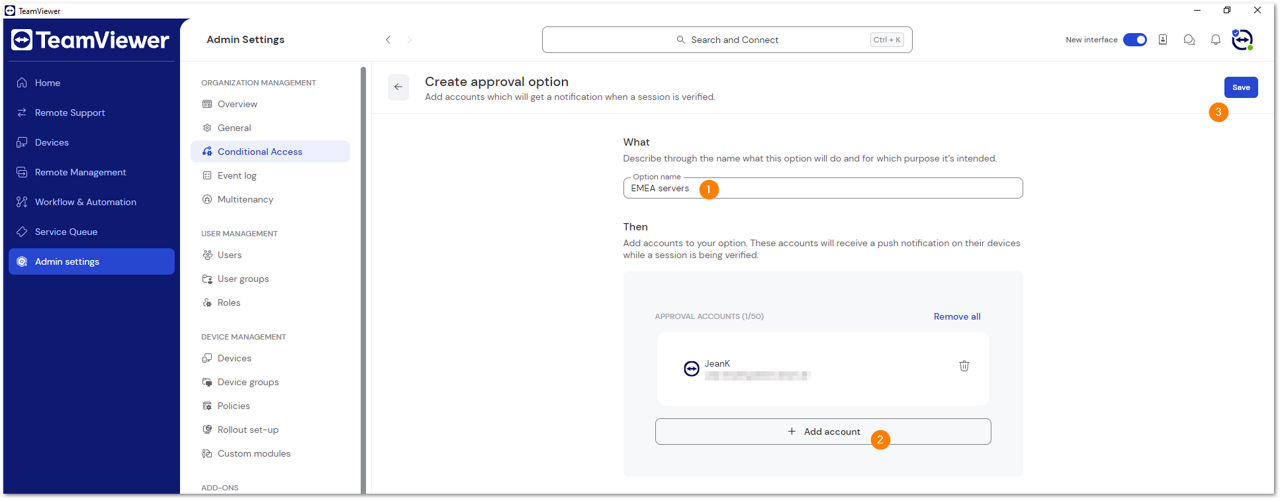
Note: Only accounts within the company profile can be added; adding contacts or external email addresses is not possible.
Up to 50 accounts can be added as approvers.
As all accounts added to an option receive the approval request simultaneously, consider carefully who needs these requests.
Once saved, the option becomes available for Conditional Access when creating a Conditional Access rule.

You can either add the approval option to an existing rule or create a new rule and include the newly created approval option.
By clicking the Rules tab, you’ll see an overview showing which approval option is applied to which rule.

How the approval option works
When a connection attempt is made to a device covered by a rule with the approval option, all accounts defined in the option receive a notification via browser (https://web.teamviewer.com/) or via push notification on their mobile phone within the TeamViewer Remote Control app.
The push notification is only received if the user is signed in to their account.
Approval requests are active for 30 minutes.
The first decision counts
As soon as one of the accounts has decided to allow or deny the request, the decision is final. Waiting for another approver to get a "Yes" after a "No" from the first approver is not possible.
From the supporter's perspective
For the supporter, the status stays at Connecting... until it is allowed or denied.
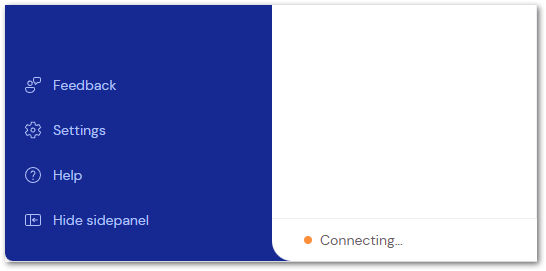
If it is allowed, the connection can be established.
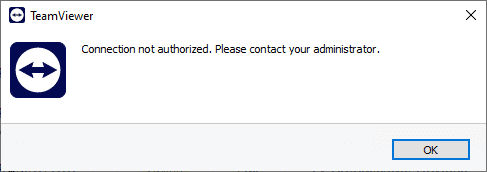
If it is denied, the user is informed.