
Knowledge Base
Unmanage devices in bulk
Last Modified 2024. márc. 7.
You can unmanage devices in bulk via the TeamViewer (Classic) Management Console.
This article applies to TeamViewer (Classic) customers with a Premium, Corporate, or Tensor license.
Unmanage Devices in bulk
To unmanage devices in bulk, please follow the instructions below:
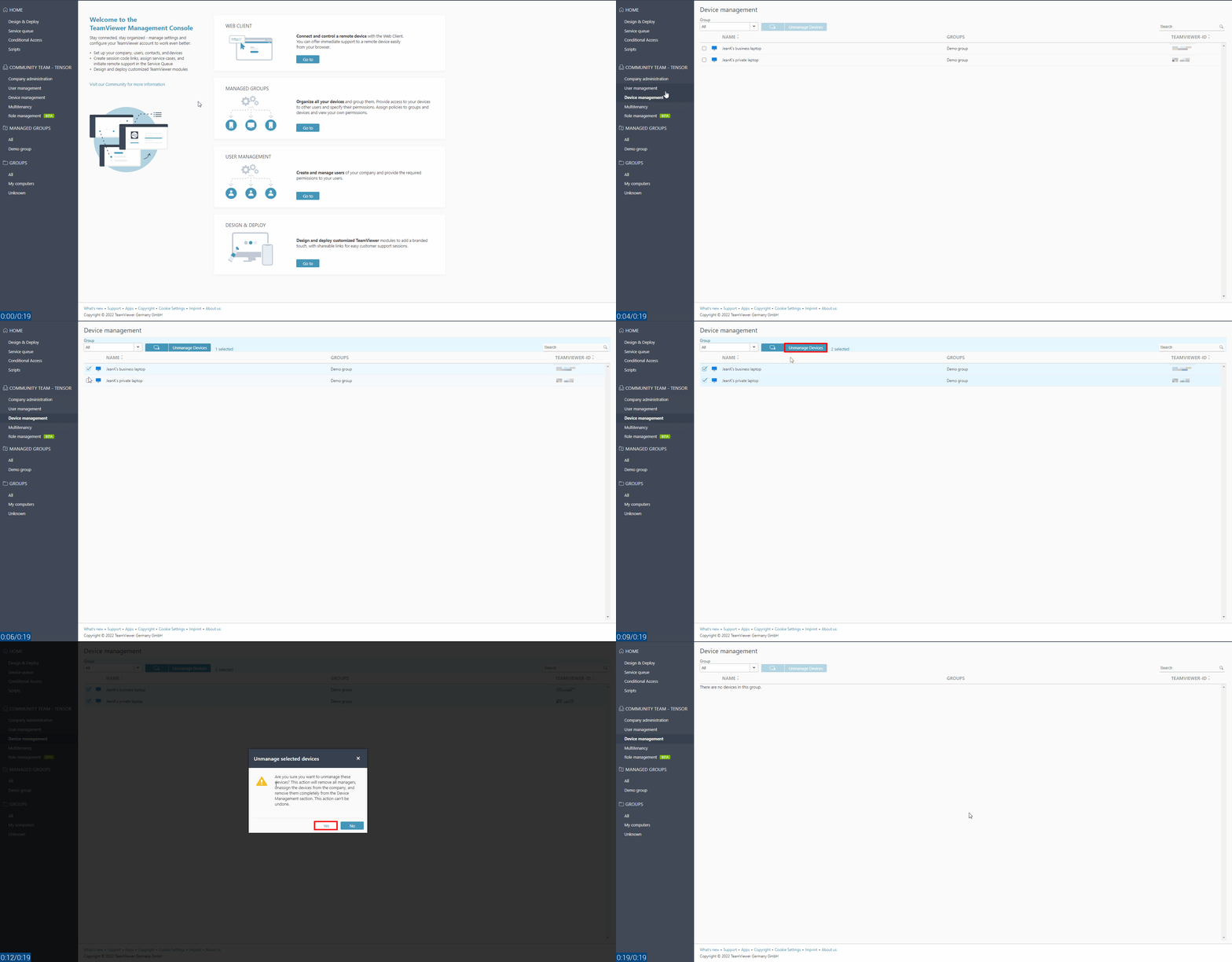
- Select Device Management in the company administration section
- Select the devices you want to unmanage
- Click on Unmanage Devices
- Confirm the action by clicking Yes
- A confirmation message will appear. Click OK