Ransomware endpoint protection refers to security solutions that detect and prevent ransomware attacks on individual devices. Unlike traditional antivirus, it uses behavior analysis and machine learning to identify threats in real time based on actions, not just signatures.
Every ransomware attack begins the same way, with a single compromised endpoint. Once attackers are in, the damage spreads fast. By the time traditional antivirus recognizes the threat, your files are already encrypted.
Every email attachment, every website visit, and every remote connection creates an opportunity for attackers. Remote work has expanded this attack surface dramatically. This article explains why ransomware focuses on endpoints, how modern attacks unfold, and why ransomware protection services are essential for early detection and prevention.
Key takeaways:
- Ransomware targets endpoints through phishing, weak credentials, and compromised remote access.
- Traditional antivirus fails because it's reactive: attackers use zero-day exploits, fileless techniques, and encrypted payloads to bypass signature-based detection.
- Advanced endpoint protection detects ransomware threats based on behavior, identifying attacks before encryption begins.
- Combined with patching, MFA, and continuous monitoring, you create defense layers that stop modern ransomware.
How does ransomware work and why are endpoints the primary target?
Ransomware is malicious software that encrypts your files and demands payment for the decryption key. Even when victims pay, there's no guarantee they'll receive working decryption keys. Recovery can take weeks or months, disrupting business operations and causing significant financial losses.
Endpoints are the weakest link in your security infrastructure because they depend on human behavior.
- User interaction creates vulnerability. Employees open email attachments, click links, and download files as part of their daily work. A single click on a malicious attachment can compromise an entire endpoint.
- Email and phishing remain highly effective. Despite security awareness training, phishing attacks continue to succeed. Attackers use social engineering to create urgency, impersonate trusted contacts, and bypass user caution.
- Remote access vectors provide easy entry. Remote Desktop Protocol (RDP) with weak passwords is a common attack vector. Attackers scan the internet for exposed RDP services and brute-force their way in.
Remote work has multiplied these risks. For every additional endpoint and work scenario there are multiple remote access security risks that must be taken into account.
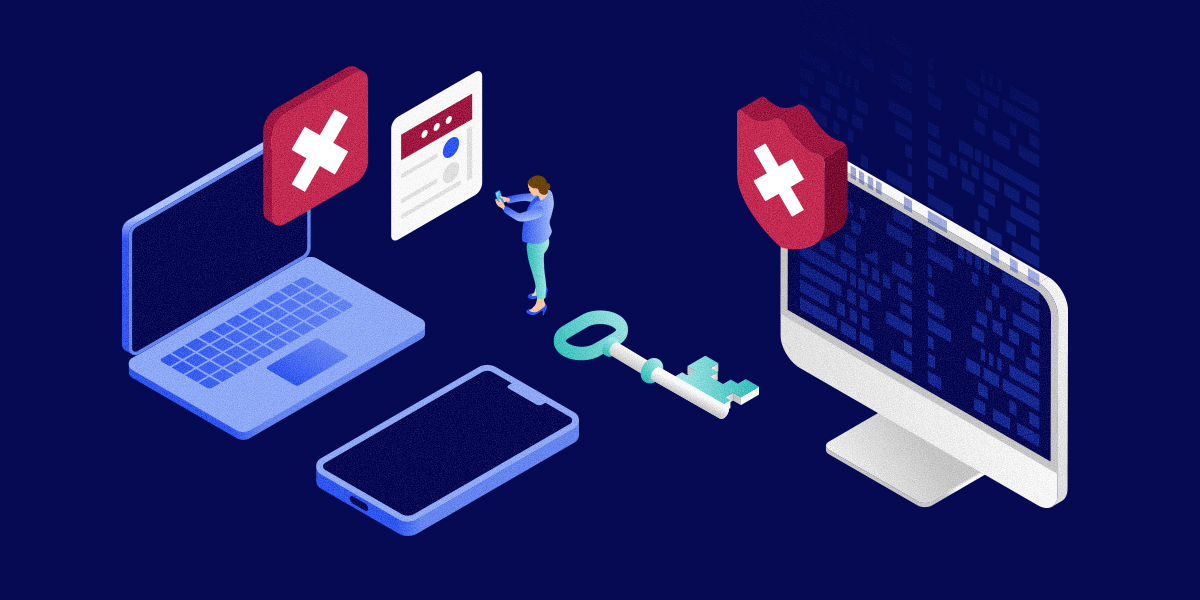
The ransomware attack lifecycle stages
Understanding how ransomware infection unfolds on endpoints reveals why basic antivirus protection fails. Each stage of the attack uses different techniques to evade detection, and by the time encryption begins, it's often too late to prevent damage.
Why traditional antivirus fails against modern ransomware
Signature-based antivirus detection is fundamentally reactive. Antivirus vendors must first obtain a malware sample, analyze it, create a signature, and distribute updates before the software can detect new threats. Attackers exploit this delay by constantly modifying their malware, rendering existing antivirus definitions useless.
Traditional antivirus provides a false sense of endpoint security while leaving endpoints vulnerable to sophisticated ransomware attacks. What signature-based detection cannot identify:
Zero-day variants
Microsoft documented the Storm-2460 ransomware campaign exploiting a zero-day in Windows Common Log File System (CLFS) to gain SYSTEM privileges, dump credentials, and encrypt files. All before any signatures existed. Unfortunately, due to technological advancements and commercialization of cyber crime, zero-day exploits are getting more common.
Fileless attacks
When ransomware loads directly into memory without creating files, there's nothing on disk for signature-based scanning to detect. Kaspersky demonstrated this with a PowerShell command that downloads a payload, compiles ransomware in memory, and encrypts files without writing any malware executable to disk because there's no malicious file to scan.
Living-off-the-land techniques
Attackers abuse built-in Windows tools like PsExec, WMI, and Task Scheduler to spread ransomware. These are legitimate programs that antivirus cannot block without disrupting normal system operations. The Vice Society ransomware group used a custom PowerShell script to enumerate mounted volumes via WMI and recursively exfiltrate data before encryption. Signature-based antivirus sees only legitimate PowerShell and WMI activity, while behavior-based detection recognizes the abnormal pattern of enumerating all volumes and staging data for exfiltration.
Encrypted payloads
Ransomware often arrives encrypted. It only decrypts itself in memory during execution, never exposing the actual malicious code to signature-based scanning. Cerber RaaS (ransomware-as-a-service) exemplifies this approach. Affiliates generate customized builds that appear as high-entropy encrypted blobs on disk. When executed, the dropper decrypts the real payload in memory and runs the encryption logic entirely in RAM. The malicious code never exists in a static, scannable form on disk.

How endpoint protection platforms detect ransomware in real time
It's clear by now that traditional antivirus software is insufficient as enterprise ransomware protection software. Modern endpoint security management tools shift from signature matching to advanced threat prevention. Instead of waiting to recognize known threats, these systems analyze endpoint behavior for suspicious activities that indicate an attack in progress.
Behavior-based detection
Endpoint protection monitors file system activity and process behavior for patterns consistent with ransomware:
- Unusual file encryption activity: When processes suddenly encrypt large numbers of files, especially user documents and databases, the system automatically halts the process before significant damage occurs.
- Process injection: Detects when malware attempts to inject code into legitimate processes to evade detection, catching these attempts regardless of the specific technique used.
- Suspicious process chains: Monitors for unusual relationships like malicious macros spawning PowerShell sessions that download additional payloads. The system blocks these chains before ransomware executes.
AI and machine learning analysis
Machine learning models analyze endpoint telemetry to identify threats based on statistical patterns, recognizing malicious behavior without requiring specific signatures:
- Pattern recognition beyond signatures: Classifies unknown files and processes as malicious based on behavioral similarities to known threats. Even brand new ransomware variants are caught based on how they behave.
- Anomaly detection: Identifies deviations from normal endpoint behavior, flagging unusual file access or network resource connections as potentially malicious.
- Continuous improvement: ML models adapt and evolve as they analyze more data, creating an adaptive ransomware defense that keeps pace with attacker techniques.
Exploit and script monitoring
Endpoint protection specifically monitors for abuse of scripting languages and system utilities:
- PowerShell monitoring: Tracks script execution and analyzes commands for malicious activity like downloading payloads or executing suspicious operations.
- Macro behavior analysis: Examines Office documents for malicious code and blocks attempts to download files or execute suspicious commands.
- System tool abuse detection: Identifies misuse of legitimate Windows utilities like PsExec and WMI, recognizing anomalous behaviors even though the tools themselves are legitimate.
Continuous endpoint monitoring
Comprehensive visibility across all endpoints in both on- and off-network scenarios is essential for early ransomware detection, especially for remote and distributed workforces:
- Comprehensive audit logs: Track all remote sessions for forensic evidence, showing exactly who accessed which endpoints, when connections occurred, and what actions were performed.
- Device health monitoring: Verify that remote devices have current security patches, required endpoint protection software, and proper configuration without requiring VPN connections.
- Conditional access enforcement: Automatically restrict or block access based on device health and compliance status, preventing compromised or misconfigured devices from accessing corporate resources.
- Session recording and AI-powered insights: Capture remediation activities and automatically generate summaries that help identify recurring security issues and system weaknesses.
While advanced detection capabilities are essential, they work best when combined with proactive security measures. The following best practices create multiple layers of defense that significantly reduce your ransomware risk.
Best practices to strengthen ransomware endpoint protection
Comprehensive ransomware prevention requires multiple defensive layers working together for stronger cyber resilience. These practical measures significantly reduce your risk of successful ransomware attacks while improving your ability to detect and respond to threats.
Keep OS and applications patched
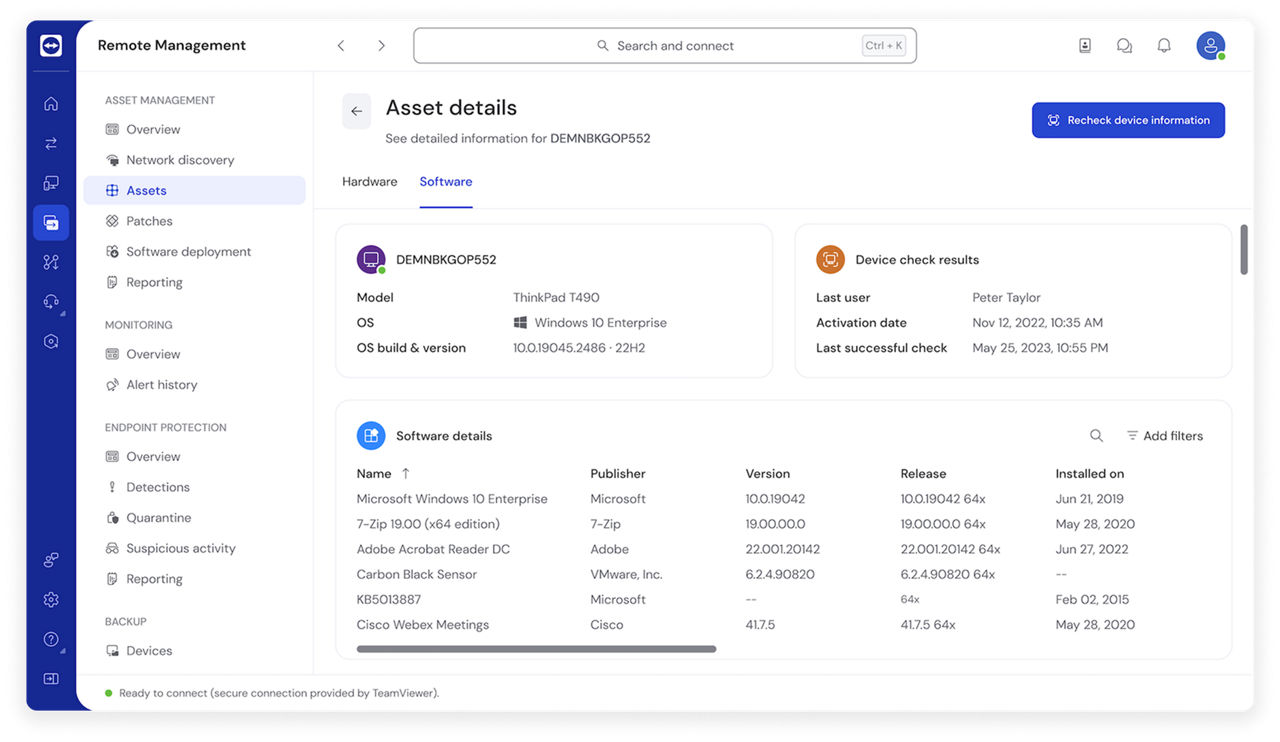
Software vulnerabilities provide easy entry points for ransomware. Many ransomware attacks succeed because organizations delay patches due to compatibility concerns or operational disruptions.
Establish a regular patching schedule that prioritizes critical security updates. Enable automatic updates for operating systems and major applications where possible. This ensures endpoints receive security patches promptly without relying on manual intervention.
Remove unnecessary admin privileges
Most users don't need admin rights for their daily work. Implement the principle of least privilege across all endpoints. Standard users should operate with limited permissions that allow them to perform their job functions. Instead of granting permanent admin rights, allow users to request elevated access for specific tasks.
Regularly audit admin account usage to identify unnecessary privileges. Former employees, contractors, and service accounts often retain admin rights long after they're needed. Removing these orphaned accounts eliminates potential attack vectors.
Enforce MFA (especially for remote access)
Require MFA for all remote access connections without exception. RDP, VPN, and remote support tools should demand both a password and a second authentication factor.
Use time-based authenticator apps rather than SMS codes for stronger security. SMS can be intercepted through SIM swapping attacks, but authenticator apps generate codes locally that are much harder to compromise.
Apply conditional access policies that require additional authentication for high-risk scenarios. Access attempts from unusual locations, unrecognized devices, or during off-hours should trigger stepped-up verification.
Monitor all endpoints, including remote and offline devices
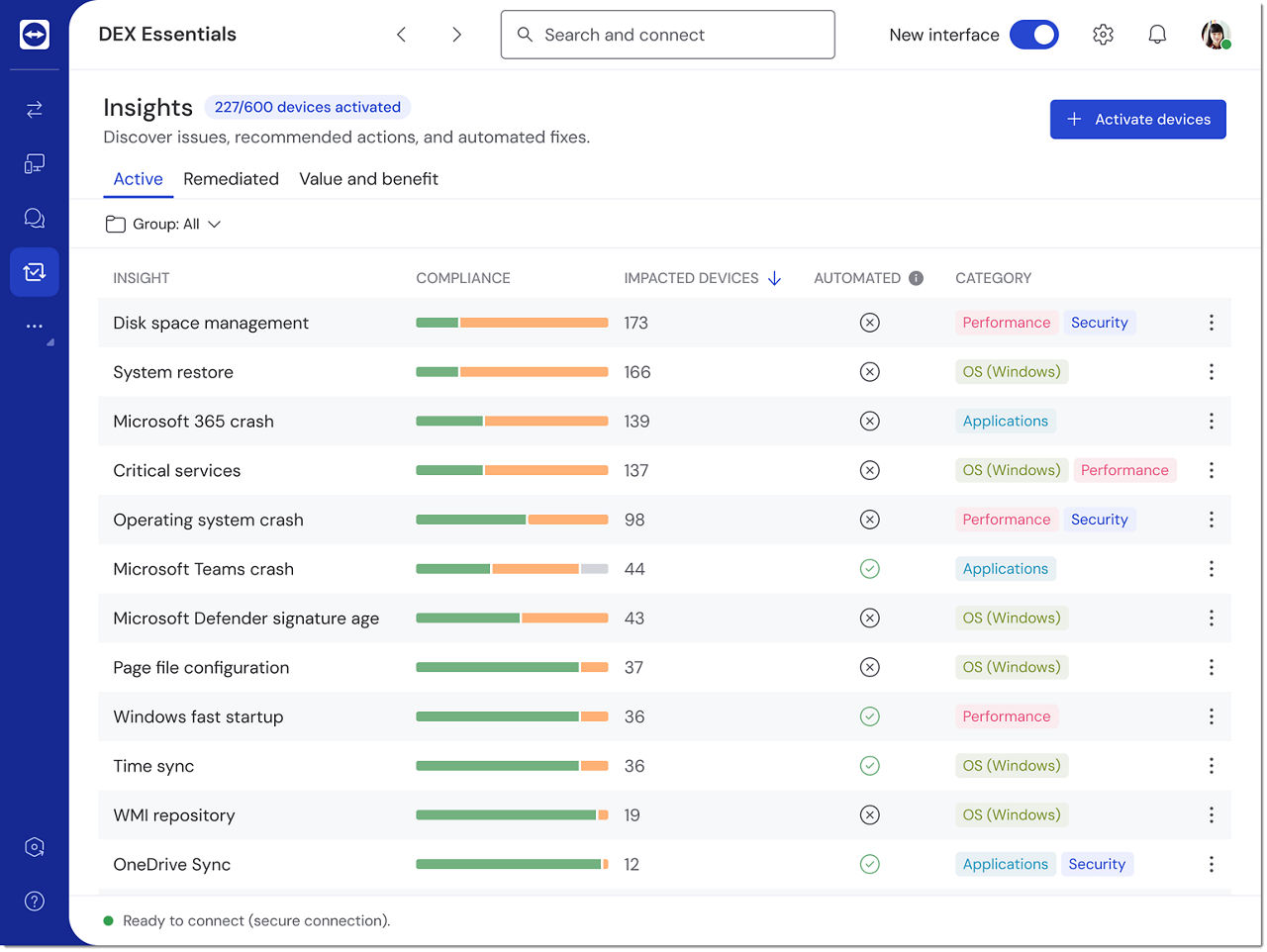
Attackers often compromise remote workers' laptops specifically because they receive less monitoring than office-based systems. Cloud-connected endpoint protection, like TeamViewer, maintains visibility regardless of network location.
Organizations managing distributed workforces rely on endpoint protection software tools to ensure security policies are consistently enforced across all endpoints. You can verify that remote devices have current security patches and proper configuration, without requiring devices to connect through corporate VPNs.
If an endpoint doesn't meet security requirements, access can be automatically blocked until the issues are resolved. This prevents compromised or misconfigured devices from accessing corporate resources.
Regularly test incident response procedures
Ransomware protection and recovery requires more than just an incident response plan. You need to verify it actually works under pressure. Conduct tabletop exercises that walk through ransomware scenarios. Gather your security, IT, and management teams to discuss how they would respond to specific attack situations.
Maintain and regularly test backup systems. Verified backups are your ultimate defense against ransomware, but only if they actually work. Test restoration procedures to ensure you can recover critical data quickly. Verify that backups are isolated from production systems so ransomware can't encrypt them.
Final thoughts
Ransomware endpoint protection
Attackers and security vendors both have access to the same technological capabilities now. Ransomware operators use zero-day exploits, fileless attacks, and encrypted payloads specifically because traditional antivirus can't detect them. Signature-based detection is fundamentally reactive. It identifies threats only after they're already known and spreading.
While following best practices like patch management, privilege restrictions, and regular incident testing help, the real advantage comes from behavior-based detection. Tools like TeamViewer combine secure remote access with the visibility needed for rapid incident response. Teams can immediately investigate affected endpoints when suspicious activity is detected, review comprehensive audit logs for forensic evidence, and verify that security patches and configurations are current.
If you're serious about endpoint protection, moving beyond basic antivirus software is essential. Modern ransomware endpoint protection platforms are the only guarantee against ransomware that's designed to evade traditional defenses.
FAQ
The best protection combines multiple layers: advanced endpoint detection and response (EDR), behavior-based monitoring, regular patching, MFA on remote access, privilege restrictions, and verified backups. Tools like TeamViewer provide strong enterprise ransomware protection by combining continuous endpoint monitoring (both in on- and offline scenarios) with AI analysis.
Endpoints interact directly with users who can be tricked into executing malware through phishing emails and malicious links. They also provide remote access entry points through RDP and VPN. Once compromised, endpoints give attackers a foothold to spread ransomware across networks.
Traditional antivirus relies on signatures of known threats and cannot detect new variants, fileless attacks, or ransomware using legitimate system tools. It's reactive, identifying threats only after they're already known, which delays identification and response to potential threats.