
Knowledge Base
About TeamViewer Meeting
Last Modified 6 мая 2026 г.
This article applies to all TeamViewer Meeting users and customers.
Meetings allow you to collaborate with other people in various ways. With TeamViewer Meeting you can share the content of your screen or establish an audio or video connection.
What different kinds of meetings are there?
With TeamViewer Meeting, you can use the following types of meetings:
Screen Sharing
If a meeting is held with screen sharing, the participants will be able to see the content of the presenter's screen.
This is what a TeamViewer Meeting Meeting looks like when your screen is being shared:
Note: By default, the screen is paused when you start a meeting. If you want to change this, click on this article.
Voice Call
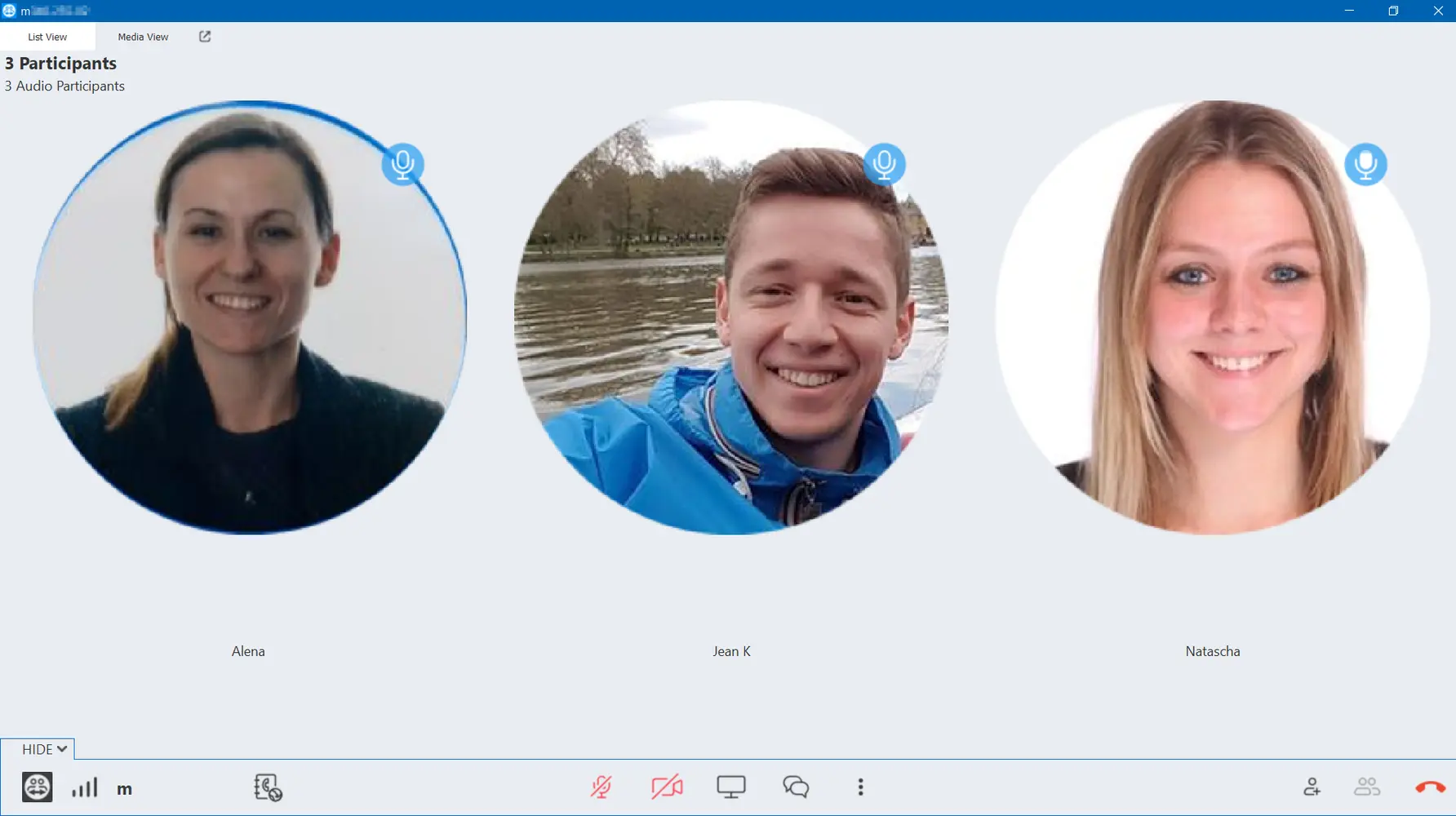
A voice call can be established either via Voice over IP (VoIP) with a headset connected to the device or via telephone. With TeamViewer Meeting it is possible to mix VoIP and telephone.
This is what a TeamViewer Meeting Voice Call looks like:
Video Call
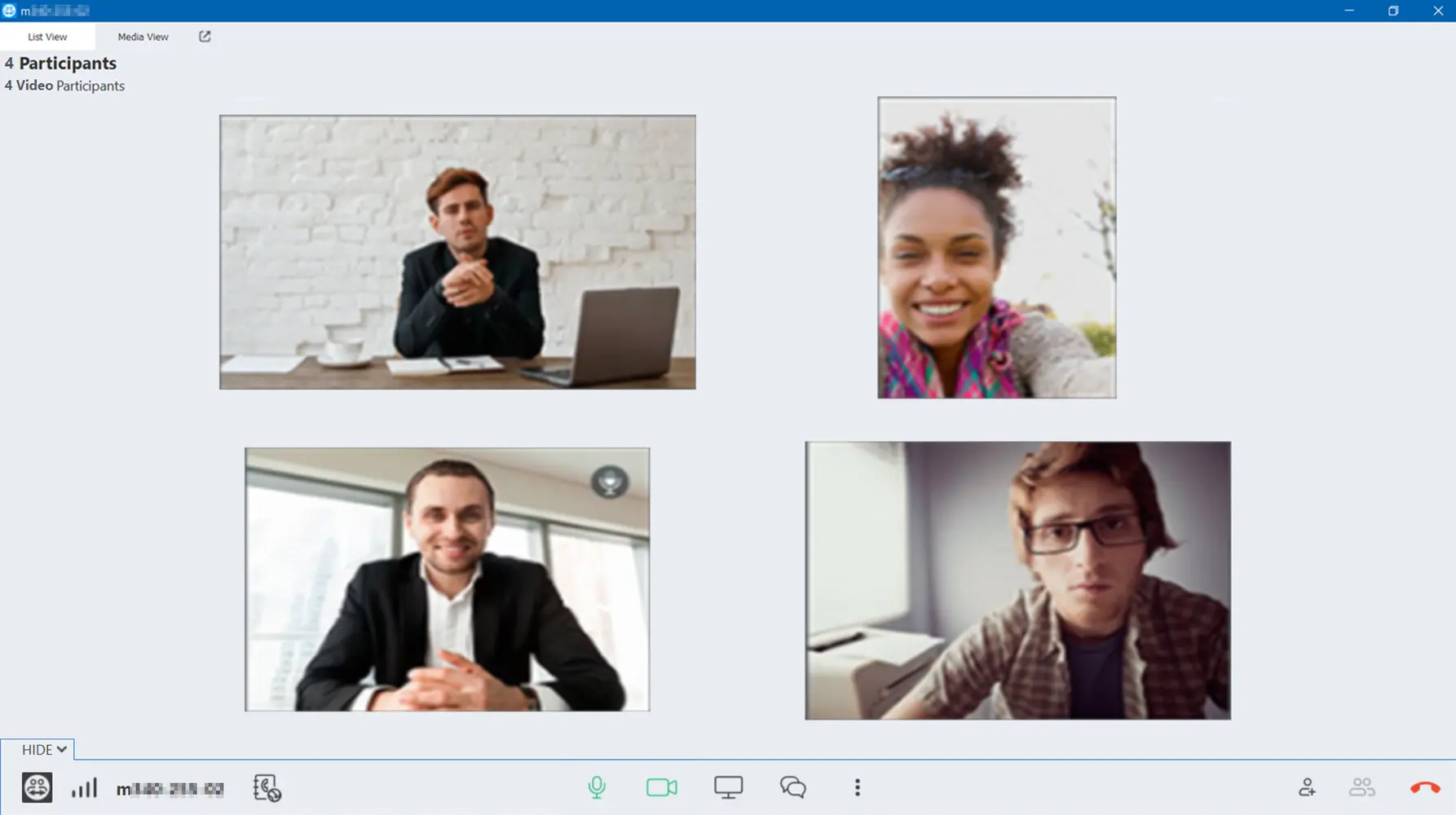
In addition to the sound, a camera picture can be shared via a video connection. The participants will need a webcam for this.
This is what a TeamViewer Meeting Video Conference looks like:
Meeting ID
The meeting ID is a unique identifier for the meeting. You must share your Meeting ID with your participants so that they can join it.
These are the different Meeting IDs assigned:
TeamViewer Meeting creates a unique meeting ID for each device. If you are not logged in with your TeamViewer account and you start a spontaneous meeting, this ID will be used.
- If you create a TeamViewer account you will receive a personal meeting ID that can be used on all devices provided you log in with your account. You can also be reached by other people using this ID. Here you will find the instructions on how to create a TeamViewer account.
- If you use the Scheduler, to plan your meetings, each meeting receives a unique ID which can be either reused or deleted.
Roles
Anyone who communicates using TeamViewer Meeting is a participant. In addition, the specific roles of Organizer and Presenter are created.
- The Organizer is the person who starts the meeting and invites others.
- The Presenter is the person who shares the screen. At the beginning of the meeting, the organizer is also the presenter, however, they can assign the presenter or the Organizer role to another participant.
Here you will find the instructions on how to change the roles during a meeting.
Spontaneous and planned meetings
You can start a meeting any time, this is called a spontaneous meeting. Spontaneous meetings can be started using the Meeting tab, the Contact List or the Chat. In addition, it is possible to plan a meeting for a later point in time and to invite the participants in advance. All of your planned meetings are displayed on the Scheduler tab.
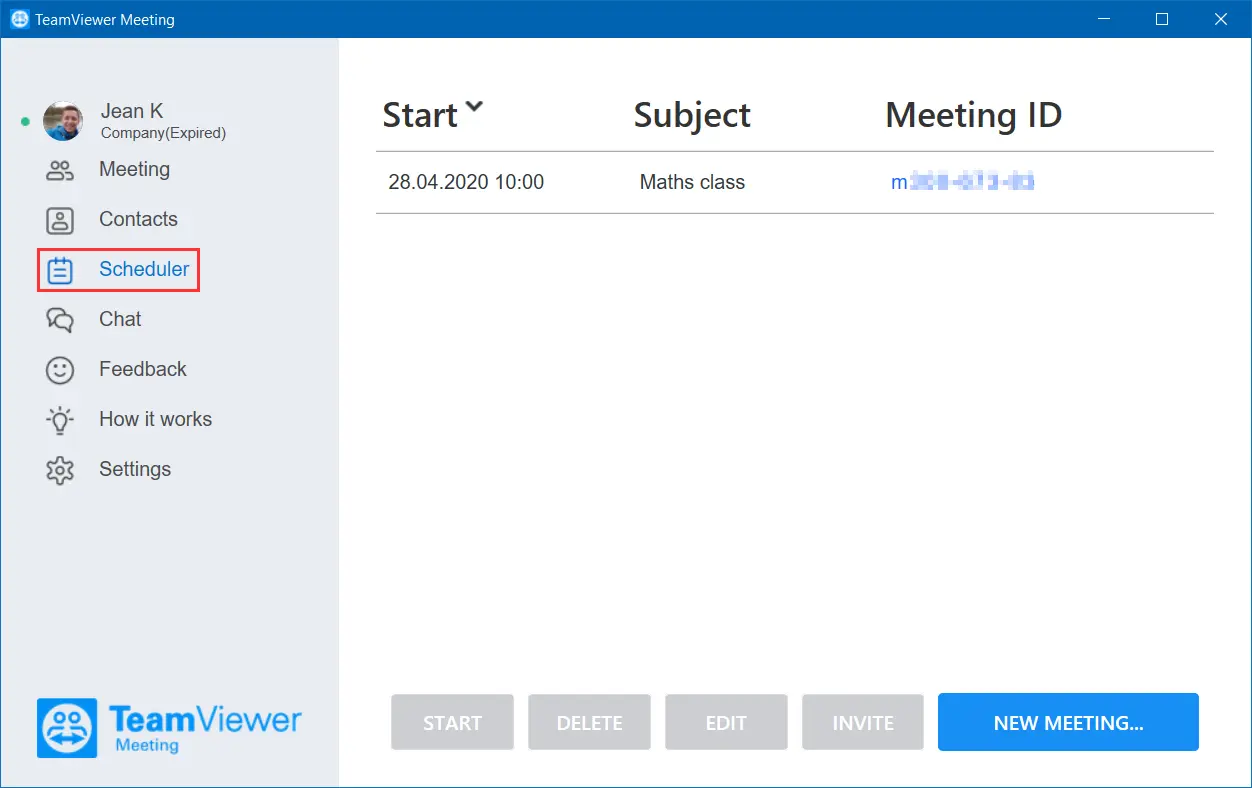
Here you will find the steps on how to plan and re-use your meetings.