
Knowledge Base
Documents
Last Modified 20 мар. 2024 г.
Navigation path: Documents
Purpose
In Documents, you can upload document templates and prepare them for your appointments in advance.
Feature description
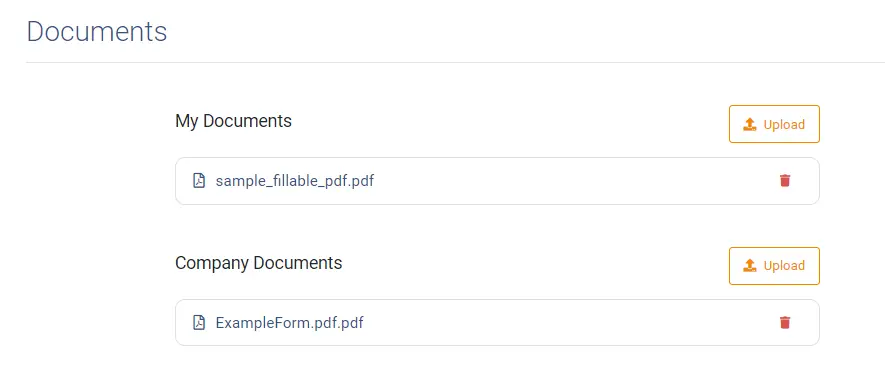
Types of documents
TeamViewer Engage distinguishes between two types of documents: My Documents and Company Documents. My Documents are your personal document templates. Company Documents are usually uploaded by your organization and are available to all employees as templates.
Preparing or pre-filling a document
By clicking on an uploaded document, you can pre-fill and save it:
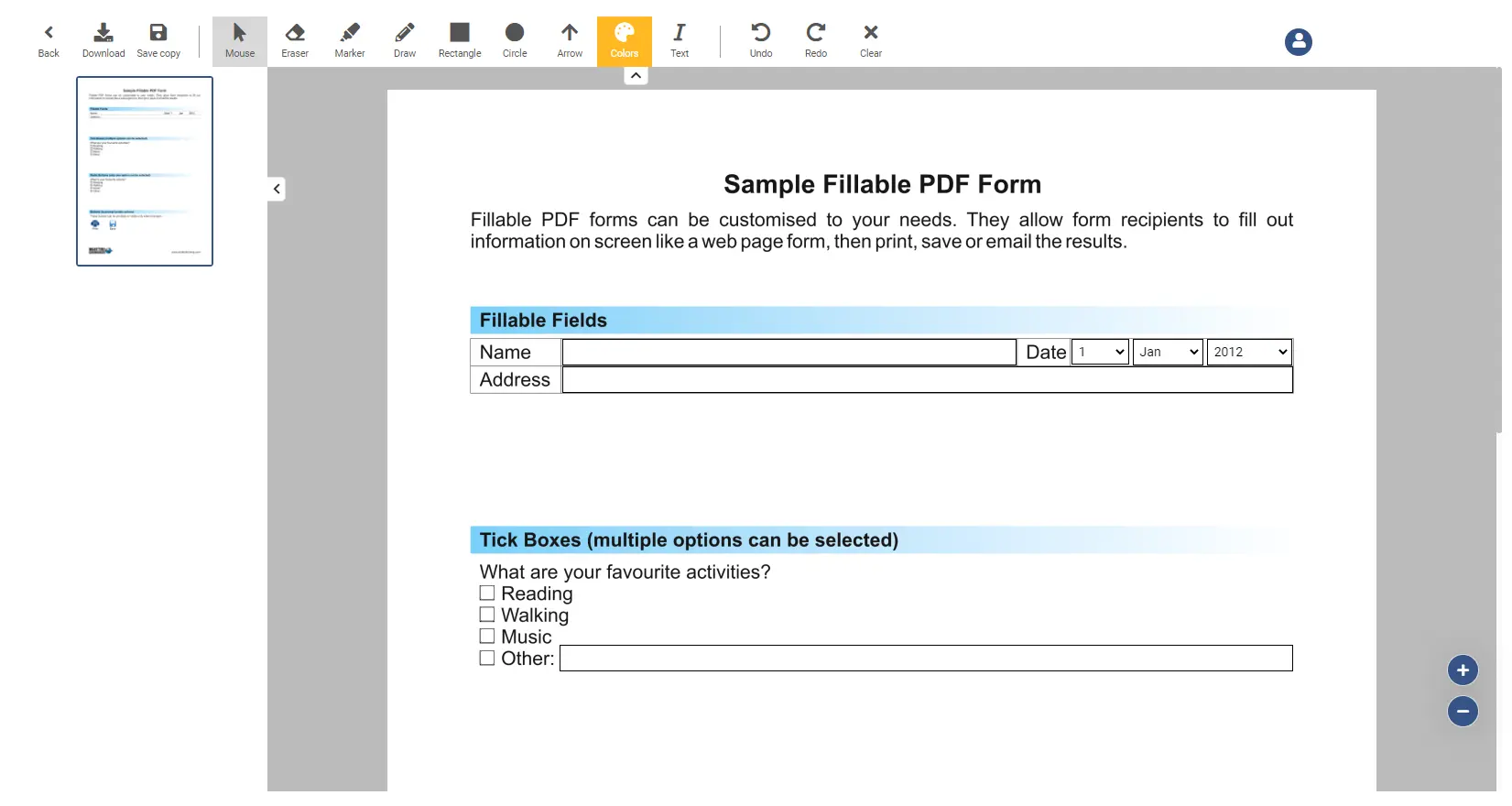
Edit options
Below you can find a list of all the features you can use to edit and change an open document
| Feature | Description |
|---|---|
Arrow | Draw an arrow over the screen |
Back | Navigates you back to the overview screen |
Circle | Draw a circle over the screen |
Clear | The clear button clears all changes made to the document (Note: it does not clear fields which have been filled out by a user). |
Download | Downloads the current document |
Draw | Changes the cursor to a drawer, where you can paint on the screen. The drawing will be permanent. |
Eraser | Changes the cursor to an eraser, which you can use to remove drawings |
Marker | Changes the cursor to a marker, where you can paint on the screen. The drawing will disappear after 30 seconds. |
Mouse | Changes the cursor back to a normal mouse |
Rectangle | Draw a rectangle over the screen |
Redo | Redo the last undone action |
Save copy | Saves a copy of the current document |
Text | Insert a text into the document |
Undo | Undo the last action |