Knowledge Base
Customers
Last Modified 14 мар. 2024 г.
Overview
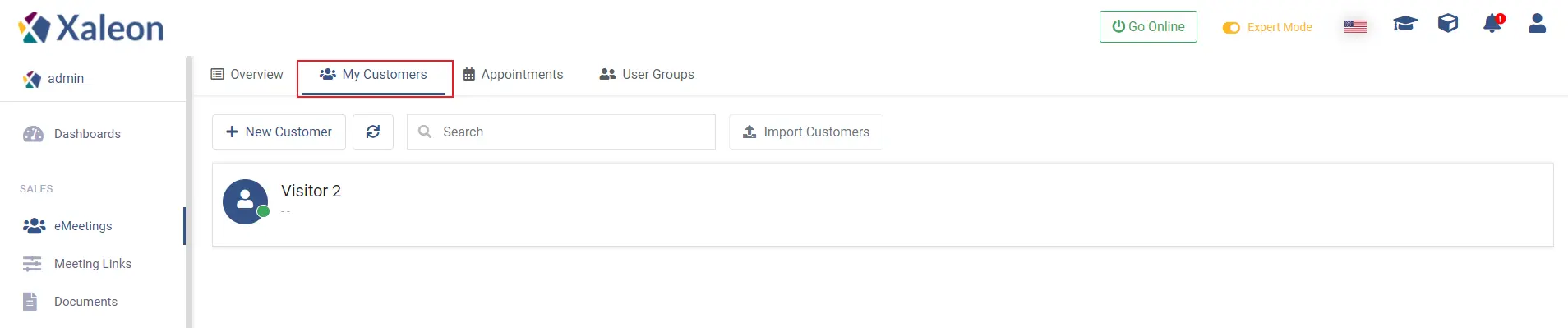
The My Customers tab in eMeetings gives you an overview of all customers. Furthermore, you can create a new customer, import ones and edit existing customers.
New Customer
You can create a new customer by clicking + New Customer and filling out the fields below.
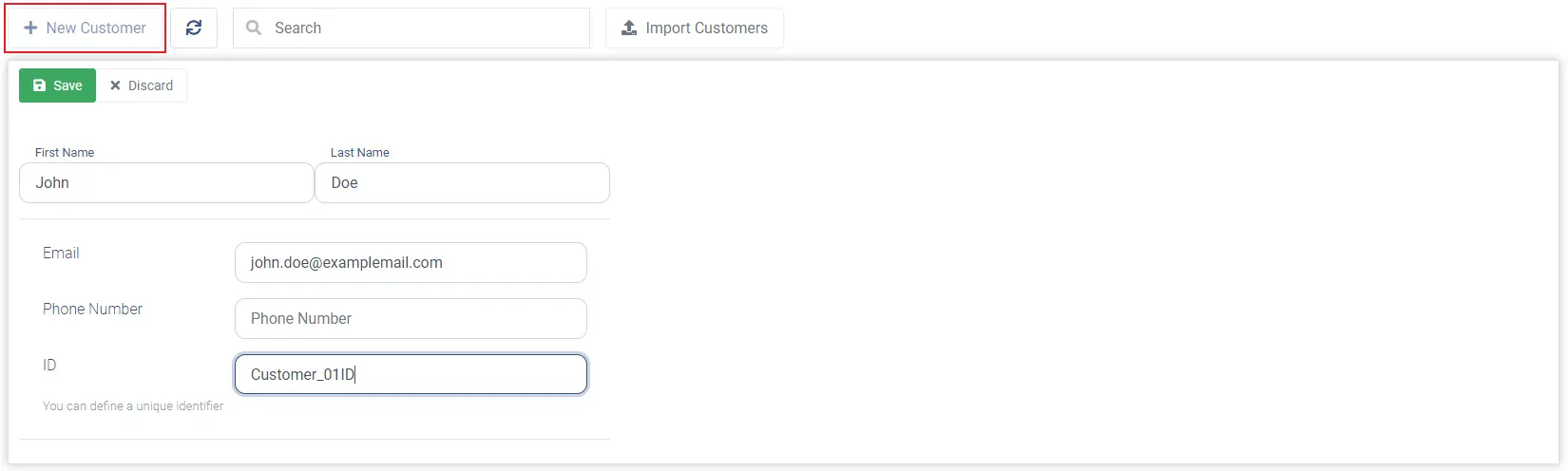
This customer will then show up in the list of customers.

Customer options
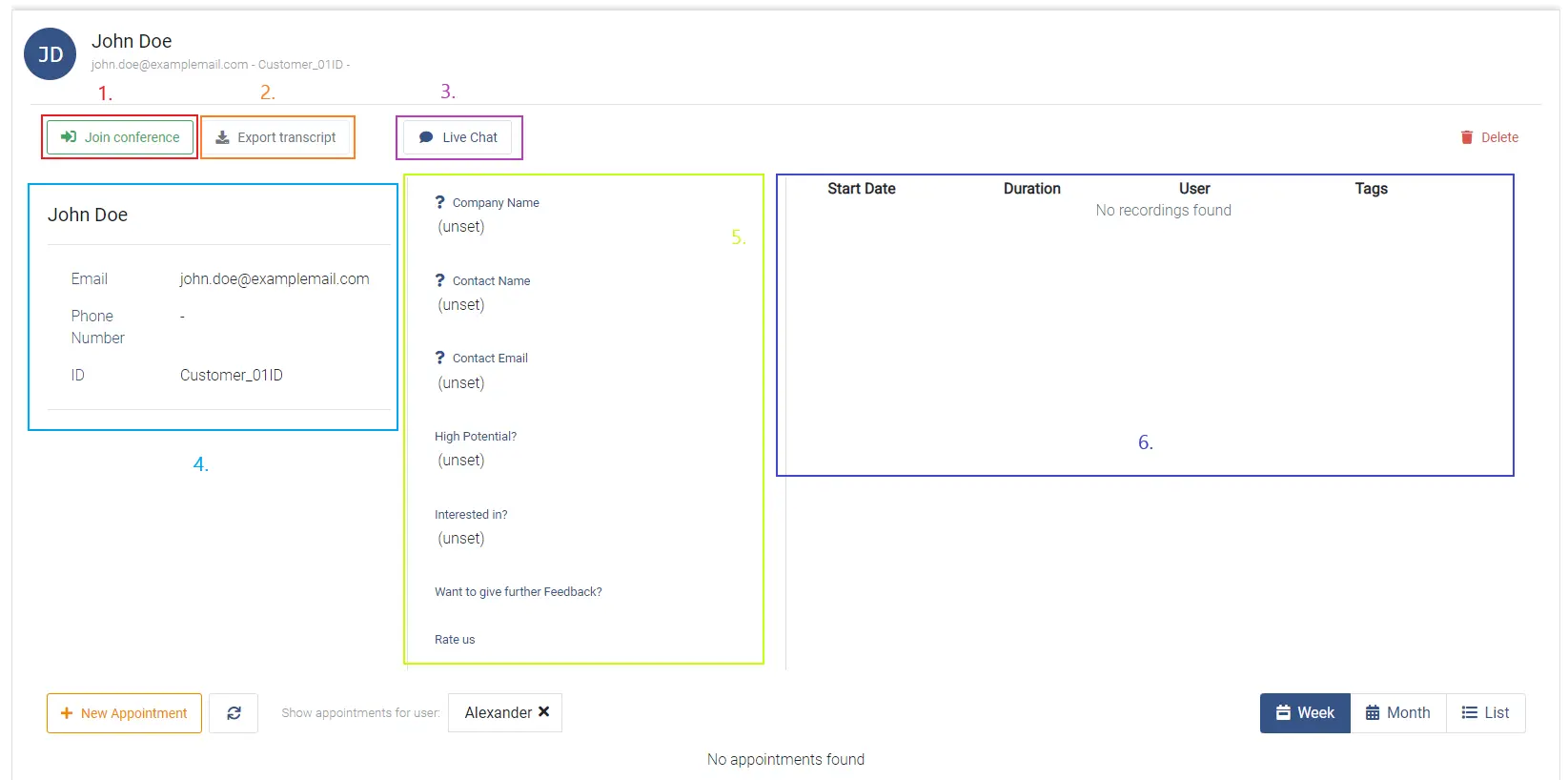
By clicking on a customer, an overview of the customer is shown.
Customer appointments calendar
Below the customer information, you can find the appointments calendar of the customer.
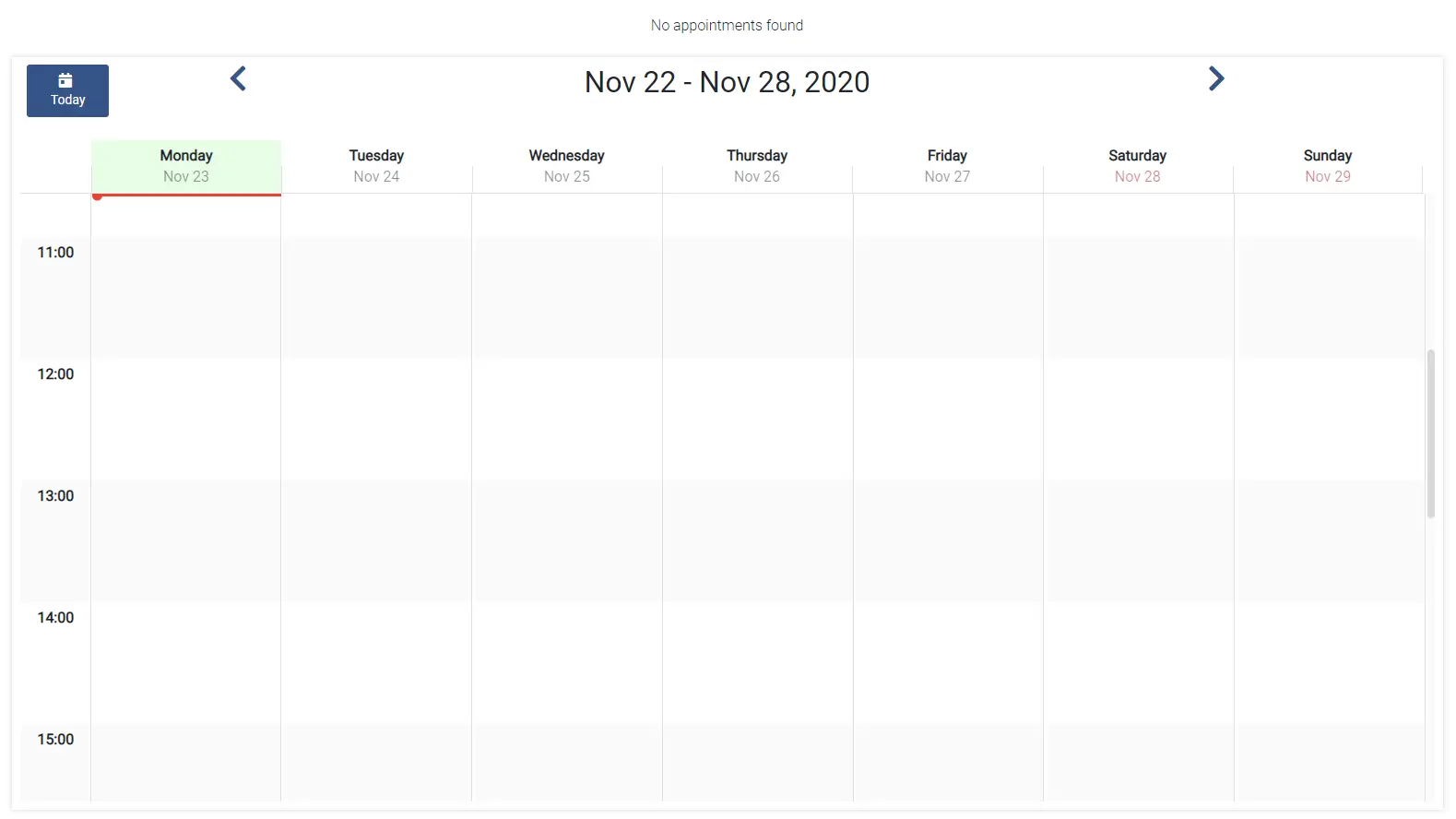
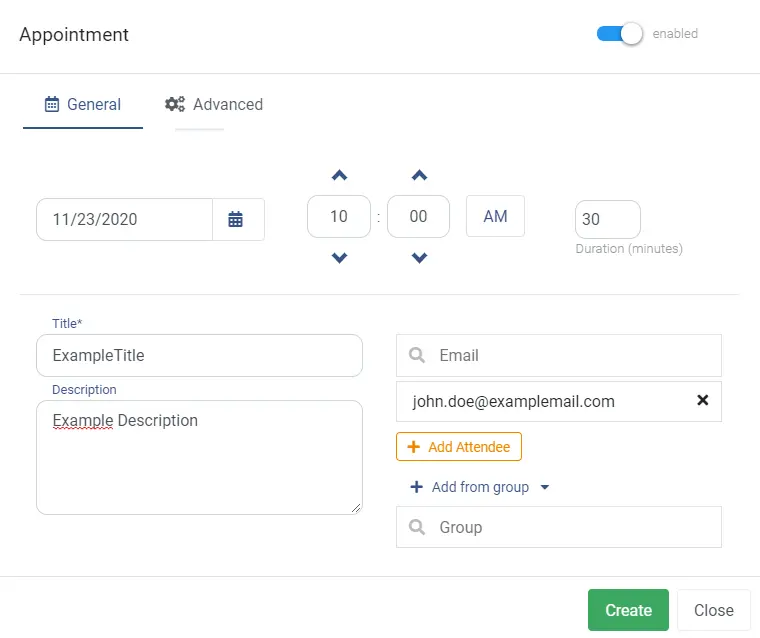
You can create a new appointment by clicking on time intervall on a day of the week. A new window will open where you can specify the appointment.
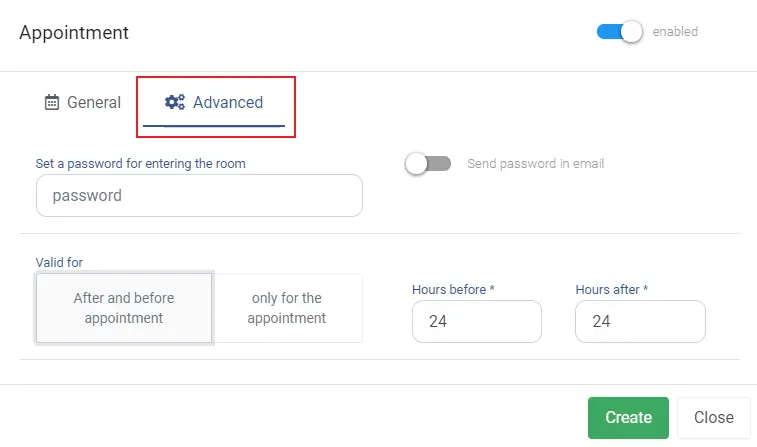
Under the advanced tab you can enter a password and state whether or not the password should be sent via email. Furthermore, you can define how long the link will be valid.
Attendees can be added by entering an email an pressing the Add Attendee button below. You can also add from Groups.