Hero Highlight: Gradient

TeamViewer remote desktop for Android devices
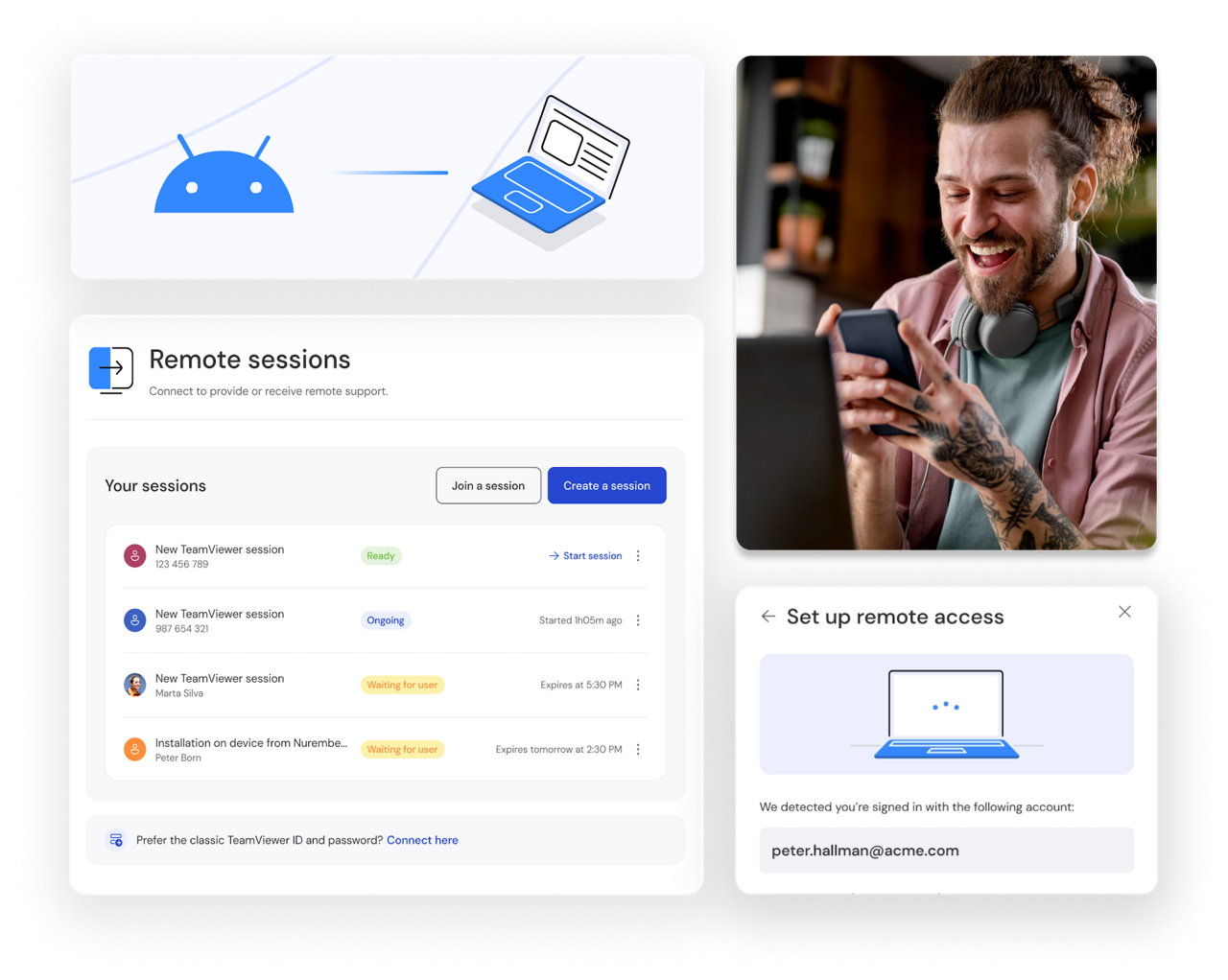
Access your PC's full capabilities from your Android phone with TeamViewer's  Remote. Connect securely to all your files, applications, and desktop software so that you can work from anywhere, anytime.

Remote access setup as seen in the TeamViewer Remote client

Access PCs and smartphones from your Android with TeamViewer

TeamViewer Remote is a remote access software for Android that lets you connect to computers and devices from anywhere. With our Android app, you can access PCs, Macs, or mobile devices. Ideal for IT support, remote connections, or managing commercial systems, such as digital signage.

Why use TeamViewer Remote for Android?

Here's how TeamViewer Remote for Android can improve your digital experience.

Work from anywhere, access every remote device

You don't need to be at your desk to use the software you rely on. With TeamViewer for Android, you get remote desktop access to your PC or Mac, so you can reach all your applications, files, and tools, whether you're commuting, traveling, or working from home. Your workspace goes wherever you do, giving you the freedom to stay productive on your schedule. A remote connection gives you instant access whenever you need it.

Diagnose and resolve issues on the go

You can troubleshoot software problems without being physically present. Connect to any remote device on your network, identify issues, and resolve them in real-time, all from your Android phone. This means faster resolution times and less downtime for your team. Walk users through solutions, install updates, or adjust configurations remotely. You'll reduce support tickets and keep operations running smoothly, even when you're working off-site or managing multiple locations simultaneously.

Keep devices running smoothly

Monitor your remote computers and connected devices remotely to ensure everything's operating as it should. Check system performance, receive alerts, and take action before minor issues escalate into major problems. With TeamViewer Remote, you can track CPU usage, storage, and memory across your device fleet, spot patterns that indicate potential failures, and schedule maintenance proactively to maintain reliability and avoid costly disruptions.

TeamViewer key advantages

Secure remote access across all your devices

  • Device-agnostic connectivity

    TeamViewer Android provides access to mobile devices of all kinds — from smartphones and tablets to point of sales systems, and digital displays.

  • Easy access to unattended devices

    TeamViewer is the only remote connectivity solution offering full unattended access and control for Android-based devices from more than 100 brands.

  • Monitor and manage all your Android phones

    Track and manage the status of all your Android phones, including storage, CPU, and memory usage. Roll out apps via MDM or EMM using TeamViewer’s pre-built integrations.

  • Stay safe with encrypted remote connections on your Android

    Provide support for Android mobile devices from any computer, smartphone, or tablet. Alternatively, you can connect to a remote desktop to troubleshoot from your Android device.

How to set up TeamViewer Remote for Android

Get started with Remote Control on your Android phone or tablet in just a few simple steps. Here's how to connect to your devices and start providing remote support.

  • Sign in to your account

    Open the app and log in with your TeamViewer credentials. If you're new, select Create a new account . It's free to get started.

  • Connect to your first device

    Enter the device ID or select from your saved connections. You'll have secure, encrypted access to your PCs, Macs, and other devices within seconds.

  • Start managing your devices remotely

    Once connected, you can troubleshoot issues, access files, monitor system performance, and provide support, all from your Android device, wherever you are.
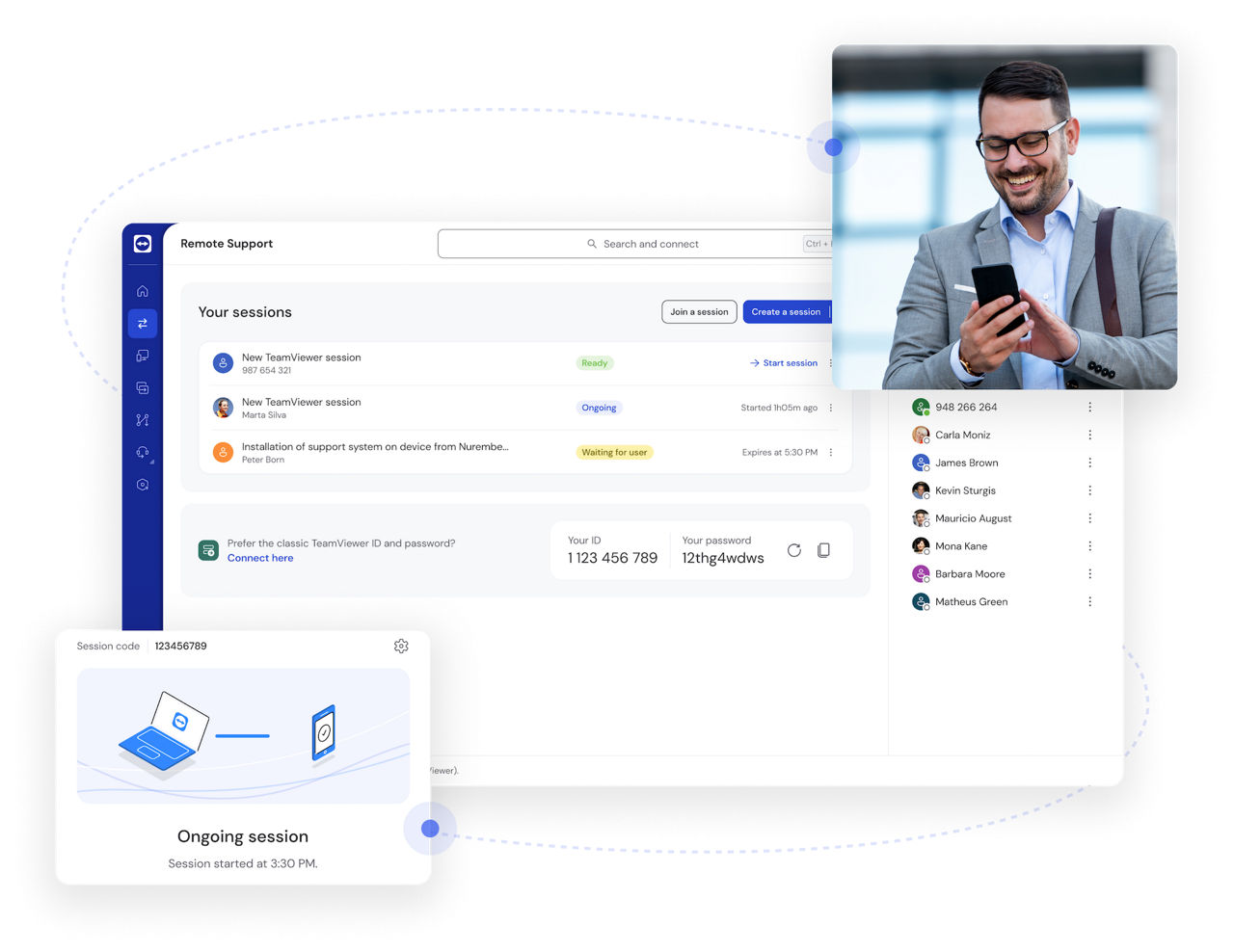
Access your PC's full capabilities from your Android device

Connect to your PC, Mac, or another mobile device from your Android phone or tablet and work as if you're at your desk. TeamViewer Remote gives you secure access to your files, applications, and processing power. No laptop or USB drive needed.

What you can do:

  • Join meetings on the go:

    high-quality video and audio streaming keep you connected, even while traveling

  • Run desktop applications:

    access your full-scale software and tap into your devices' storage and processing power

  • Stay productive anywhere:

    work remotely with the same tools and files you use at the office

TeamViewer Remote Android FAQ

TeamViewer Remote for Android lets you connect to and control computers or other devices from your Android phone or tablet. You can access files, run applications, and manage systems remotely, giving you the flexibility to work from anywhere with a secure internet connection.

Yes, you can use remote desktop on Android with TeamViewer Remote. Download the app from the Google Play Store, sign in, and connect to any PC, Mac, Chrome OS, or other device. It works across all major operating systems, giving you full remote access from your phone or tablet.

Yes, it's safe with TeamViewer. We use AES-256 encryption and TLS 1.2 to protect every remote session. You also get two-factor authentication, Conditional Access, and full GDPR and HIPAA compliance, ensuring your data stays secure while you work remotely.

TeamViewer Remote is one of the top choices for remote desktop connection for Android. We offer AES-256 encryption, cross-platform compatibility with all devices, and unattended access to over 100 Android brands. With intuitive setup, two-factor authentication, and GDPR compliance, you get security and simplicity in one solution.

Download the TeamViewer Remote app from the Google Play Store, then sign in to your account. Enter your computer's device ID or select it from your saved connections. You'll be connected in seconds with secure, encrypted access to all your devices and files.

Connect to a remote desktop with your Android phone or tablet

Edit documents, run applications, and control PCs directly from your Android device. Your phone becomes a portable monitor, keyboard, and mouse, giving you full access to everything on your computer.