Summary
Purpose
With Forms, you collect customer requests (+ contact information) during off-duty times and gather feedback after completing support interactions.
Functionalities / need to know
- Forms can be triggered after the conversation is marked as done
- Forms can be triggered through Action Rules
Feature descriptions
Your first Form
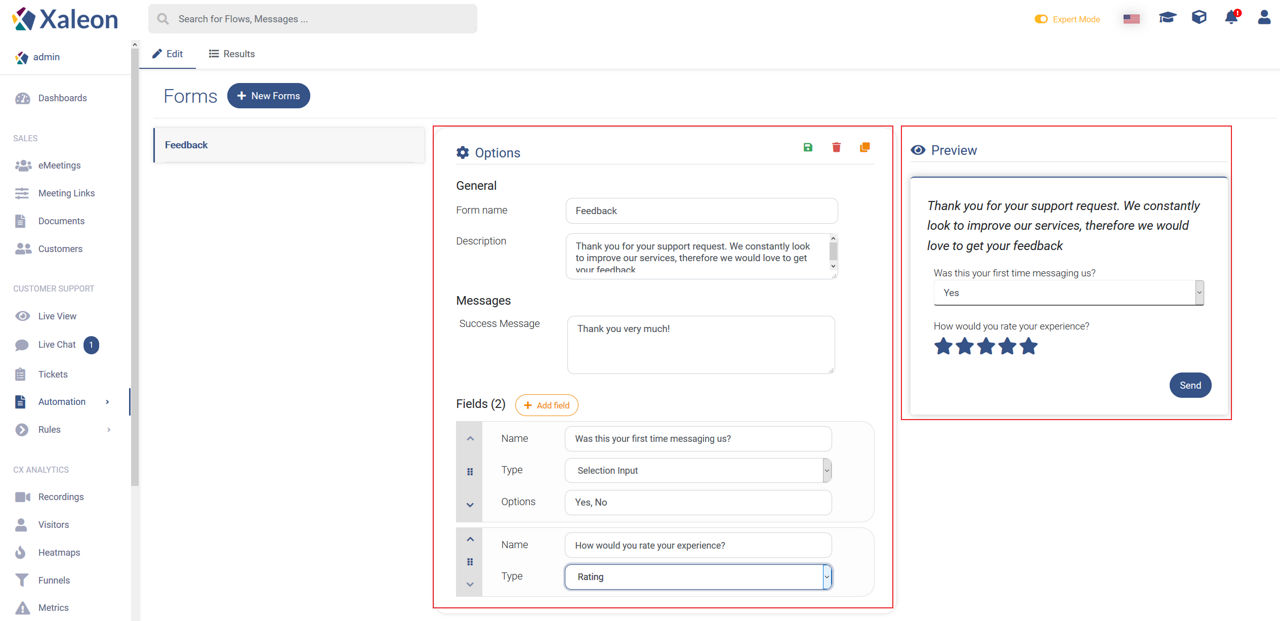
By clicking + New Forms you will create a new Form.
Options
General
Messages
Fields
By clicking + Add field you create new form fields to expand your Form. Field elements can be ordered by using the options on the left.
Name
Name of your field. This is only for you and will not be visible to customers.
Type
There are different types of inputs:
Preview
In the preview, you can exactly see, what your Form will look like.