
Knowledge Base
Unmanage devices in bulk
Last Modified 7 мар. 2024 г.
You can unmanage devices in bulk via the TeamViewer (Classic) Management Console.
This article applies to TeamViewer (Classic) customers with a Premium, Corporate, or Tensor license.
Unmanage Devices in bulk
To unmanage devices in bulk, please follow the instructions below:
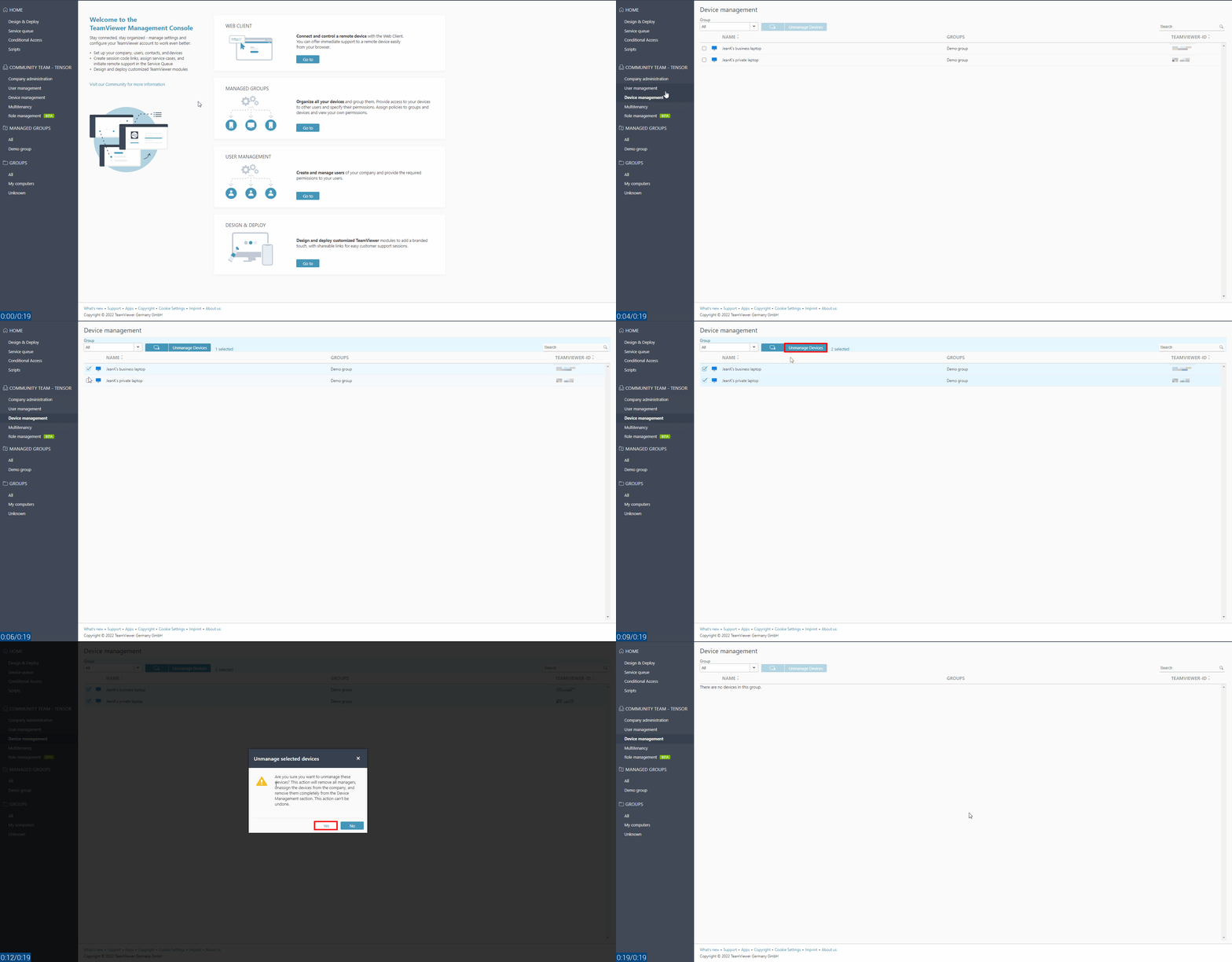
- Select Device Management in the company administration section
- Select the devices you want to unmanage
- Click on Unmanage Devices
- Confirm the action by clicking Yes
- A confirmation message will appear. Click OK