
Knowledge Base
Session limit reached
Last Modified 8 мая 2026 г.
This message is intended to inform you that your attempted TeamViewer connection has been rejected since you did not have a channel available at the time to perform a remote control session or a meeting from another computer.
This article applies to users with Business, Premium or Corporate licenses.
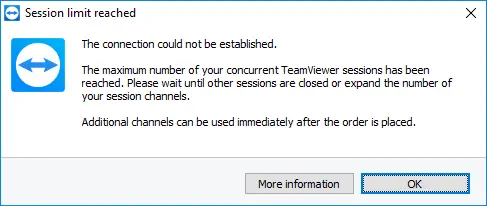
Available channels
An available channel should be viewed as an open phone line. Imagine the following: Company A has three phones, but only one phone line. When Mr. Smith makes a call, his two colleagues Mr. Jones and Mr. Johnson cannot make any outgoing phone calls or receive any incoming ones. They receive a busy sign. Only after Mr. Smith hangs up will the line be open again.
The Business and the Premium license each feature one channel i.e. a concurrent session. A Corporate license features three channels i.e. three concurrent sessions from three different computers. Opening an additional session is only possible as soon as another session has been closed.
With a Premium or Corporate license, you have the ability to activate your license on an unlimited number of computers and also expand them by any number of additional channels. An expansion of your license is possible at any time via phone or in your Customer Portal.
Your channels are ready to go without delay after ordering because the additional channels are enabled immediately and without manual activation on your part.
Need to expand your license?
Simply add more channels or upgrade your license yourself in Customer Portal by going to Subscriptions ➜ Manage subscription. There you’ll find available add-ons and upgrade options.
If you need further consultation, reach out to us.
Who is using the Channel?
Windows users can determine the TeamViewer ID currently using a channel by going to Help ➜ About TeamViewer.
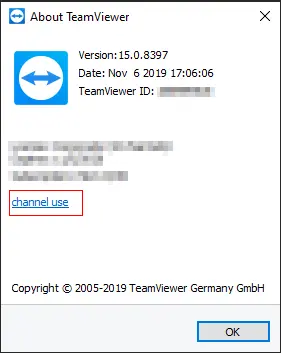
Click Channel Usage in the About TeamViewer window
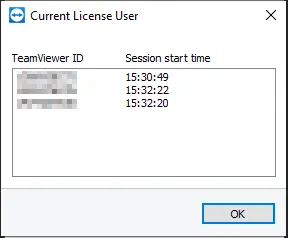
A list of the TeamViewer IDs currently in sessions
Notes:
- This functionality is only available for Windows.
- TeamViewer can only display the TeamViewer ID of the device. It is not possible to display a device alias or the current user signed in to TeamViewer (Classic).
- In cases where a team member forgot to close a session the channel will be used until the session will be ended (manually or automatically). For this, we recommend setting an Inactive session time-out. More information can be found here.