Knowledge Base
Zendesk Chat Integration - Installation and User Guide
Last Modified 8 мая 2026 г.
Zendesk Chat creates a connection with customers looking for support. It’s a fast and effective way to offer help—without interrupting their experience. With TeamViewer directly integrated into Chat, you can enjoy multichannel ability to switch from chat to remote session, reducing customer wait time and boosting customer satisfaction. Customers do not need to install anything and start a session with a simple click. The TeamViewer integration into Zendesk Chat is BYOL requiring a Premium or Corporate subscription license.
Please keep in mind that Integrations are not included in basic license packages. They have to be purchased separately as AddOns. For more information, please visit our website: http://www.teamviewer.com/integrations
About Zendesk
Zendesk is a web-based ticket system that offers an elegant solution for ticket management and help desk issues.
Installation
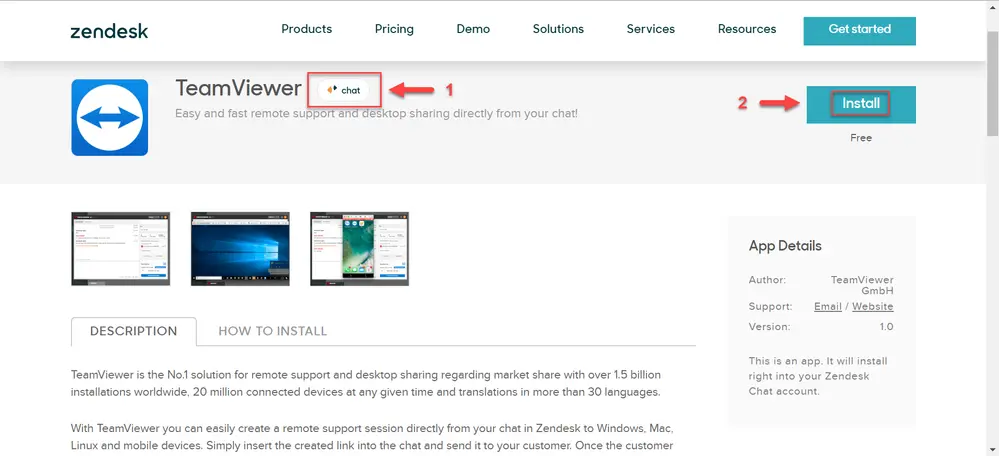
To install the TeamViewer App for Zendesk Chat, head over to the Zendesk Marketplace and locate the 3rd party integration via the following link. Once the user confirms they are in the correct Zendesk Product listing in the Marketplace (also available for Zendesk Support) they choose Install.
Configuring the TeamViewer App
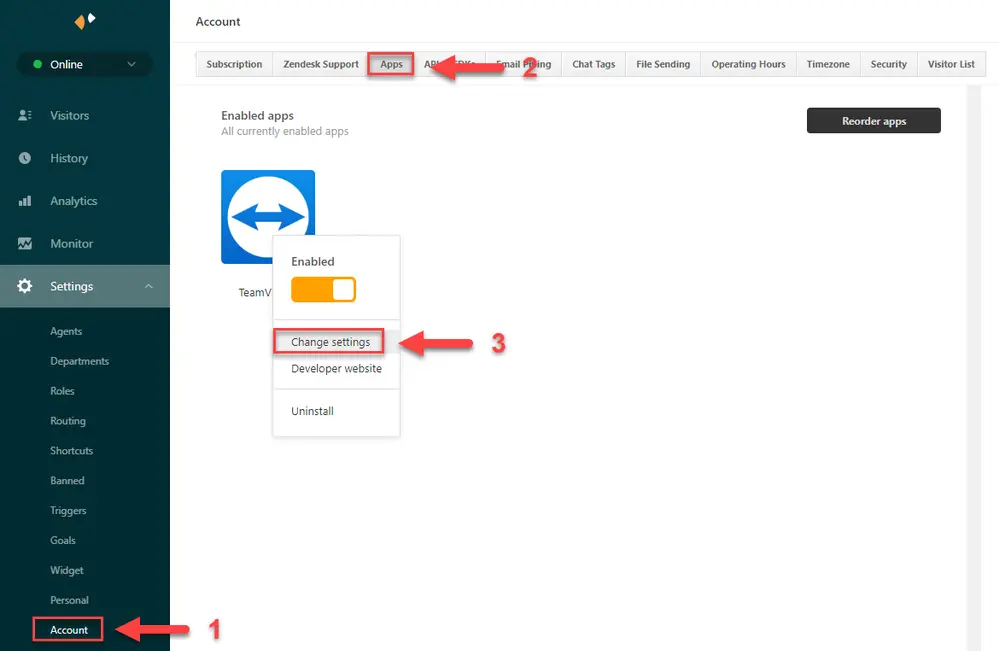
After installation, the administrator will need to configure the TeamViewer App to their specific settings. To change the TeamViewer App settings, administrators will need to navigate to Settings ➜ Account ➜ Apps ➜ Locate TeamViewer ➜ Change Settings
To configure the TeamViewer integration, navigate to the 2nd tab ➜ App Configuration. Administrators will need to configure a custom predefined link text that the customer will receive when inserting remote session details to a customer.
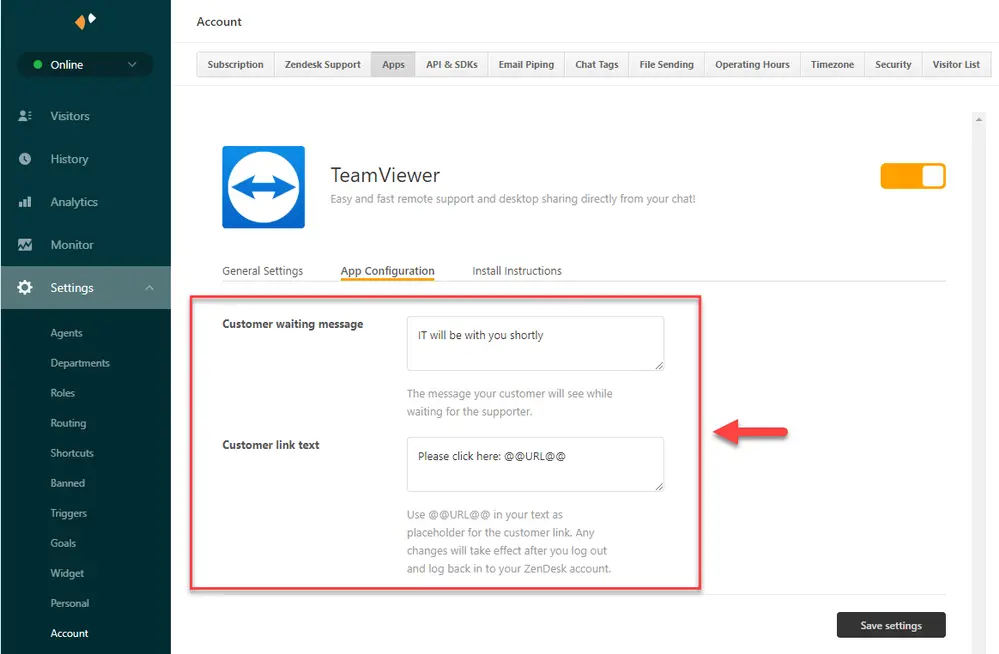
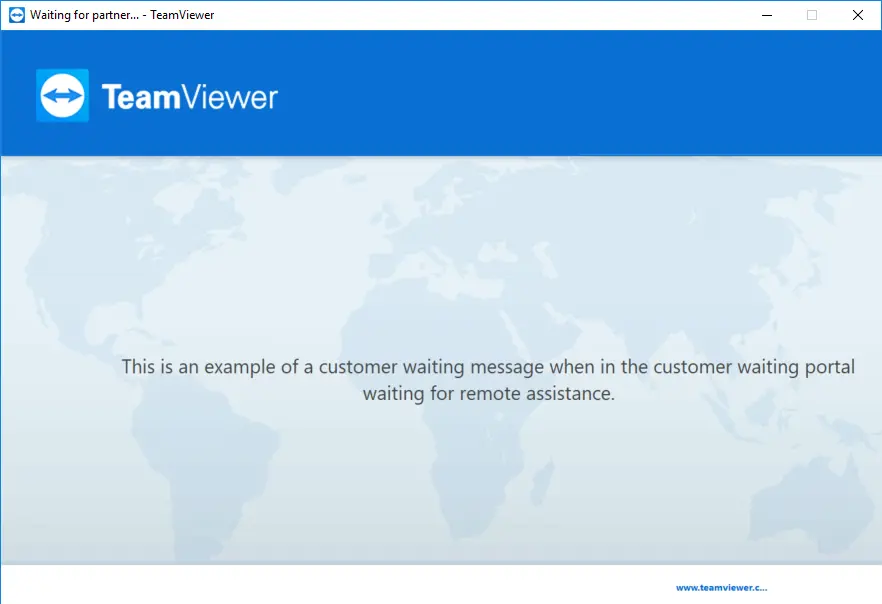
Additionally, administrators can create a custom ‘customer waiting message’ their customers will see when waiting for a supporter via the customer waiting portal.
Using the TeamViewer App
Now that we have completed the installation and configured the App, agents can support their customers by creating service cases and sharing session links to their customers via Chat.
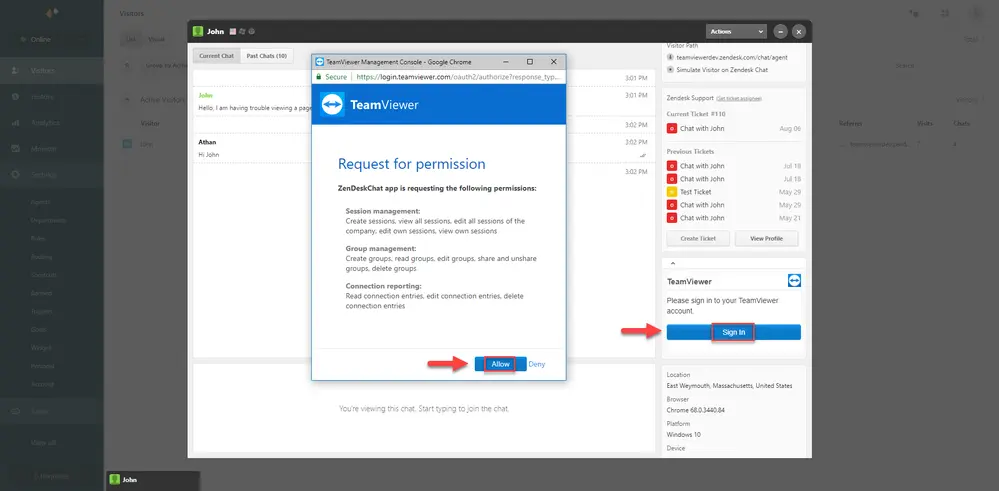
Authenticate TeamViewer Account
*Required one-time Oauth sign in to authenticate the TeamViewer company administrator account and license before sessions can be generated.
Create Service Case
With the TeamViewer App enabled, agents can now enter a Chat and create a customer session link to be shared for remote assistance.
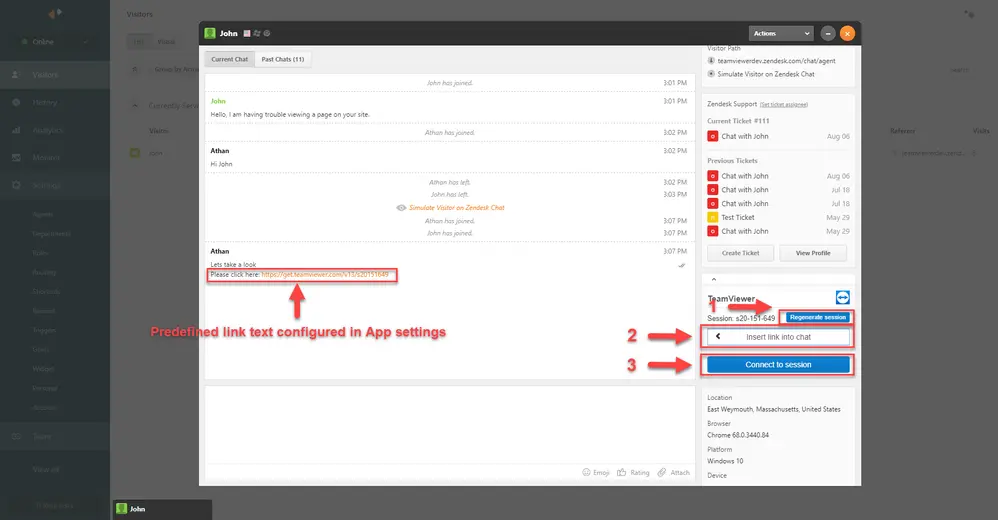
When the session code has been generated, the App interface will change to display the session code and different options such as:
- Regenerate session
- Insert link into chat
- Connect to session
Created sessions are valid until 24 hours after creation and then will expire. In the event a customer has not joined a session within 24 hours, a new service case will need to be created by the agent for the customer.
Additional Configuration
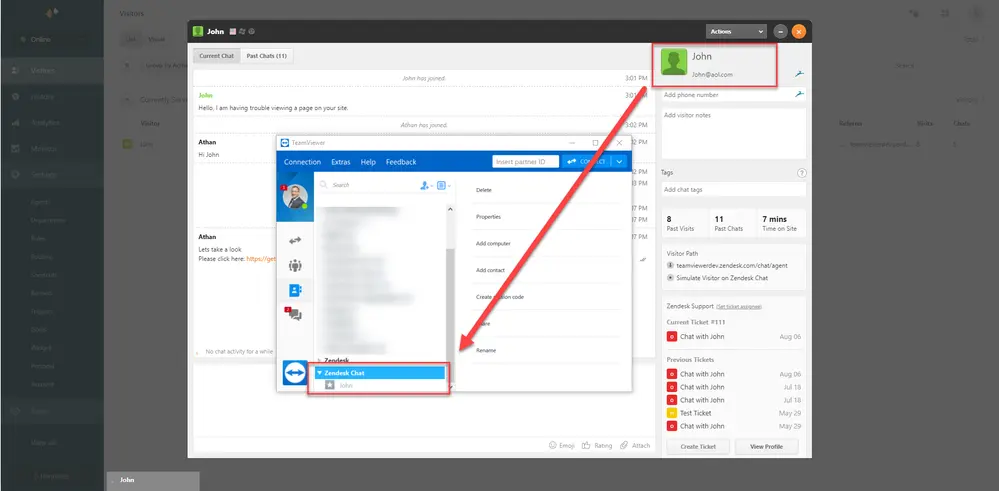
Upon session creation, the TeamViewer App will create a group named Zendesk Chat, retrieving the Chat requestor information allowing agents to easily recognize customers waiting for remote assistance. This group can be shared out with other TeamViewer company members. For more information on sharing groups please visit the Knowledge Base article here.
If company administrators wish to apply their own custom branding to the QuickSupport module displayed to their customers then they will need to navigate to the Management Console ➜ Enter Design & Deploy ➜ + button ➜ QuickSupport
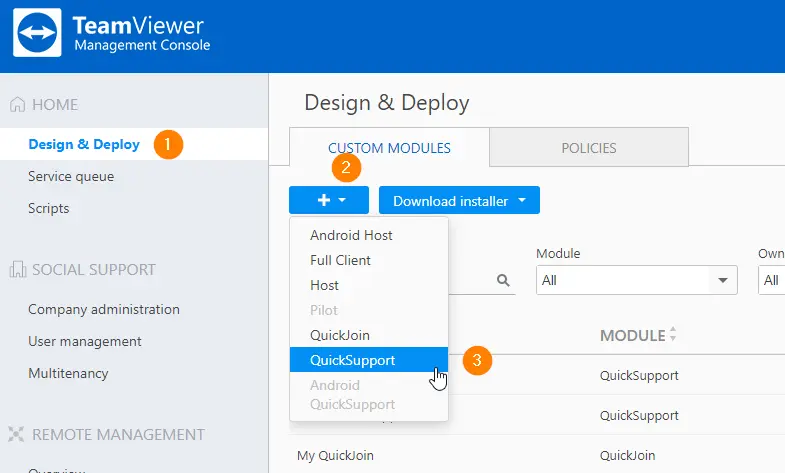
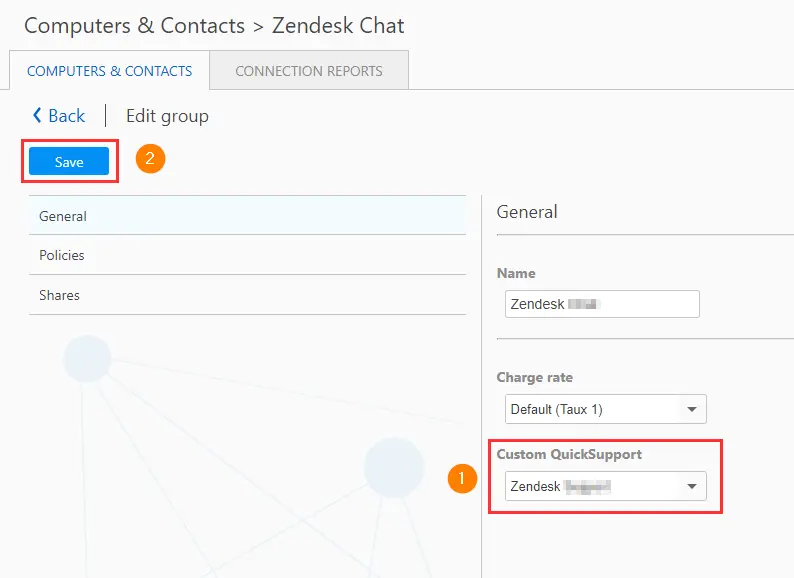
Once the custom QuickSupport has been created, the TeamViewer company administrator can apply the branded module to the Zendesk Chat group used for customers interacting with the customer session links.
Revoking App Permissions
1. Navigate to the Management Console https://login.teamviewer.com
2. In top right corner, click Account ➜ Edit profile
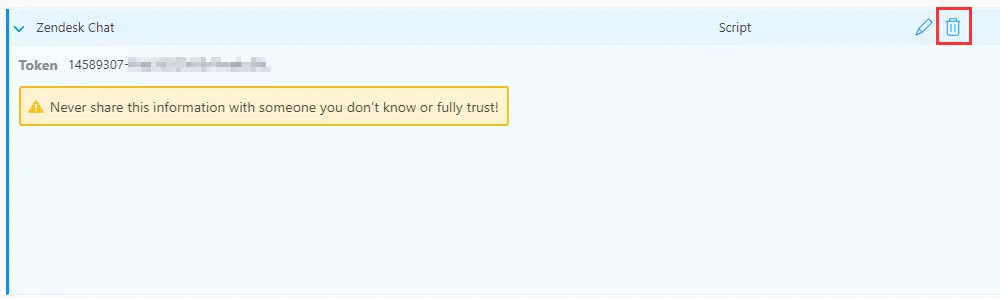
3. Click Apps ➜ [Name of App e.g. Zendesk Chat] ➜ click on the Bin to delete the script