Knowledge Base
Management Console - General information
Last Modified 8 мая 2026 г.
The TeamViewer (Classic) Management Console is a web-based management platform for intuitively managing your TeamViewer (Classic) contacts and logging TeamViewer (Classic) connections.
In addition, the TeamViewer (Classic) Management Console provides extensive functions for managing several TeamViewer accounts and managing them through an administrative account (company profile).
The TeamViewer (Classic) Management Console can be reached via the Internet using a web browser – as a result, it can be called up independently of the operating system. A local database or Microsoft SQL server is not necessary.
This article applies to all TeamViewer free users and customers with a Remote Access, Business, Premium, Corporate or Tensor plan.
Accessing the Management Console
There are several ways to reach the TeamViewer (Classic) Management Console:
- Directly access the Management Console via http://login.teamviewer.com
- On TeamViewer's main page, click the icon of a person in the upper right corner and choose Management Console from the drop-down:

- In the full version of TeamViewer (Classic), navigate to the Hamburger menu. You now have the option to open the Management Console via the Connection tab ➜ Open Design & Deploy... or Open service queue... . If you prefer, you can also open the Management Console by clicking Open User management...
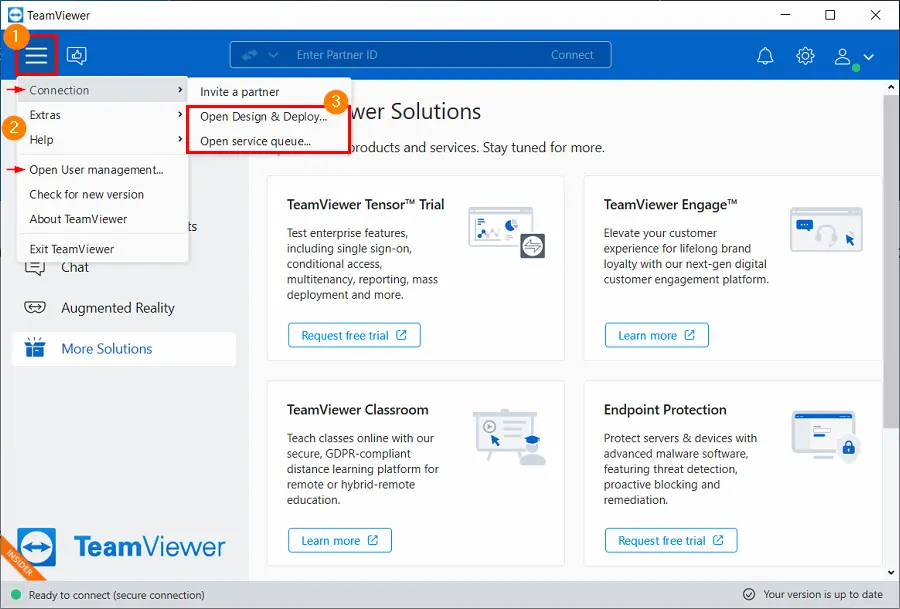
Hint: The links found in the Hamburger menu of the TeamViewer (Classic) application will automatically log you into the Management Console, as long as you are logged in to the TeamViewer (Classic) application's Computers & Contacts.
Once you reach the Management Console, you will be able to log in to your TeamViewer account using your account credentials. If you do not have set up an account yet, please do so now under Sign Up.
Features of the Management Console
Please check the full comparison of the different TeamViewer plans on our website to see which features are available for your plan.
The basic functions for connection, account, and Computer & Contact management are available to all users.
- Managing their computer & contact list (add, edit and delete computers and contacts).
- Storing notes and additional information for computers and contacts.
- Direct connection setup to a computer or contact from within the browser.
- Managing their own TeamViewer account.
- Creation of custom TeamViewer modules (limited).
- Functions of the service queue
- Developing own plug-ins, add-ons, and scripts for integration into own systems using the TeamViewer API or SDK.
- Configure setting policies for TeamViewer installed your devices from one location.
Licensed users have access to the following additional functions (functions vary dependant on license type):
- Creating and managing a TeamViewer company profile.
- Overview of connections and connection details for the computers and contacts.
- Logging and managing the TeamViewer (Classic) connections.
- Commenting outgoing connections after the end of a session.
- Billing the connections based on individually stored charge rates.
- Exporting connection data to Microsoft Excel or as HTML file for printing purposes.
- Importing TeamViewer (Classic) Manager data.
- Unlimited creation of custom TeamViewer modules.
- Remote Monitoring with Remote Management.
Further information
Note: Some functions of the TeamViewer (Classic) Management Console, such as Company Profile.
Use the TeamViewer (Classic) Management Console for some of the following tasks:
- Centralized management of multiple TeamViewer accounts at a company level using User management.
- Customized TeamViewer modules with your logo, colors, and texts to fit your corporate identity.
- Configure setting policies for TeamViewer installed your devices from one location.
- Management of customer's support requests, similar to a ticket system.
- Billing purposes or similar tasks.
- Monitoring and tracking of your devices to improve the fault-free operation of your computers and devices.
- TeamViewer (Classic) connections out of the web browser: Web Client
- Management of TeamViewer (Classic) contacts and computers.
- Developing own plug-ins, add-ons and scripts for integration into own systems using the TeamViewer API or SDK.
Note: To be able to use the TeamViewer (Classic) Management Console, you need a TeamViewer account.
Hint: Find a detailed description in the Manual for the Management Console.
Hint: If you would like to get an in-person session with one of our specialists and learn more about the Management Console in detail, you should visit our TeamViewer Academy and book an individual session with one of our pros. Contact us also for customized training packages.
Look and Feel
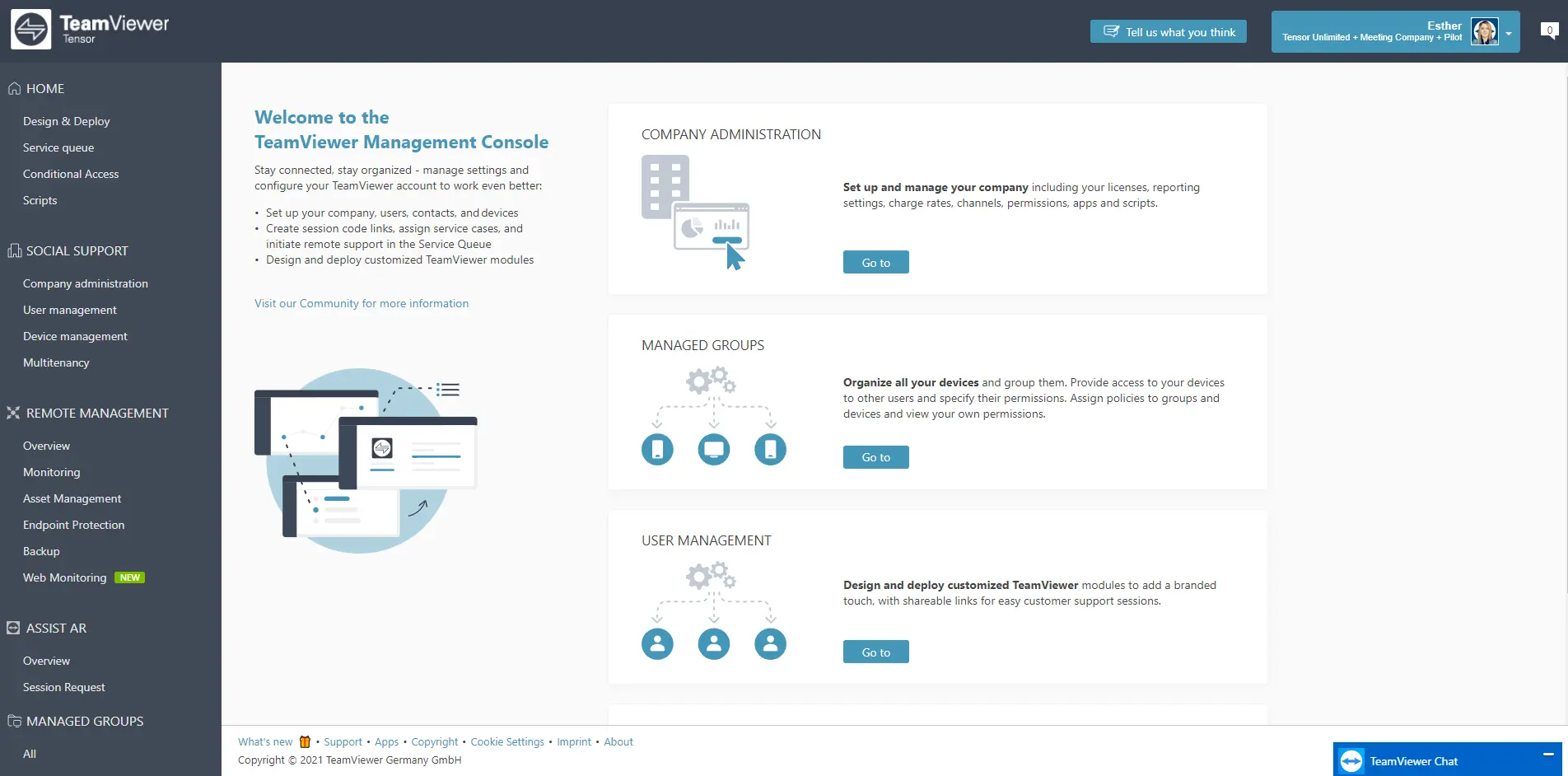
Once logged in to the Management Console, you see the Welcome page with some general information, quick links, and an explanation for an easy start in the main part as well as navigation on the left and your user account in the top right corner:
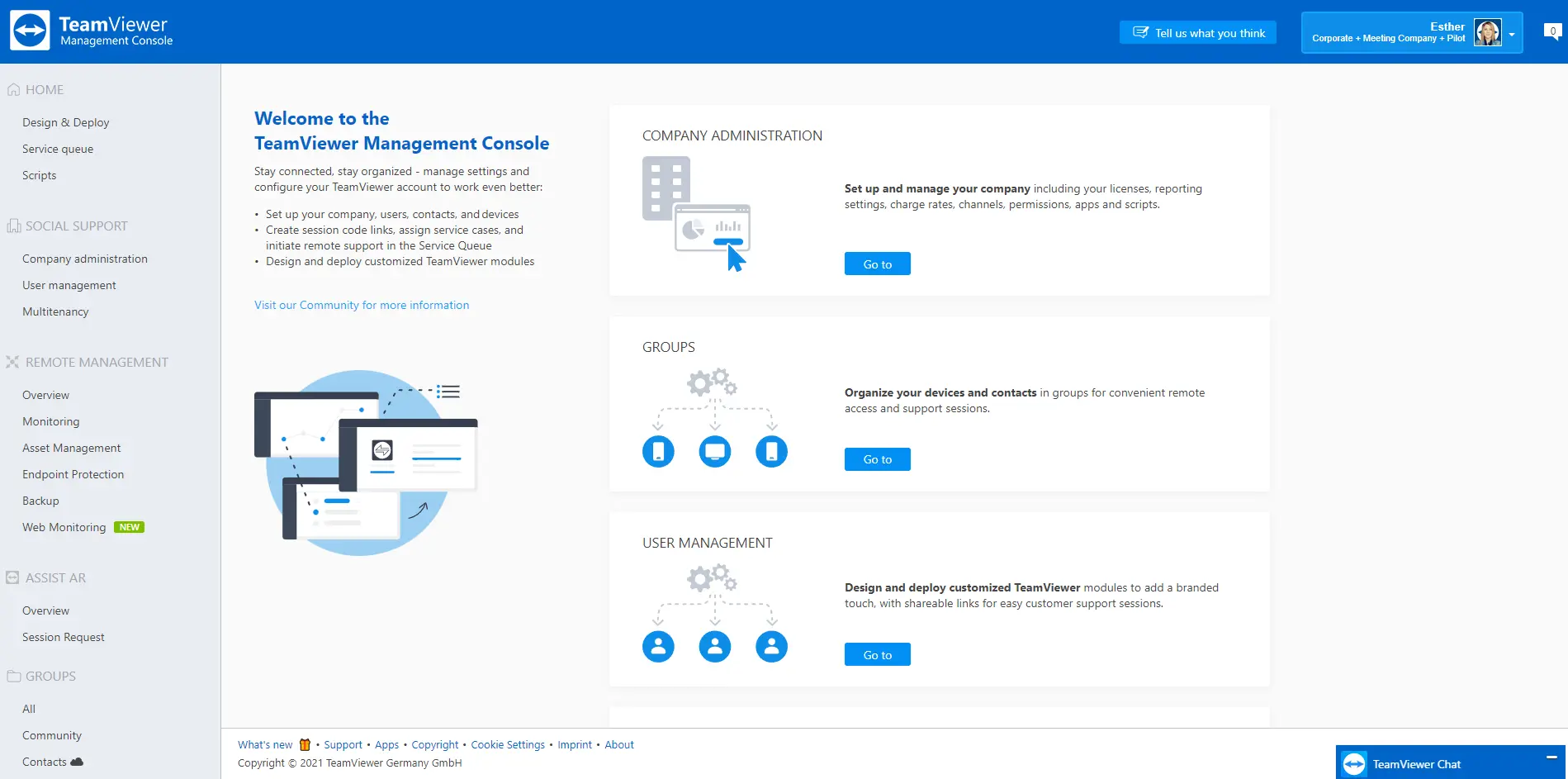
Depending on your license, you see a blue-themed Management Console or the Tensor grey-themed version for our Enterprise customers: