Knowledge Base
Improved Android Apps
Last Modified 8 мая 2026 г.
TeamViewer’s recently improved remote control app for Android delivers a state-of-the-art look and feel. The app for Android received an entirely consistent modern UI through all operating systems. The design applies modern UI Android Material Design standards that combine the classical principles of good design with technology innovation.
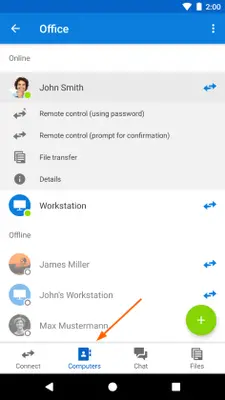
And the design overhaul also brings a few new features: You now have animations added to the UI and a reduced amount of tabs in the main view. The Computers & Contacts list is improved: it shows a list with details for devices and profile pictures.
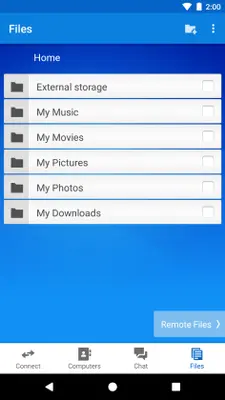
From now on, you can use the same QuickSupport and Host apps for all your devices. A new file transfer mode is now also in line with the procedure on your computer.
As a result, using your mobile device is easy as you can work on the go with TeamViewer (Classic) and your mobile Android device.
This article applies to all TeamViewer (Classic) users.
Requirements
To be able to use these features, you must meet the following requirements:
- You are using TeamViewer 13 or higher
- You are a private user or own a TeamViewer 13 licence (or higher) with the mobile device support addon
Requirement on the mobile device
- Works with Android V 8 and above
Remote control sessions are available for devices from various manufacturers. If you want to check if your device is among them, read this knowledge base article:
Supported manufacturers for remotely controlling Android devices
Specification
With TeamViewer 13 the UI on your Android device is improved.
If you need more information on connecting and remotely supporting mobile devices from another mobile device, read this article about connections from mobile to mobile device.
If you are using a touch screen, read this interesting article on touch interactions versus mouse interactions.
How to view the improved Android app
1. On your Android mobile device, log in to TeamViewer. There is a fresh new look with fewer tabs to help you be more efficient.
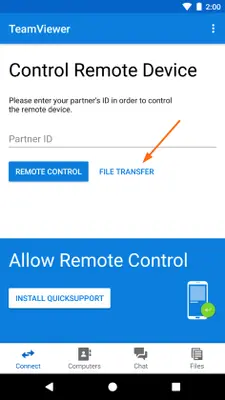
2. To activate the file transfer mode, in the main view, click FILE TRANSFER.
3. Click Computers, to check the Computers & Contacts list. The new appearance makes it quicker and easier to search for your contact or device.