Knowledge Base
Use key commands in sessions
Last Modified: Mar 5, 2024
TeamViewer allows users to make cross-platform connections - There is one operating system locally and a different operating system on the remote computer.
Working cross-platform comes with some challenges for the supporter as the remote device might not understand all local key commands due to the different operating systems.
This article applies to TeamViewer users working cross-platform.
How to enable the Send key combinations feature
To enable Send key combinations feature, please follow the instructions below:
- Open TeamViewer (Classic).
- Access the TeamViewer (Classic) options (⚙) in the upper right corner of the TeamViewer (Classic) app.
- Go to the Remote control tab, and check the Send key combinations box.
- Click OK to save the settings.
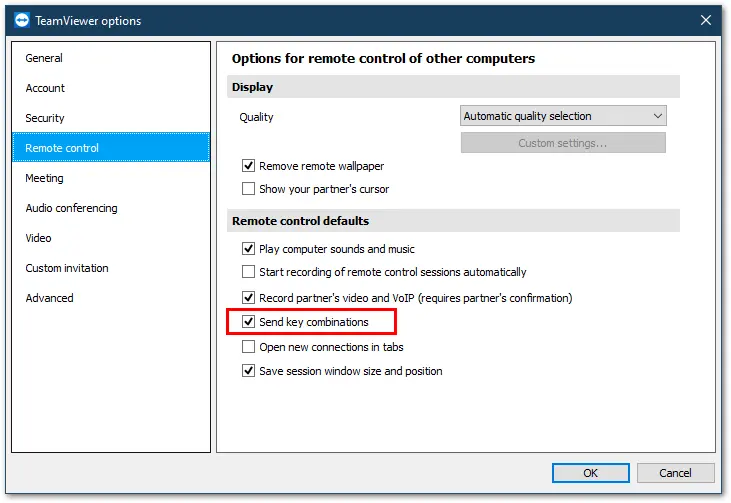
📌Note: This can also be activated for individual TeamViewer (Classic) connections via the Remote Session Toolbar. It is found in the Actions menu.
How to send key combinations from Windows → macOS
The Windows keyboard behaves slightly differently in a remote connection to a macOS device. The below screenshot highlights the function keys on a Windows keyboard:
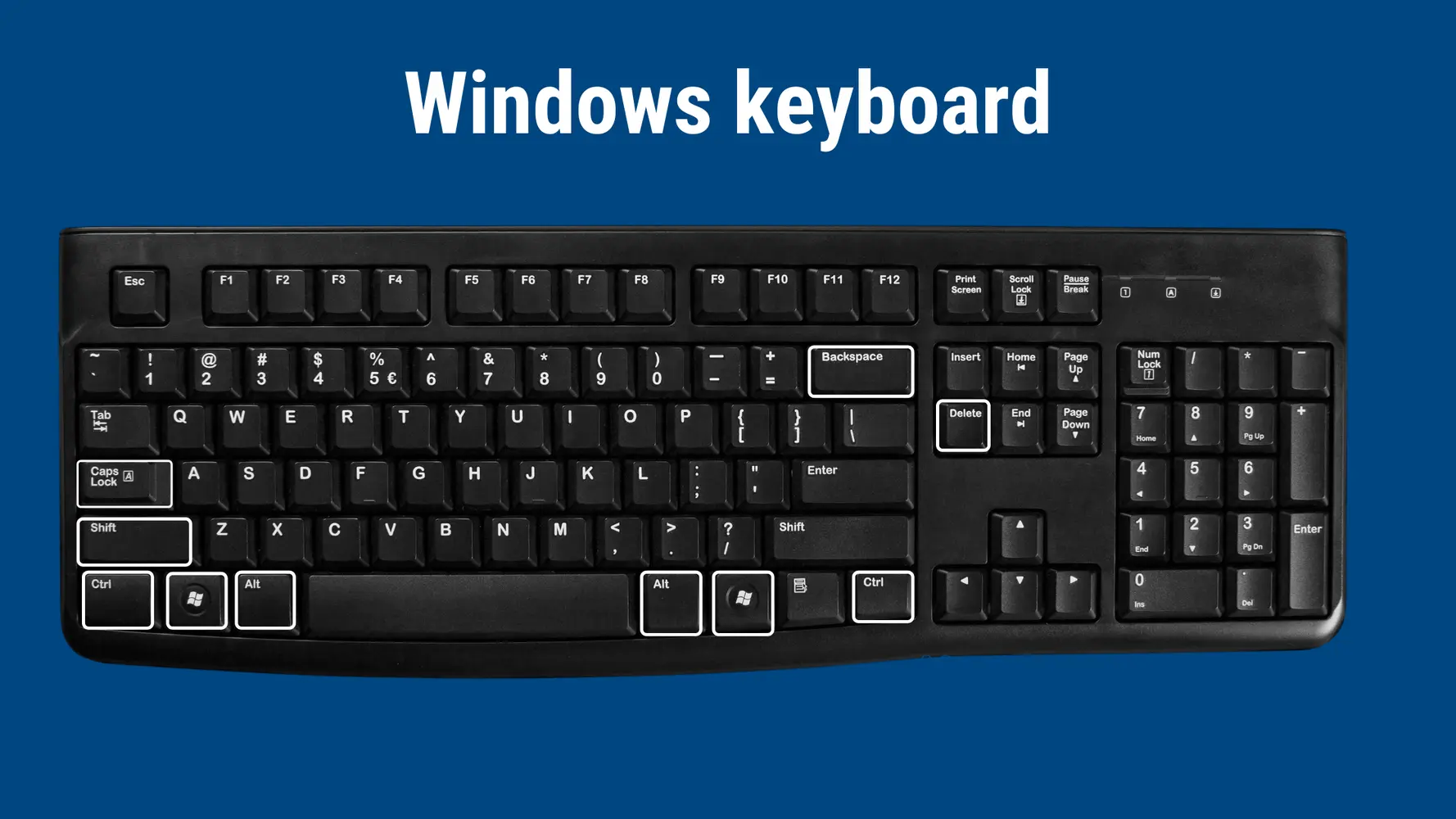
Generally speaking, the following rules apply in connections from Windows to macOS:
- the
Windowskey acts as thecommandkey on macOS - the
Ctrlkey acts as thecontrolkey on macOS - the
Altkey acts as theoptionkey on macOS - the
backspacekey acts as thedeletekey on macOS - the
shiftkey acts in the same manner on both OS - the
caps lockkey acts in the same manner on both OS
Below you will find the most common key combinations and how to send them from a Windows device to a macOS device.
Quit Program
Win + q
Close Window/file
Win + w
Open Preferences
Win + ,
Spotlight Search
Win + Space
Zoom in
Win + +
Zoom out
Win + -
Select all
Win + a
Copy
Win+ c
Cut
Win + x
Paste
Win + v
Delete
- Deleting backward:
Backspace key
- Deleting forward:
Delete key
Bold
Win + b
Italic
Win + i
Save as..
Win + s
Search
Win + f
Win + p
How to send key combinations from macOS → Windows
The Mac keyboard behaves slightly differently in a remote connection to a Windows device. The screenshot below highlights the function keys on a macOS keyboard:
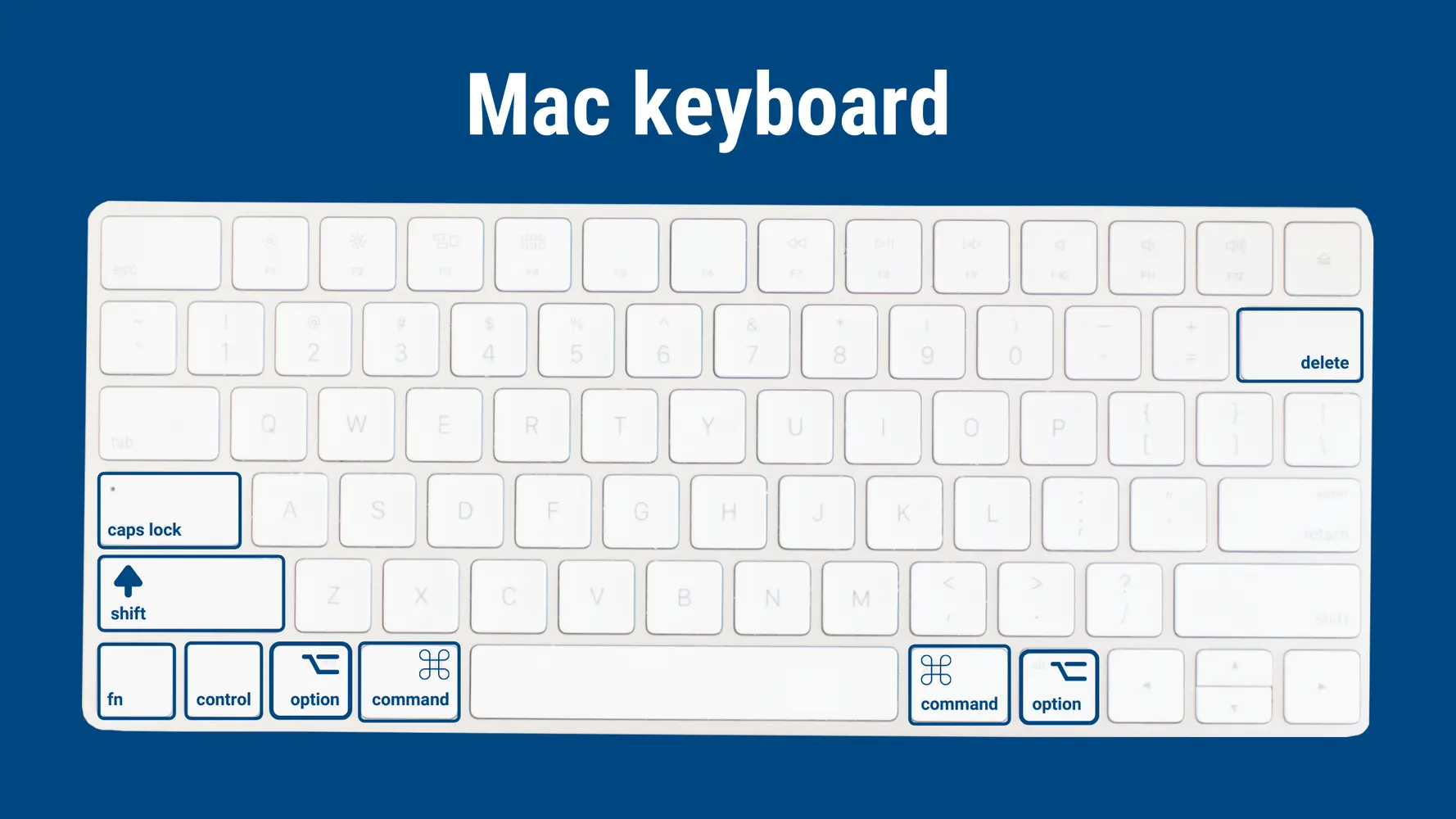
In connections from macOS to Windows, the following rules apply:
- the
commandkey acts as theWindowskey - the
controlkey acts as theCtrlkey - the
optionkey acts as theAltkey - the
deletekey acts as thebackspacekey - the
shiftkey acts in the same manner on both OS - the
caps lockkey acts in the same manner on both OS
Below you will find the most common key combinations and how to send them from a macOS device to a Windows device.
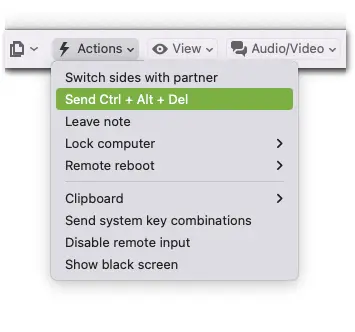
Send Ctrl + Alt + Del
TeamViewer offers an option to automatically send the Ctrl + Alt + Del command to the remote Windows device. This can be found in the Remote Session Toolbar in the Actions menu:
Open the Start menu
command
Open Programs from the taskbar
The number equals the position the program has on the taskbar (view from left to right)
command + 1
command + 2
command + 3
command + 0 (0 equals 10)
Open magnifier
command + +
Copy
control + c
Cut
control + x
Paste
control + v
Delete
Deleting backward:
delete key
Deleting forward:
fn + delete
Bold
control + b
Italic
control + i
Save as...
control + s
Search
control + f
control + p
Emojis
command + . (period or dot key)
Show Desktop
command + ,
Special characters
«
option + q
∑
option + w
ø
option + o
π
option + p
≈
option + x