
Knowledge Base
Automation client for Tia
Last Modified: Aug 4, 2026
The TeamViewer Automation Client supports Tia troubleshooting workflows by acting as a local extension of the TeamViewer Remote Client. During troubleshooting sessions, communication continues to use the existing TeamViewer Remote Client infrastructure and existing access controls. Administrators can use the information in this article to understand the client’s deployment footprint, connectivity model, and expected resource usage. The Automation Client is designed to have a lightweight footprint outside active troubleshooting sessions.
This article applies to TeamViewer Premium, Corporate, and Tensor licenses where the TeamViewer Automation Client is deployed by an administrator for Tia troubleshooting. For TeamViewer ONE (Standard and Advanced), the Automation Client is installed automatically as part of the platform and requires no manual deployment.
Requirements
Before reviewing or deploying the Automation Client, ensure that:
- TeamViewer Remote Client is available in your environment.
- Your TeamViewer access and security policies are configured as required.
- Users have access to Tia troubleshooting functionality.
Customer assurance
The Automation Client is intended to support Tia troubleshooting workflows and does not introduce a separate remote access channel. During Tia troubleshooting, communications continue to utilize the TeamViewer Remote Client infrastructure. Access to troubleshooting functionality remains subject to the customer's TeamViewer configuration and applicable access controls.
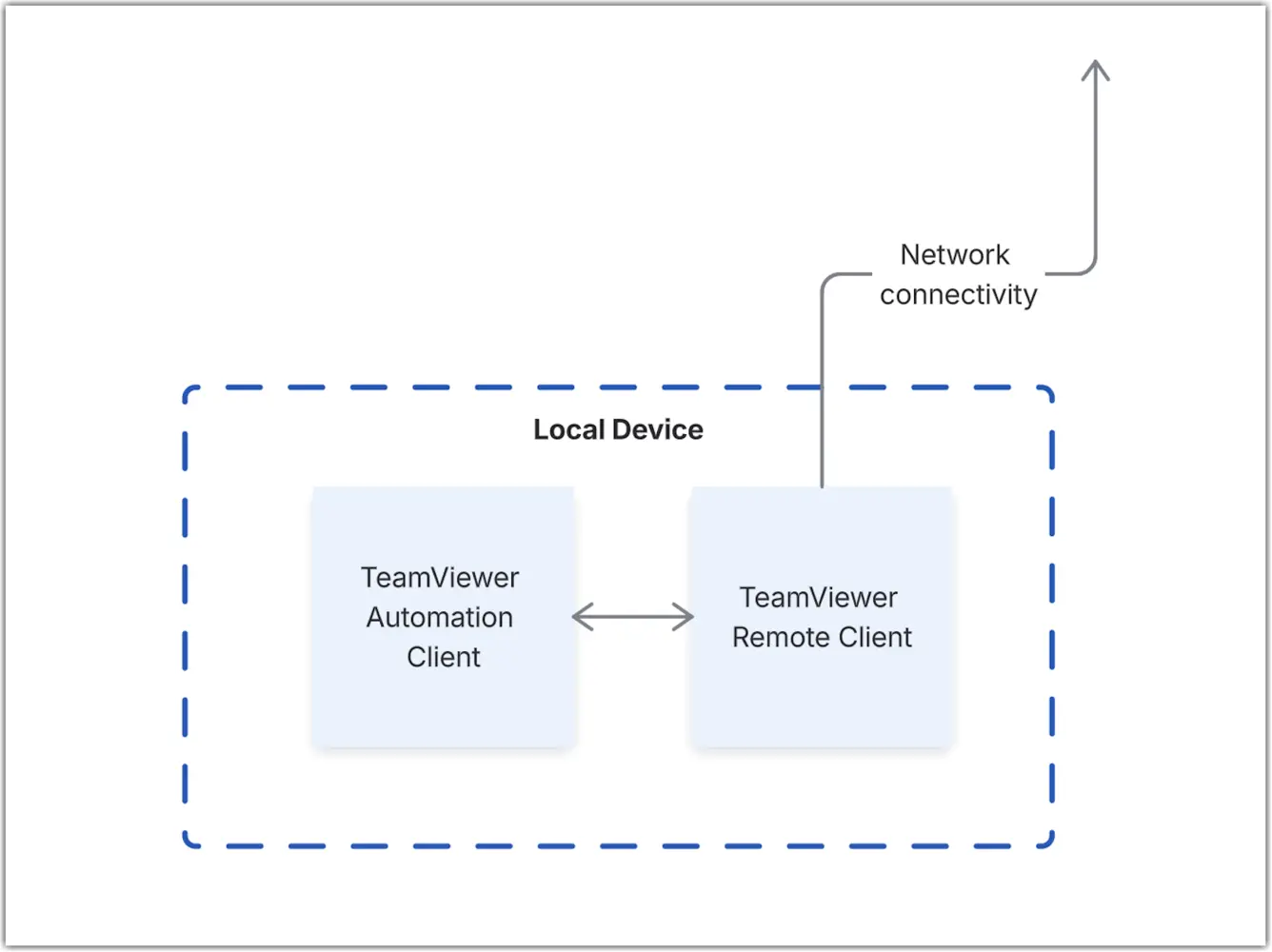
Automation Client footprint
The Automation Client is designed to have a minimal impact on endpoints when it is not actively used for Tia troubleshooting.
| Resource area | Estimated impact (offline / Tia-only configuration) |
|---|---|
CPU | Typically below 0.2% CPU utilization during normal operation. Short increases may occur during active Tia troubleshooting sessions, but the Automation Client is designed to have minimal impact on endpoint performance. |
Memory | Typically uses 50-100 MB on Windows and approximately 20 MB on macOS during operation. Outside active troubleshooting sessions, memory consumption remains low and is not expected to affect normal endpoint usage. |
Network | No recurring network traffic is expected outside software updates and active Tia troubleshooting sessions. Tia communications continue to use the existing TeamViewer Remote Client infrastructure and do not require a separate connectivity model. |
Disk | The installed Automation Client footprint is typically below 100 MB. Local storage of troubleshooting-related data may increase disk usage depending on endpoint activity and retained telemetry. |
Connectivity | The Automation Client relies on the TeamViewer Remote Client for communication during troubleshooting sessions. No persistent platform connectivity is expected when the client is not actively being used for Tia troubleshooting. |