Integration

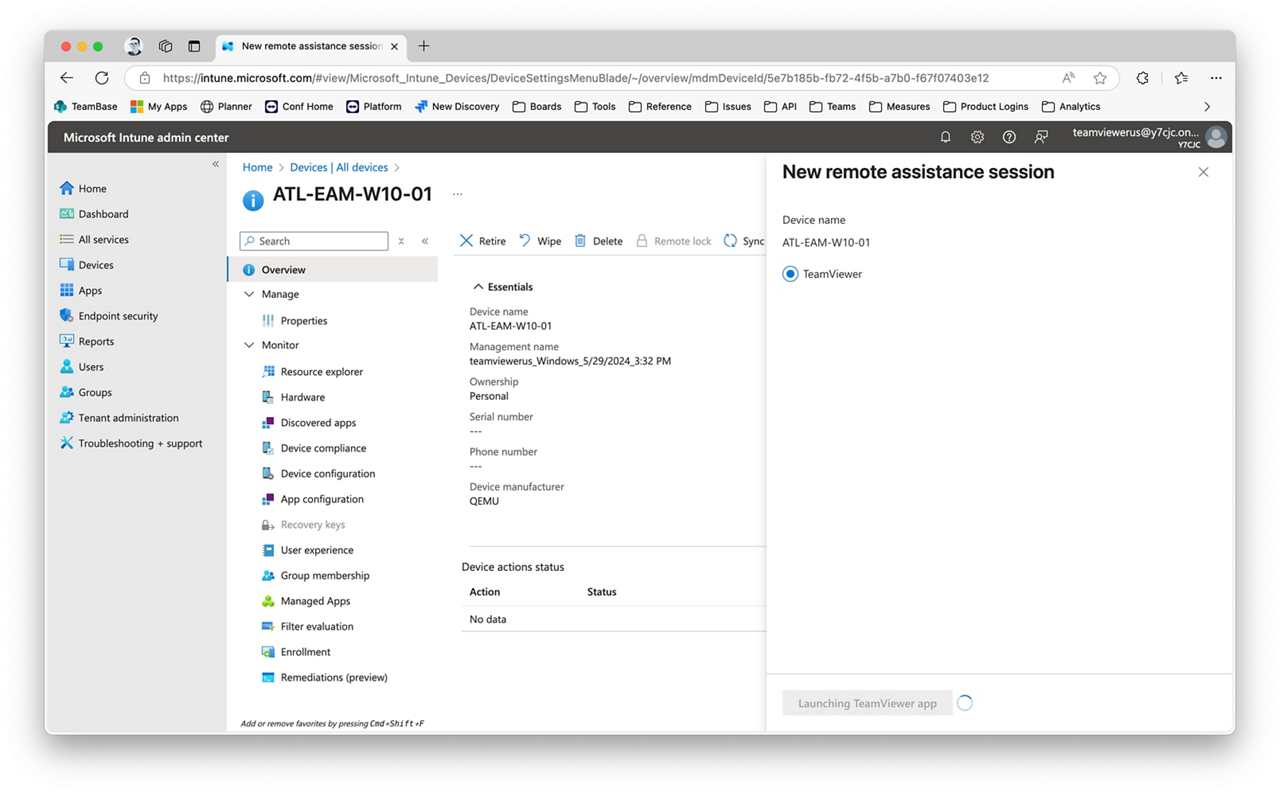
Unlock instant remote support using the only third‑party remote access solution natively integrated with Microsoft Intune

Reasons to integrate TeamViewer and Microsoft Intune

Combining TeamViewer with Microsoft Intune unlocks real-world benefits with advanced remote support capabilities.

  • Built-in to Intune, natively, for uninterrupted workflows.
  • Boost your IT team’s capabilities today, without any complex set-up, using TeamViewer’s zero-setup integration. 
  • Resolve issues faster, with advanced, secure remote support from within Microsoft Intune to any managed device, whether attended or unattended.
  • Secure your remote support with granular access controls, end-to-end encryption, and full-session documentation, for traceability and compliance.
  • Automatically sync Intune device groups and devices.
  • Speed up onboarding, maintenance, reduce manual, and duplicated effort.
  • Eliminate tool swapping with cross-device compatibility and integration into your main work environment.
  • Ensure consistently high levels of service for all device type within a single screen and leverage nearly-real-time monitoring for changes on Intune.
  • Leverage Entra-based authentication with SSO, and automatically sync users and user groups.
  • Automate admin credential retrieval and injection to remote devices with Windows LAPS for seamless Privileged Access capabilities.
  • Save time and money by eliminating the need for platform-specific training: apply identical workflows to different types of device and OS.
  • Manage risk, with audit-ready documentation produced and stored automatically during every remote-support session.

Peace of mind, with enterprise-grade security

Integrating TeamViewer with Microsoft Intune will meet your company’s security and compliance requirements.

With a TeamViewer integration, you get market-leading, zero-trust security:

  • Fully encrypted remote device sessions.
  • Built-in compliance with HIPAA, GDPR, and SOC2.
  • No password-management burden with single sign on (SSO) and user / user group syncing.
  • Windows LAPS integration for elevated just-in-time support.
  • Precise, role-based permissions to protect devices and data.
  • Policy-based controls on file transfer and other sensitive functions.
  • Automatically document every action with detailed system logs.
  • Demonstrate compliance with comprehensive audit trails.

Get started now, with zero-setup integration

Getting started is simple. It doesn’t require any coding or complex plug-in setup. It’s as easy as 1,2,3. 

Contact us to get started

Find out how Microsoft Intune and TeamViewer can help you elevate your IT support