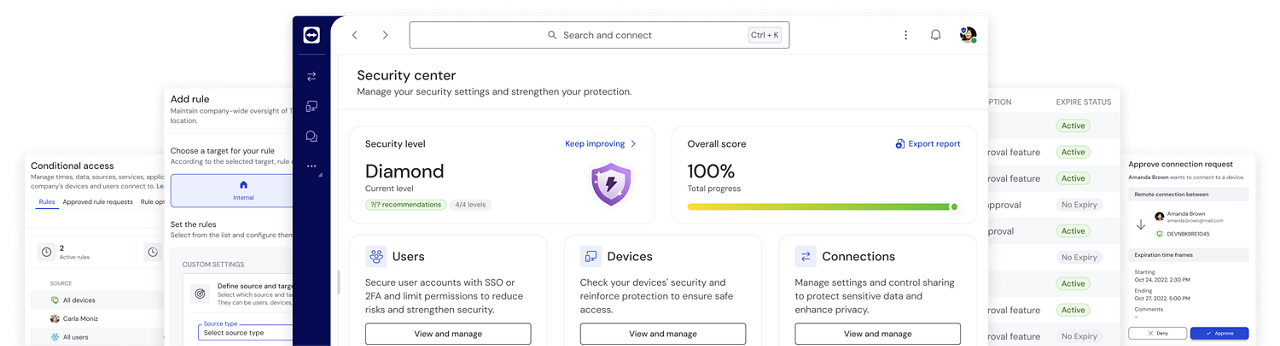
TeamViewer Tensor vs. Microsoft Intune Remote Help

Why choose TeamViewer over Microsoft Intune Remote Help?

Don’t confuse “included” with “enterprise-ready”

TeamViewer Tensor delivers enterprise grade remote support far beyond what Microsoft Intune Remote Help does and covers workstreams outside of Microsoft’s ecosystem.

Feature comparison

TeamViewer Tensor vs. Microsoft Intune Remote Help

(Data as of March 2, 2026)

TeamViewer Tensor with Intune integration
Microsoft Intune Remote Help
Remote access functionality natively from within Intune
Single Sign-On (SSO) with Role-Based Access Control
Attended Access for Windows and MacOS (View and Control)
Attended Access for Android (View and Control)
Unattended Access for Android (View and Control)
Broad support for multiple Android OEMs

Zebra & Samsung only

Unattended Access for Windows and macOS (View and Control)
Attended Access for iOS
Granular remote session access controls (Enable/disable capabilities like file transfer, chat, and screen recording per user/device)
File transfer during remote sessions
Available DEX capabilities
AI-powered in-session troubleshooting and reporting
Cross Intune tenant connection support
Black screen option on receiver side for added security
Multi-user support
Multiple support tabs open at the same time
Wake-on-LAN

Where TeamViewer wins

TeamViewer Tensor is the superior solution natively integrated within Microsoft Intune and designed for organizations that cannot afford gaps in remote access, OT support, or operational resilience.

  • Natively integrated within Intune

    Only TeamViewer Tensor supports workflows outside Intune and across heterogeneous IT and OT environments.

    Managed centrally, TeamViewer Tensor delivers enterprise-critical capabilities to support large IT environments with concurrent sessions across teams and regions.

  • Support beyond managed endpoints

    Modern IT environments extend beyond Intune. TeamViewer Tensor enables:

    • Unattended access across Windows, macOS, Linux, and Android
    • OT device connectivity, including Linux-based and agentless systems
    • External support workflows, enabling secure third-party access
  • Enterprise grade security

    TeamViewer Tensor provides robust security controls aligned with modern enterprise requirements:

    • End-to-end encryption (RSA-4096, AES-256)
    • SSO and RBAC (Single Sign-On, Role-Based Access Control)
    • Granular session permissions (file transfer, chat, recording, etc.)
    • Audit logs and compliance-ready session recordings
    • Just-in-time elevated access via Windows LAPS integration
  • Flexibility beyond the Microsoft ecosystem

    TeamViewer Tensor integrates seamlessly with leading enterprise platforms including:

    • ServiceNow
    • Salesforce
    • Microsoft Teams
    • Jira
    • Freshworks
    • Slack

    This allows enterprises to preserve architectural flexibility while reducing operational tool sprawl.

  • Going further than device management with DEX

    TeamViewer DEX gives IT teams real‑time visibility and automated remediation, leading to:

    • Improved employee productivity by eliminating digital friction
    • Less downtime through proactive issue detection, early remediation, and automations
    • Clear proof of IT’s impact through reporting on avoided tickets and ROI
  • Faster IT support with TeamViewer AI

    Leverage AI-powered in-session guidance and transform your remote experience into actionable intelligence for:

    • Faster resolutions through AI-driven troubleshooting
    • Time saved on every session via automated, audit ready session summaries
    • Scalable expertise through Tia, the AI assistant that provides recommendations in any language

Choose TeamViewer Tensor today

A secure and scalable remote connectivity platform for your business.