
Knowledge Base
Two-factor authentication for your account
Last Modified 10 сент. 2024 г.
With two-factor authentication, you can protect your account from unauthorized access with an additional security code.
This article applies to all TeamViewer Remote users.
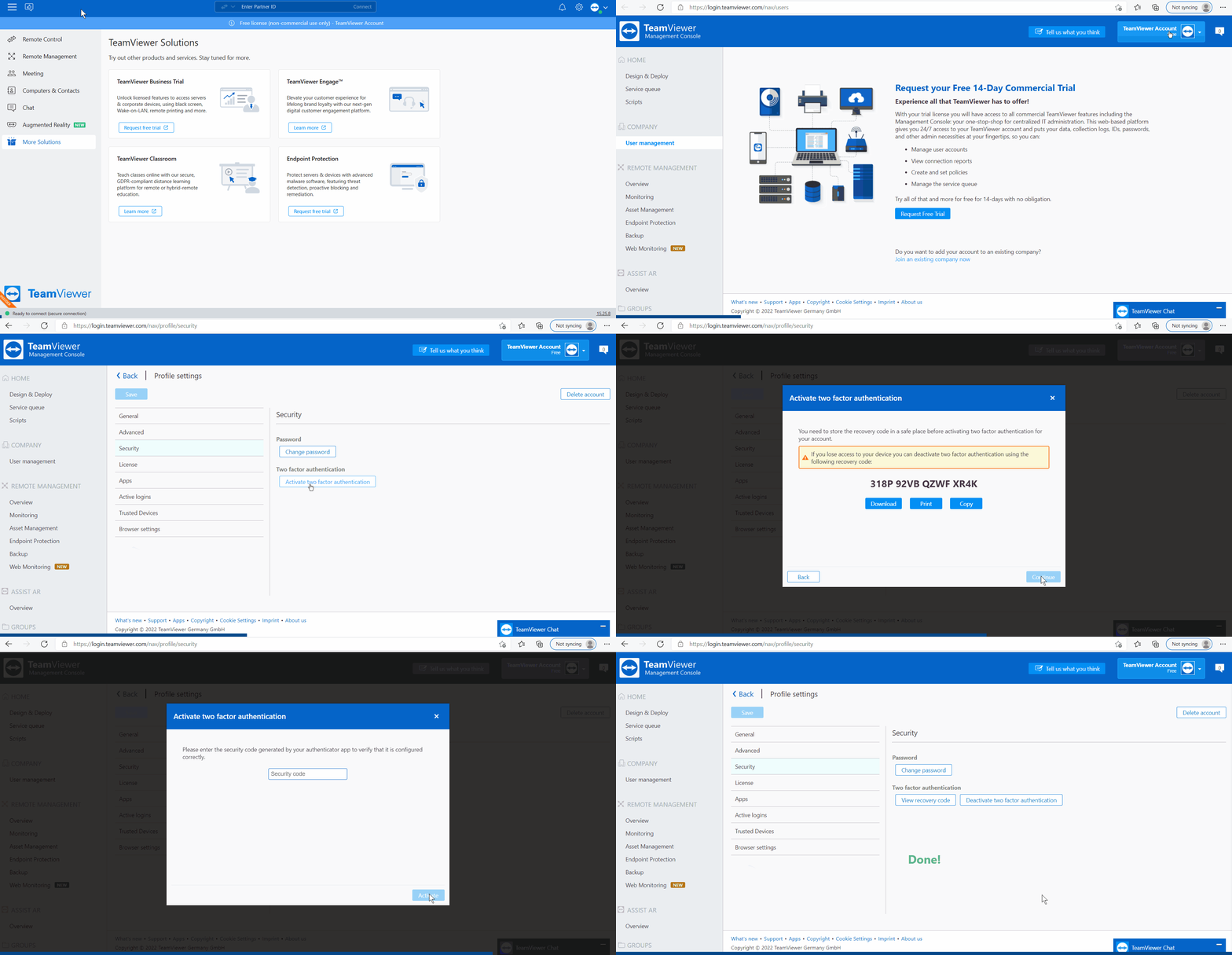
How to activate two-factor authentication
To activate two-factor authentication, please follow the instructions below:
How to deactivate two-factor authentication
To deactivate two-factor authentication, please follow the instructions below:
How to deactivate two-factor authentication via recovery code
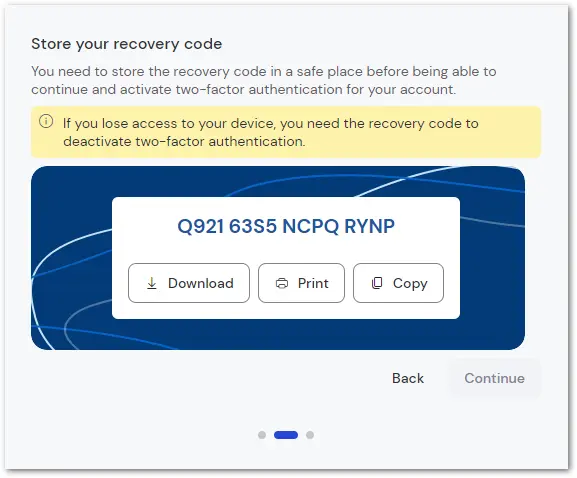
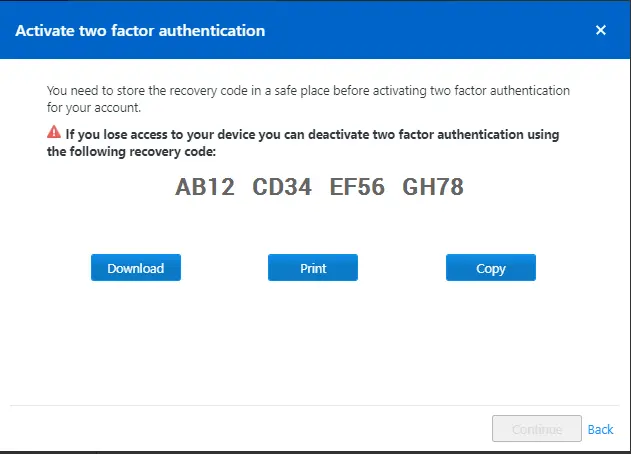
When activating two-factor authentication for your TeamViewer account, you get an individual recovery code, which you have to save in a secure place. (You have to download, print, or copy it before you can continue with the setup process.)
Important notes
- If you lose access to your mobile device or the authenticator app, the recovery code is your last resort to deactivate two-factor authentication.
- The recovery code allows you to log in again with your email and password via this site: https://login.teamviewer.com/LogOn#deactivate-tfa
- The recovery code is very powerful as it allows you to deactivate two-factor authentication.
- If you are unsure whether you saved it properly, you can access the code in TeamViewer Remote via Settings ➜ Profile ➜ Authentication ➜ View recovery code. Please keep in mind that you need your security code to view the recovery code!
- When setting up your two-factor authentication, consider printing more than one copy of your recovery code in case one copy gets lost or destroyed!
- Do not send the recovery code unencrypted via email, as this could give an unauthorized user access to it. After deactivating two-factor authentication with the recovery code, you can always reactivate it for your user. Otherwise, trusted devices apply automatically.
- TeamViewer cannot deactivate the two-factor authentication. If you lose your recovery key, you will also lose access to all TeamViewer features where your account is needed. Therefore, it must be kept secure.