
Knowledge Base
Forward local key input with the direct keyboard mode
Last Modified 18 дек. 2024 г.
Direct keyboard mode allows you to forward any pressed key directly to the remote device, simulating the key without translating it to any keyboard layout. This ensures applications behave more predictably, enhancing the user experience by preserving the original keystrokes from the supporter’s keyboard.
This article applies to all TeamViewer users connecting from Windows to Windows devices.
How to activate direct keyboard mode
To activate direct keyboard mode, please follow the instructions below:
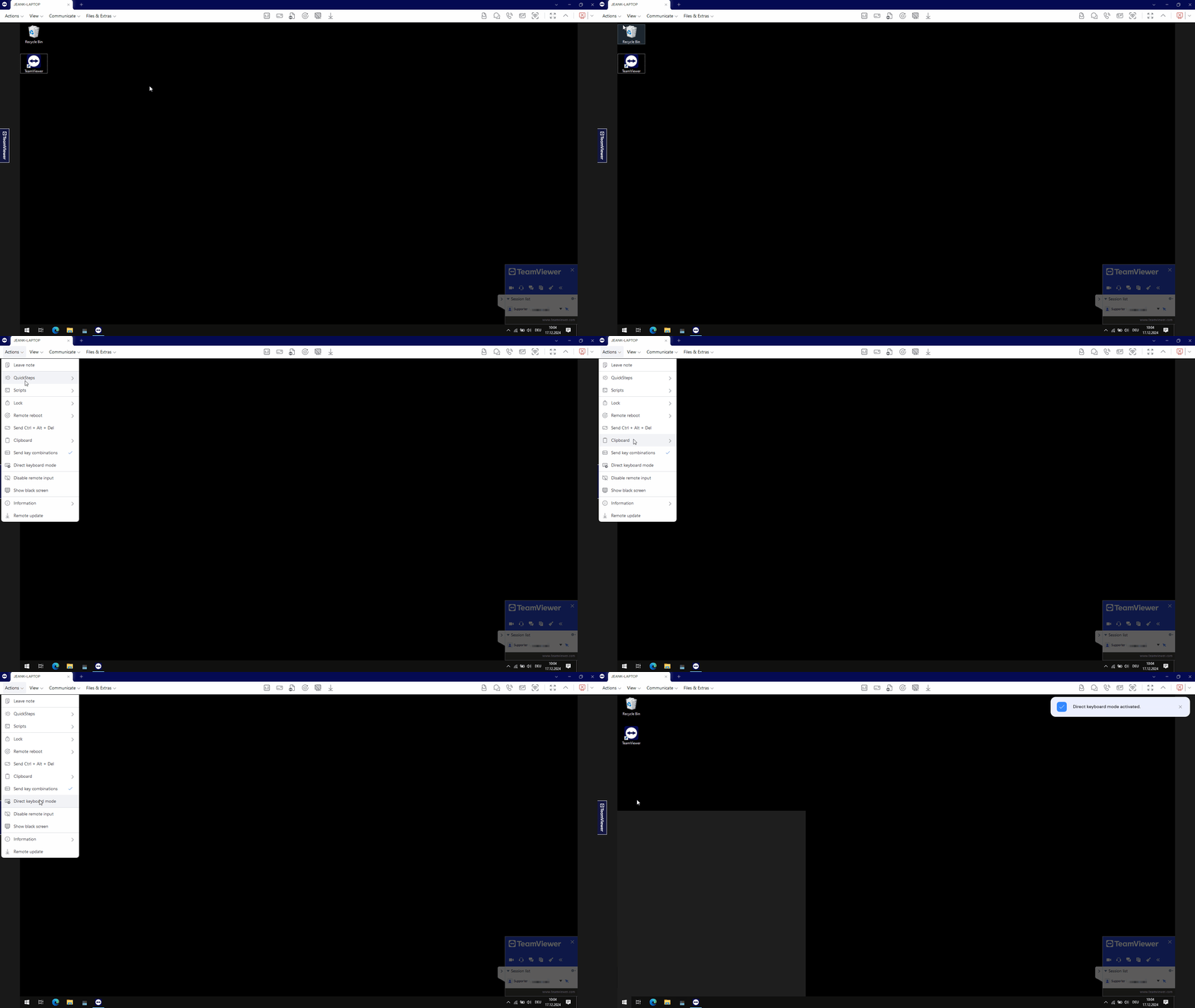
- Start a remote session from a Windows device to a Windows device.
- Within the session toolbar, click Actions.
- Click Direct keyboard mode.