
Knowledge Base
Asset Management reporting
Last Modified 31 мар. 2026 г.
TeamViewer Asset Management enables an organization to track and analyze its hardware and software assets to ensure efficient management and security compliance, and to stay on top of all key aspects of its inventory.
TeamViewer Asset Management's reporting feature allows you to export this information in multiple formats.
How to create a report
To create a report, navigate to the Reporting tab of Asset Management. In the upper right corner, select + Create Report.
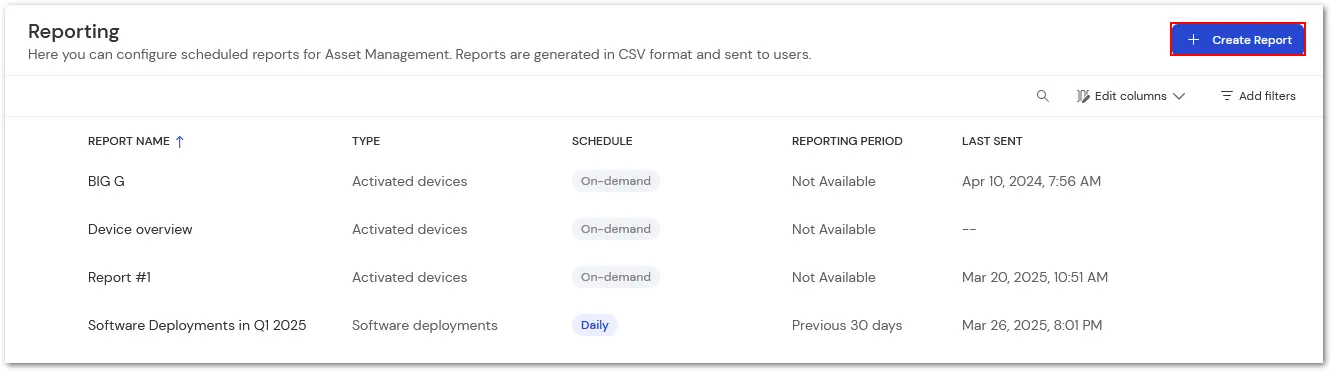
Provide a name for the report and then select the report type. Currently, we offer five types of reports:
- Hardware assets
- Software assets
- Patch deployments
- Software deployments
- Activated devices
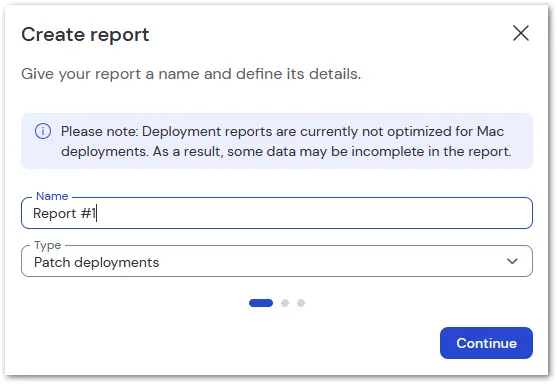
Users can set a recurring schedule on the following screen to automatically generate reports, which can be sent daily, weekly, monthly, or on demand. Based on the recurring schedule previously set, set the reporting period to cover specific amounts of previous days, weeks, or months.
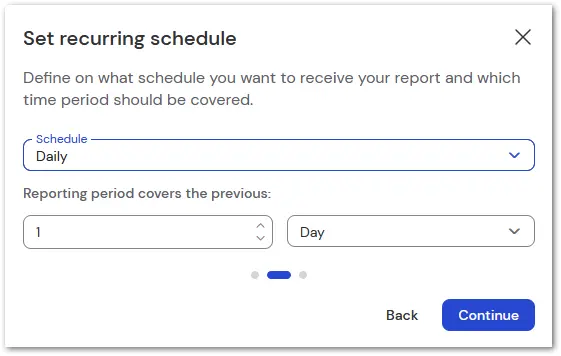
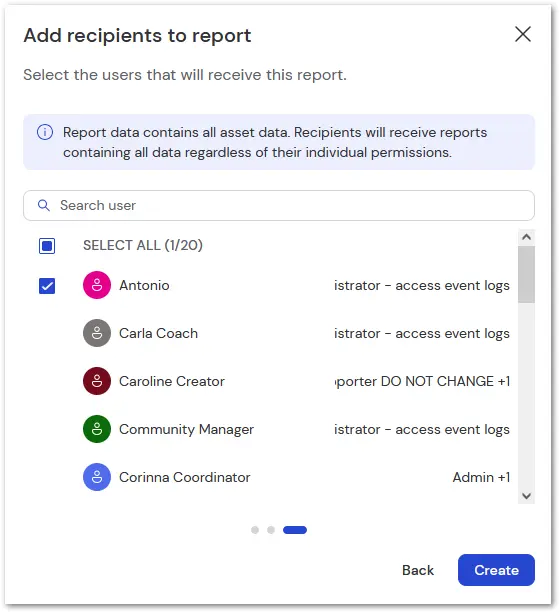
On the final screen, set the recipients to receive the auto-generated reports. Please note that recipients must be a part of your Company Profile.
When a report is run, it is sent to the recipient selected in a zip file. To learn more about each report type, please select the corresponding report below.