
Knowledge Base
Add and create scripts
Last Modified 8 мая 2026 г.
TeamViewer Monitoring allows users to remotely execute scripts, add existing scripts, and create new ones remotely. This capability provides many benefits:
- Flexibility
Remote script creation empowers IT professionals and developers to work from virtually any location with internet access. Eliminating the need for a physical office or dedicated workstation enables seamless operations for remote or hybrid teams. Whether at home, on the road, or in a different time zone, you can write, edit, and deploy scripts without interruption, enhancing overall productivity. - Collaboration
A centralized script creation and storage platform fosters team collaboration, even when members are geographically dispersed. Multiple team members can contribute, review, and refine scripts in real-time, allowing for faster and more efficient development processes. This collaborative approach ensures that scripts are optimized to meet the company's evolving needs and minimizes redundant efforts. - Efficiency and adaptability
Quickly creating or modifying scripts for immediate deployment is crucial in dynamic IT environments. Whether responding to a system outage, automating a time-sensitive task, or adjusting to a sudden organizational requirement, remote script creation allows teams to stay agile and responsive. This adaptability reduces downtime and ensures the organization can handle unexpected challenges with minimal disruption.
In this article, we'll discover how to manually add scripts to the Automation & Insights tool and create scripts with our Script Writer based on Azure OpenAI services (ChatGPT).
This article applies to all TeamViewer Monitoring users.
How to add or upload a script manually
1. Sign in to your account via https://web.teamviewer.com/ or the TeamViewer Remote full client.
2. Go to the Automation & Insights menu.
3. Select Script Management and click the + Add a script button in the upper right corner.
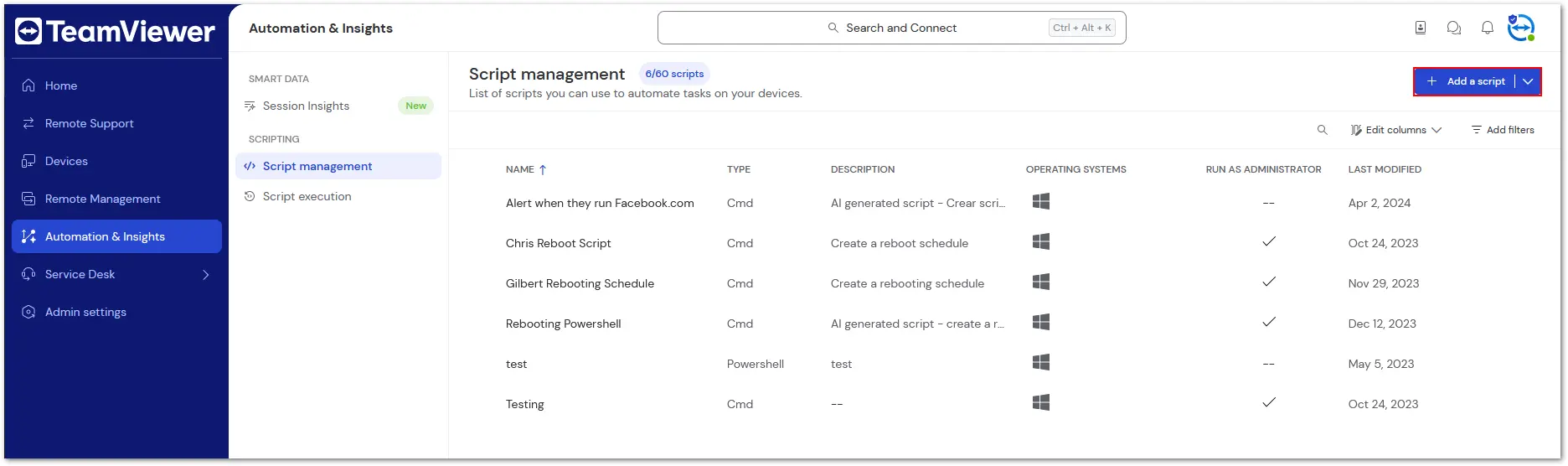
4. Insert the script in the dedicated field or upload a script via the Upload script button and click Save.
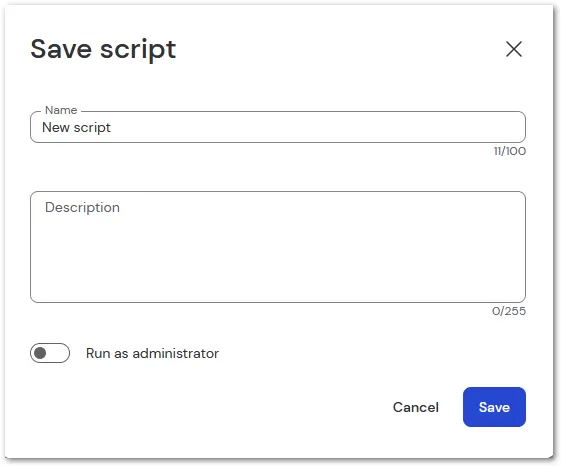
5. Enter a name and a description, choose if you want the script to be run as an administrator, and click Save.

How to create a script using Script Writer
To create a script using Script Writer, please follow the instructions below:
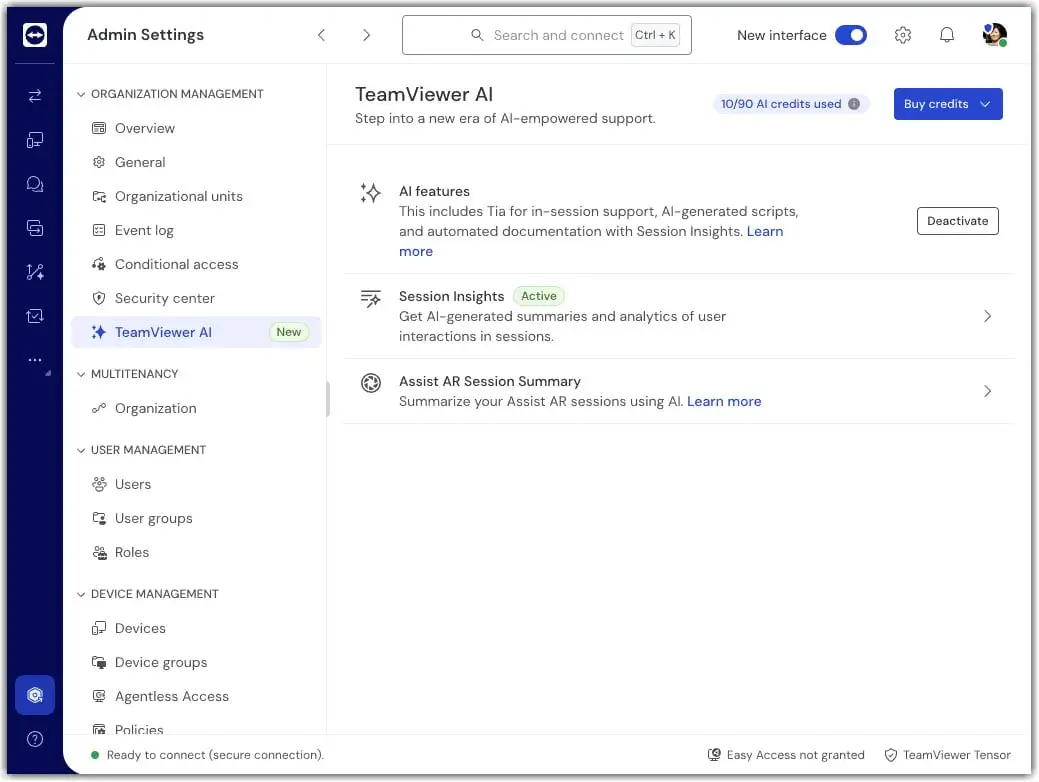
First, make sure the AI features are activated:
1. Sign in with your TeamViewer account via https://web.teamviewer.com/.
2. Click Admin settings.
3. Within the Organization Management section, go to TeamViewer AI.
4. AI features are enabled by default. Make sure the AI features are activated. If this is not the case, click Activate.
Script Writer is available whenever AI features are enabled; no additional activation is required.
To create a script using Script Writer, please follow the instructions below:
1. Sign in to your account via https://web.teamviewer.com/ or the TeamViewer Remote full client.
2. Go to the Automation & Insights menu.
3. Click the drop-down next to the + Add a script button and click Use Script Writer.

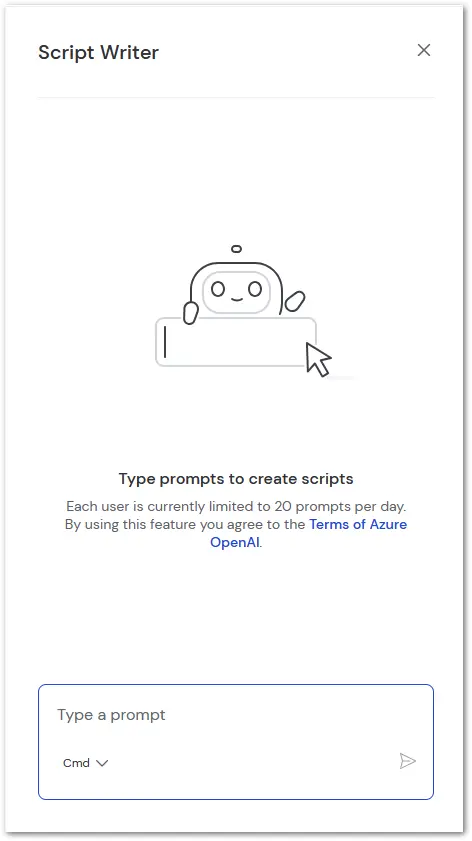
4. In the dedicated field, describe which script the Script Writer should create and click the Send button.
5. The script will be automatically created and inserted in the script field. To save the script, click Save.
6. Enter a name and a description, choose if you want the script to be run as an administrator, and click Save.
Company script sharing
TeamViewer supports script sharing across company members, allowing efficient collaboration and centralized management of scripts.
How to share scripts
Share existing scripts:
Select the script(s) you want to share.
Click Share script in the top bar.
Direct creation of company scripts:
While saving a new script, choose the Company script type to make it accessible to all authorized company members.
Where shared scripts appear
Shared scripts are listed under the Company tab in Script Management.
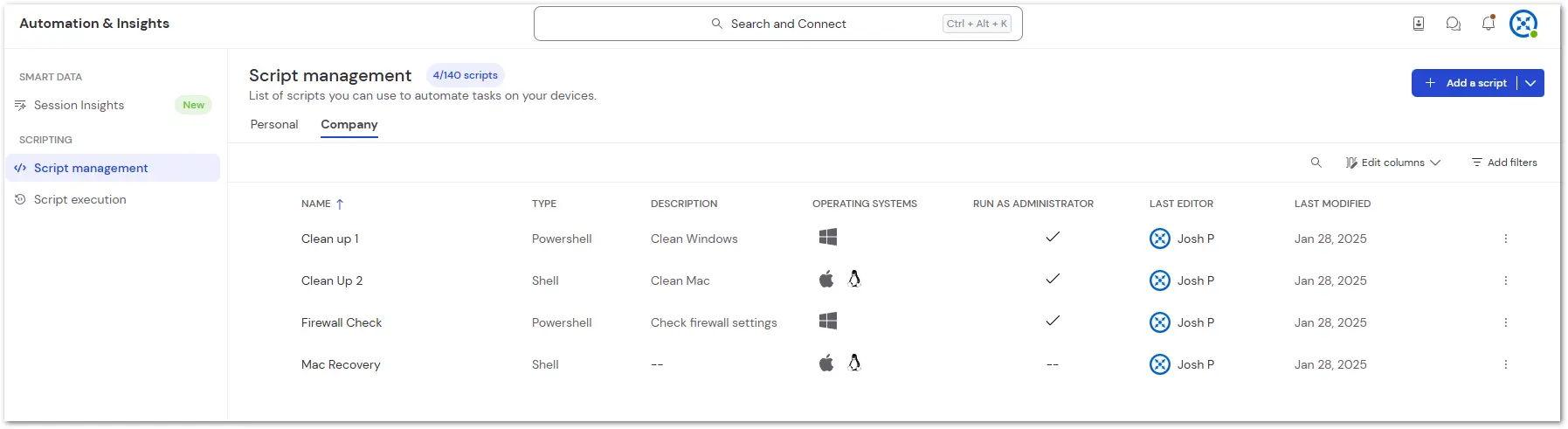
- Execution of a company script creates a record in the Company tab under Script Execution.
Managing access to company scripts
Permissions for company scripts can be managed via role settings:
Manage company scripts: Allows users to create, update, delete, and share company scripts (automatically grants View access).
Execute company scripts: Allows users to run company scripts (automatically grants View access).
View company scripts: Allows users to see company scripts.
Execute scripts remotely
You can now execute these scripts without establishing a remote session on your remote devices. To learn how to proceed, please refer to this article: