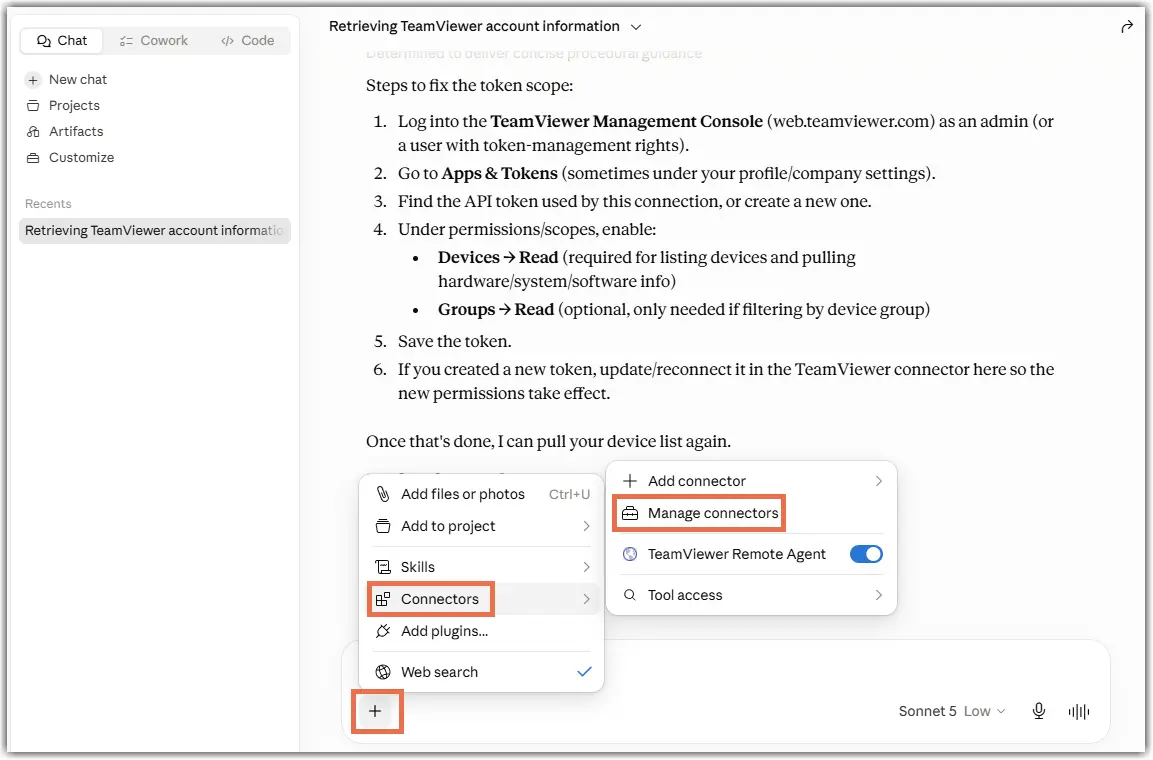
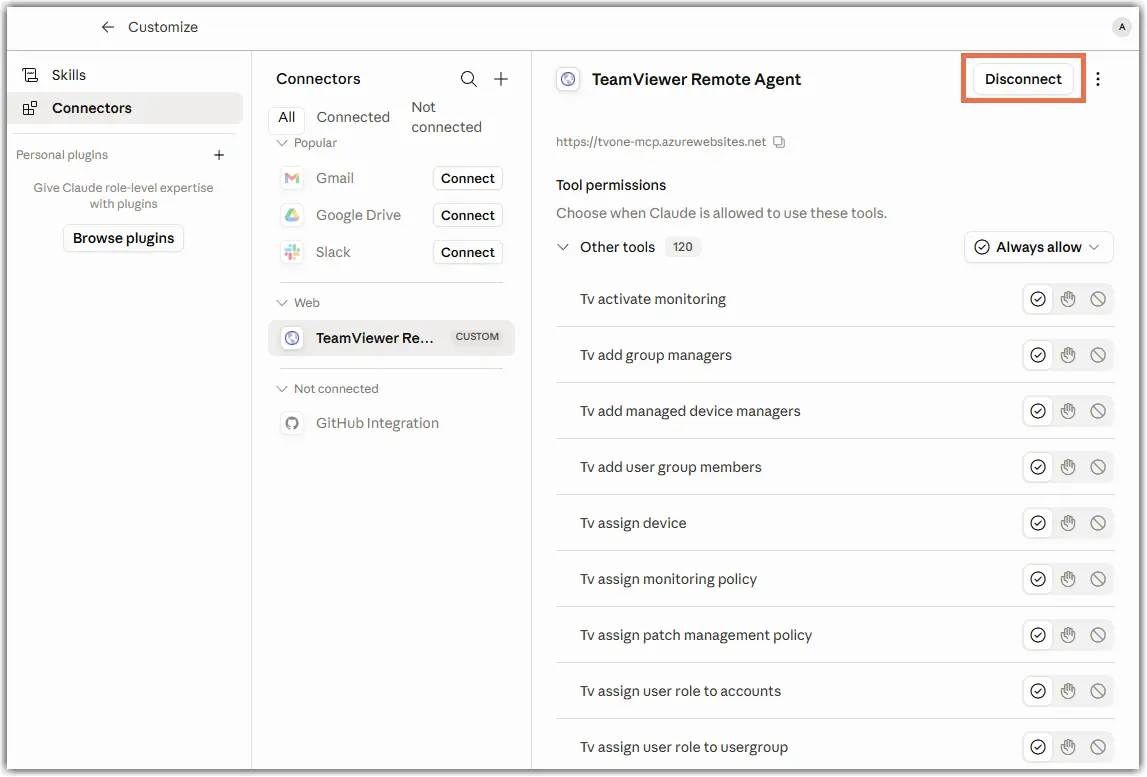
Model Context Protocol (MCP) enables AI systems to connect to TeamViewer ONE and interact with your IT environment. It provides a standardized way to access data, trigger actions, and automate workflows using natural language. This allows you to reduce manual steps and work more efficiently across systems.
MCP acts as a shared interface between AI tools and enterprise platforms. Instead of creating multiple integrations, it provides a single, consistent connection layer.
This article applies to all TeamViewer paid license holders with access to TeamViewer WebAPI.
Prerequisites
- Access to an AI system (E.g., Claude or Copilot)
- Access to a TeamViewer account
Available resources
Note: For additional details, see the ReadMe section in the GitHub repository.