Knowledge Base
Get started with TeamViewer Endpoint Protection
Last Modified 30 июн. 2025 г.
TeamViewer Endpoint Protection protects your devices wherever they are by adding an additional level of security to ensure the same level of protection as if they were back at your headquarters.
This article applies to all TeamViewer Endpoint Protection customers
What is TeamViewer Endpoint Protection?
TeamViewer Endpoint Protection is a powerful security platform, completely integrated into TeamViewer, that blocks ransomware, malware, and other advanced threats that other solutions miss.
Endpoint Protection is powered by Malwarebytes and integrated into TeamViewer. This allows you to keep your devices/servers clean and safe with advanced cyber defense. It protects your computers and servers against threats such as viruses, Trojans, rootkits, spyware, ransomware, and zero-day exploits by utilizing next-gen cyber security that not only searches for known signatures of known threats but also uses machine learning and AI to detect, isolate, and remediate attacks unknown to software vendors and traditional endpoint protection solutions.
- Malware and zero-day exploit protection: Protection that focuses on identifying and blocking attacks that target previously unknown software vulnerabilities through advanced threat detection and real-time monitoring.
- Machine-learning for detection of behavioral patterns: Using algorithms to analyze and learn from data generated by user and system activities, Endpoint Protection identifies deviations from normal behavior.
- Seamlessly integrated into TeamViewer and quickly deployed to your devices: Easily embedded into TeamViewer, enabling rapid activation across devices with minimal configuration or disruption.
How to access TeamViewer Endpoint Protection
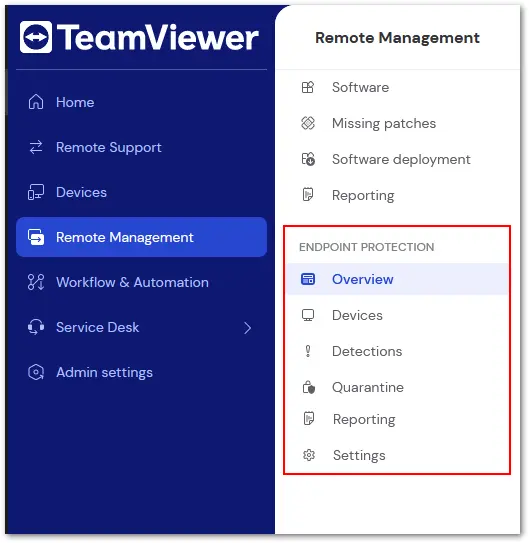
TeamViewer's Endpoint Protection service can be accessed in TeamViewer Remote or via the web app on the Remote Management tab.
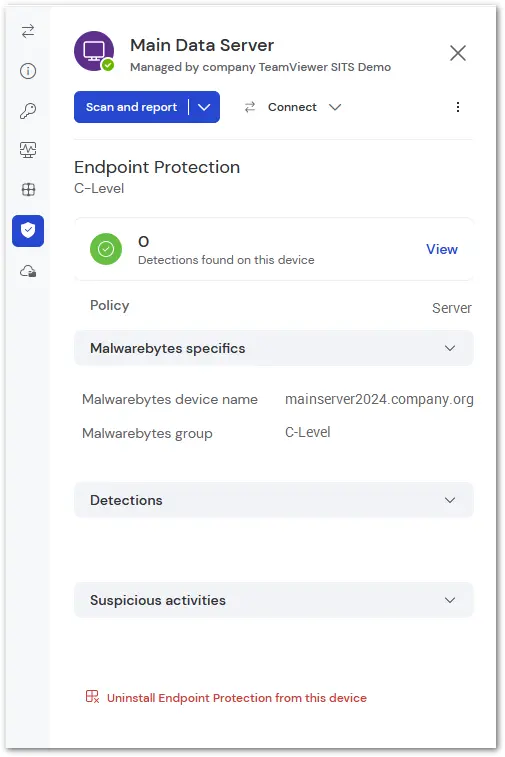
How to view a specific device's protection status
The recommended method to access a specific device's status is through the device drawer. This is done by clicking the device name on the Device tab of TeamViewer Remote or within the device list. The drawer will open on the right; select the tab with the shield icon to access the Endpoint Protection information for the device.
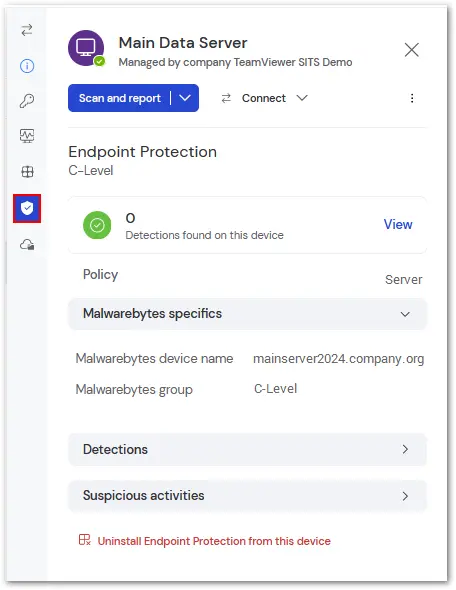
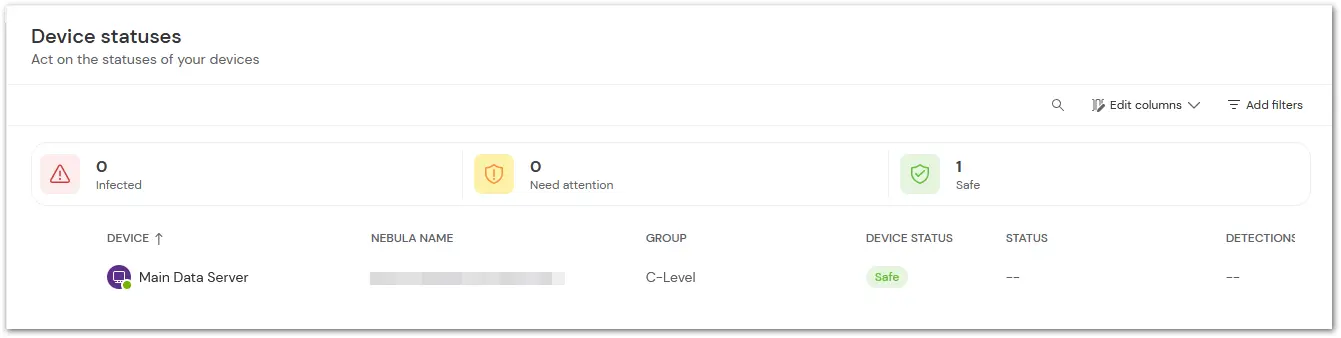
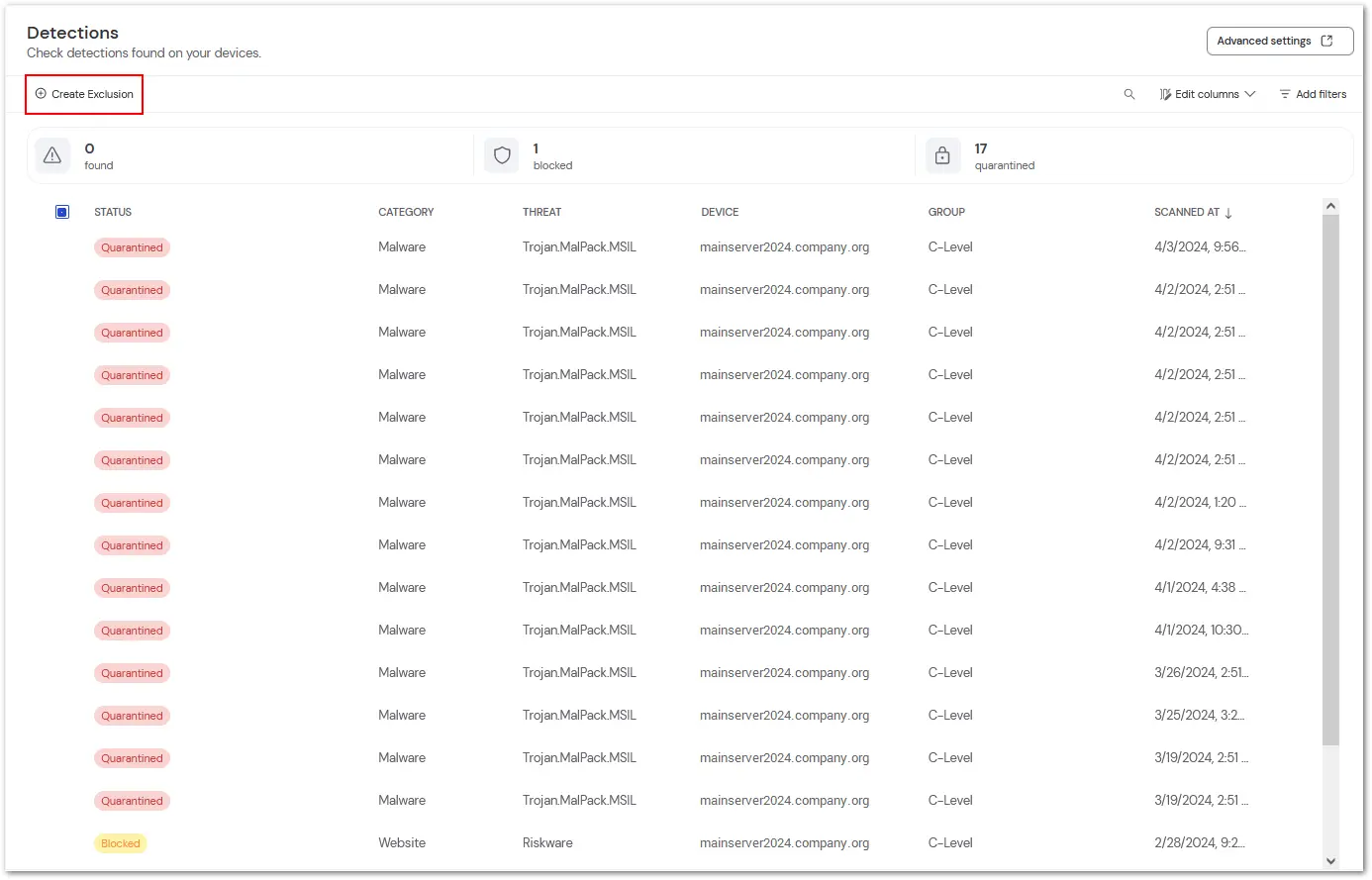
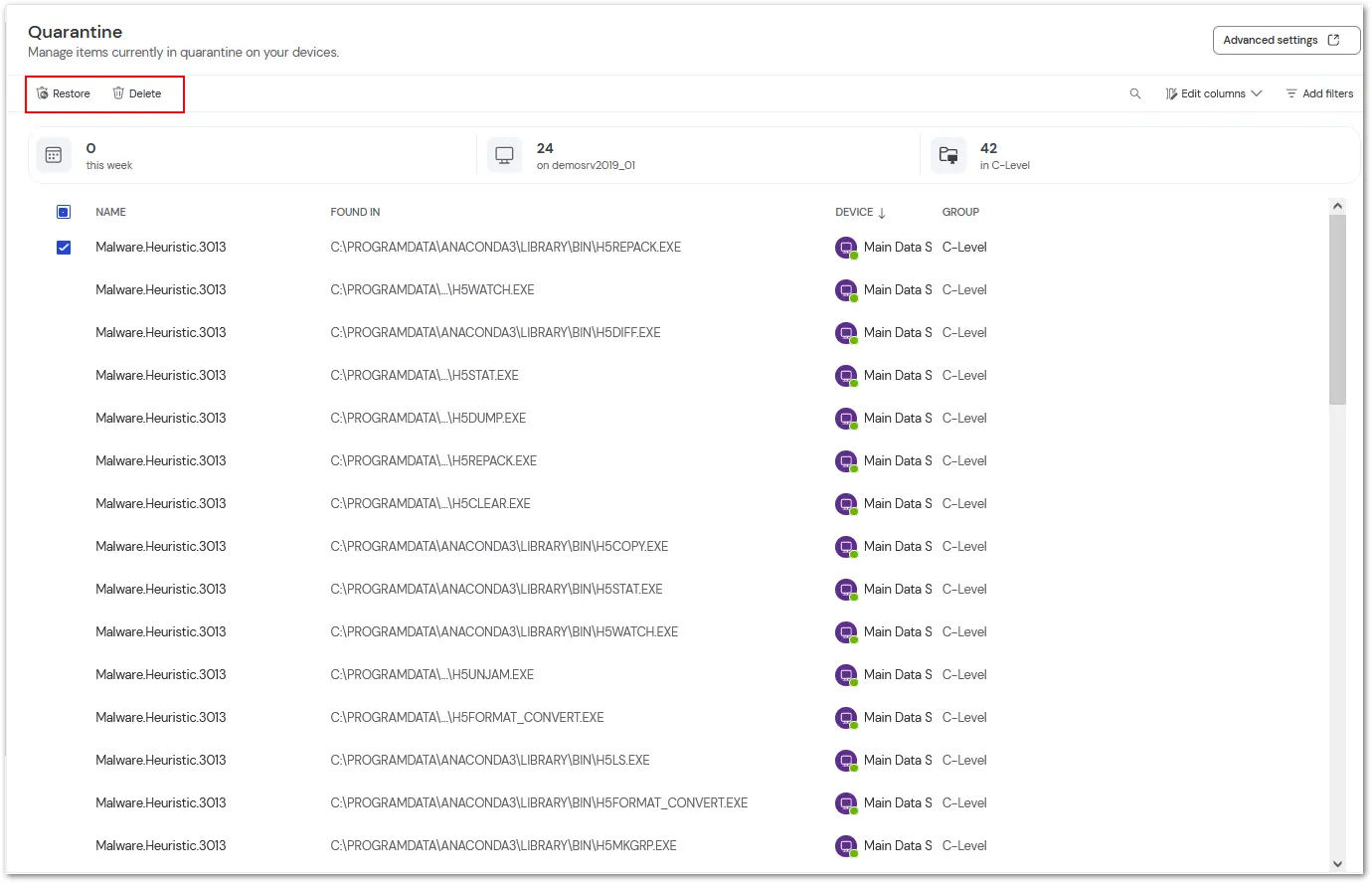
TeamViewer Endpoint Protection is broken into the following sections:
- Devices
- Detections
- Quarantine
- Reporting