
Knowledge Base
Control clipboard sync during remote support sessions
Last Modified 12 мар. 2026 г.
Clipboard synchronization lets you copy and paste text or images between your device and the remote device during a TeamViewer remote support session. This allows users to control how clipboard data is shared. You can enable, disable, or limit clipboard sync before or during a session. This article also explains how each clipboard mode behaves.
This article applies to all TeamViewer users.
What is clipboard synchronization?
Clipboard synchronization controls how copied content (text or images) moves between the local and remote device. You can manage clipboard sync in two places:
TeamViewer settings (defines the default behavior)
Actions ➜ Clipboard during a remote session (defines in‑session behavior)
Below, you find an overview of all available modes and how they behave.
Important note: Clipboard synchronization applies to both incoming and outgoing connections. The sync only works if clipboard synchronization is enabled on both devices.
Control clipboard synchronization
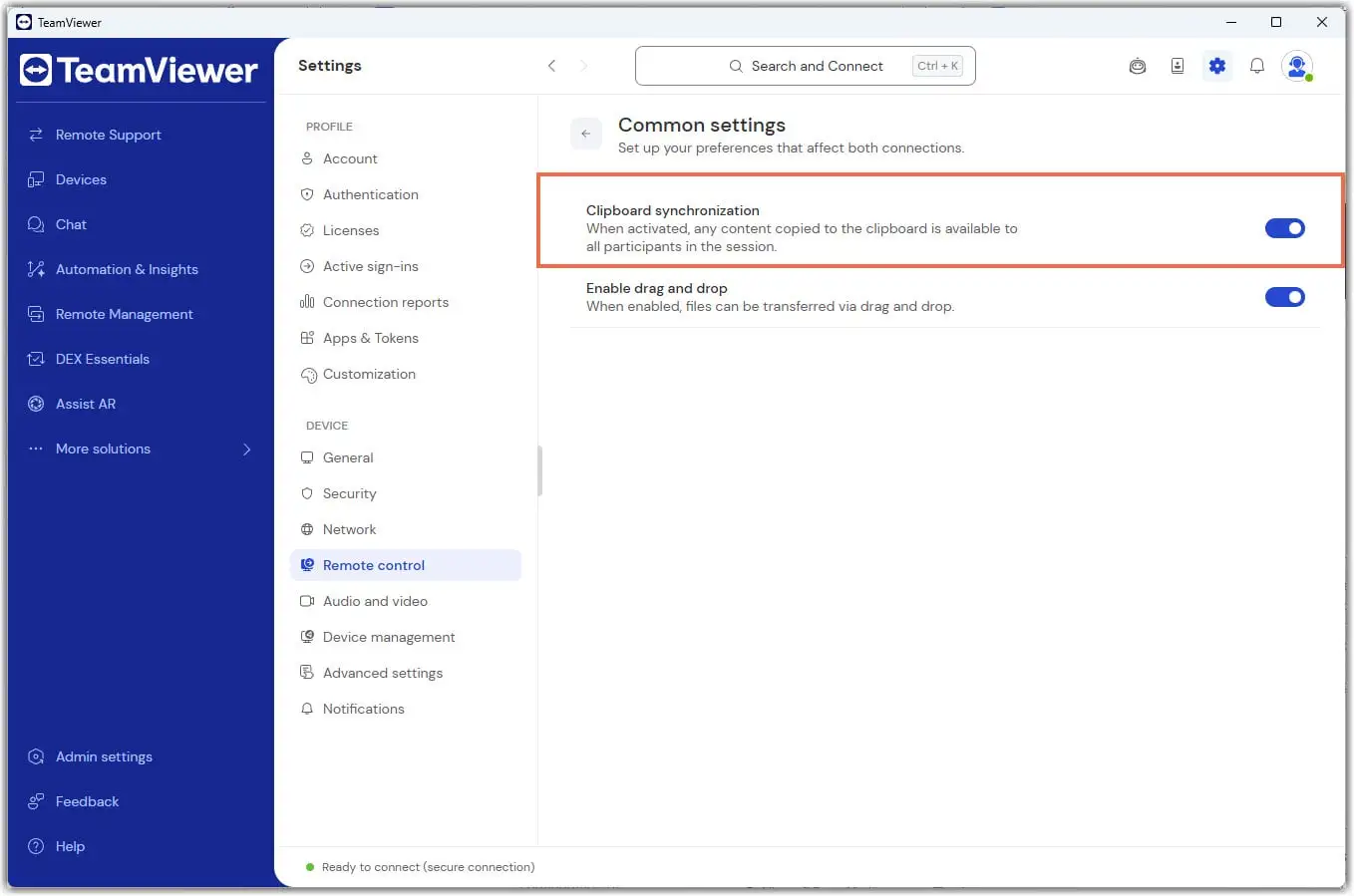
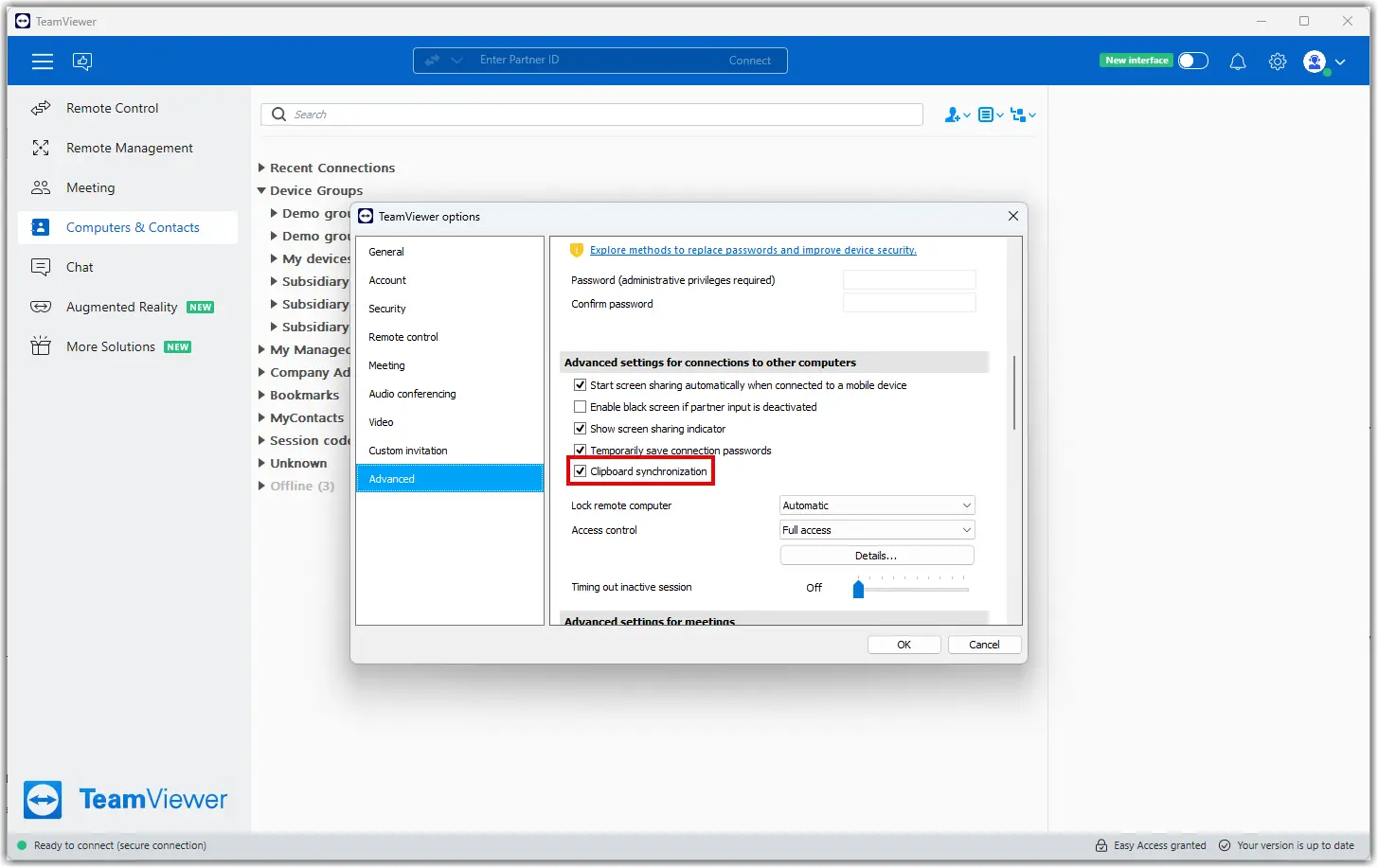
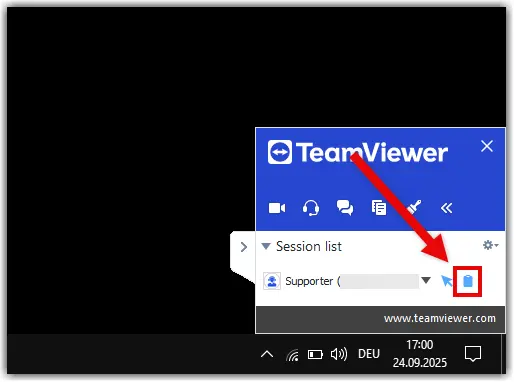
If clipboard synchronization is turned off:
Clipboard sync does not work in either direction
Nothing is copied between devices
In‑session clipboard modes do not override this setting
How to manage clipboard settings during a remote session
You can change how clipboard data is shared at any time during a session.
Open the Actions menu.
Select Clipboard.
Choose one of the available options listed below.
Clipboard modes during a remote session
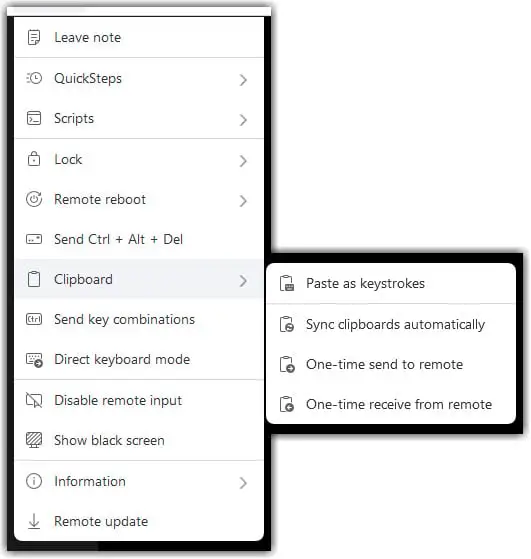
Sync clipboards automatically
This mode syncs clipboard content both ways.
When enabled, all copied text or images move automatically between devices
When disabled, automatic syncing stops
When disabled, only the last copied item can be sent manually
One-time send to remote
Sends only the last copied item from the local device to the remote device
No ongoing sync
Useful for sending a single password, code, or snippet
Resets to the previous state after sending
One-time send from remote
Sends only the last copied item from the remote device to the local device
No ongoing sync
Useful when you want to retrieve information without sharing your own clipboard
Resets automatically afterward
Paste as keystrokes
This mode pastes your clipboard content into the remote device as simulated keystrokes. This can be helpful when standard clipboard transfers are restricted or when you need to enter text in fields that do not accept pasted content.
To learn more about this mode, read the dedicated article:
Paste the clipboard as keystrokes during a remote session
Summary of clipboard behavior
| Setting location | Mode | Behavior |
|---|---|---|
TeamViewer settings | Clipboard sync is off | No clipboard data moves in either direction |
In-session | Sync clipboards automatically is on | Automatic two-way sync |
In-session | Sync clipboards automatically is off | Only the last copied item from either device can be sent manually, in both the local‑to‑remote and remote‑to‑local direction |
In-session | One-time send to remote | Send the last local clipboard item once |
In-session | One-time send from remote | Sends the last remote clipboard item once |