Knowledge Base
QuickSupport and custom QuickSupport
Last Modified 15 июл. 2026 г.
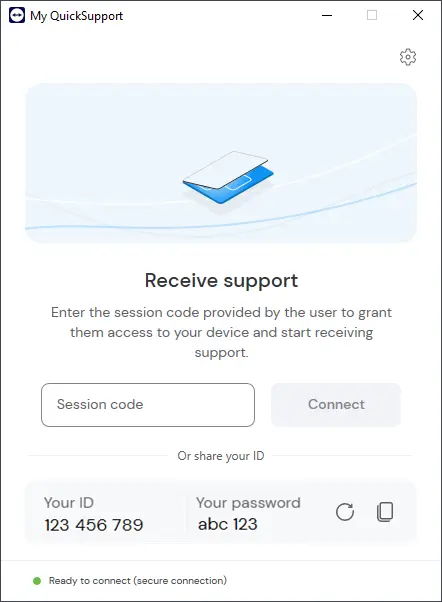
TeamViewer QuickSupport is an executable program that requires no installation. It allows users to temporarily grant access to their devices, enabling experts to connect with remote users for attended access and spontaneous remote support.
You can also generate a customized QuickSupport module that contains your own logo and text to increase your brand recognition and to give a personal note to interactions with your customers.
Hint: You can use the custom QuickSupport in combination with the Service Queue function. Learn more here.
This article applies to all TeamViewer users. The custom QuickSupport only applies to Business, Premium, Corporate, or Tensor license holders.
How to use the QuickSupport for remote support
To learn how users can grant access to their devices using QuickSupport, please follow the instructions in this article:
How to create a custom QuickSupport
To create a custom QuickSupport, please follow the instructions below:
How to share and download the custom QuickSupport
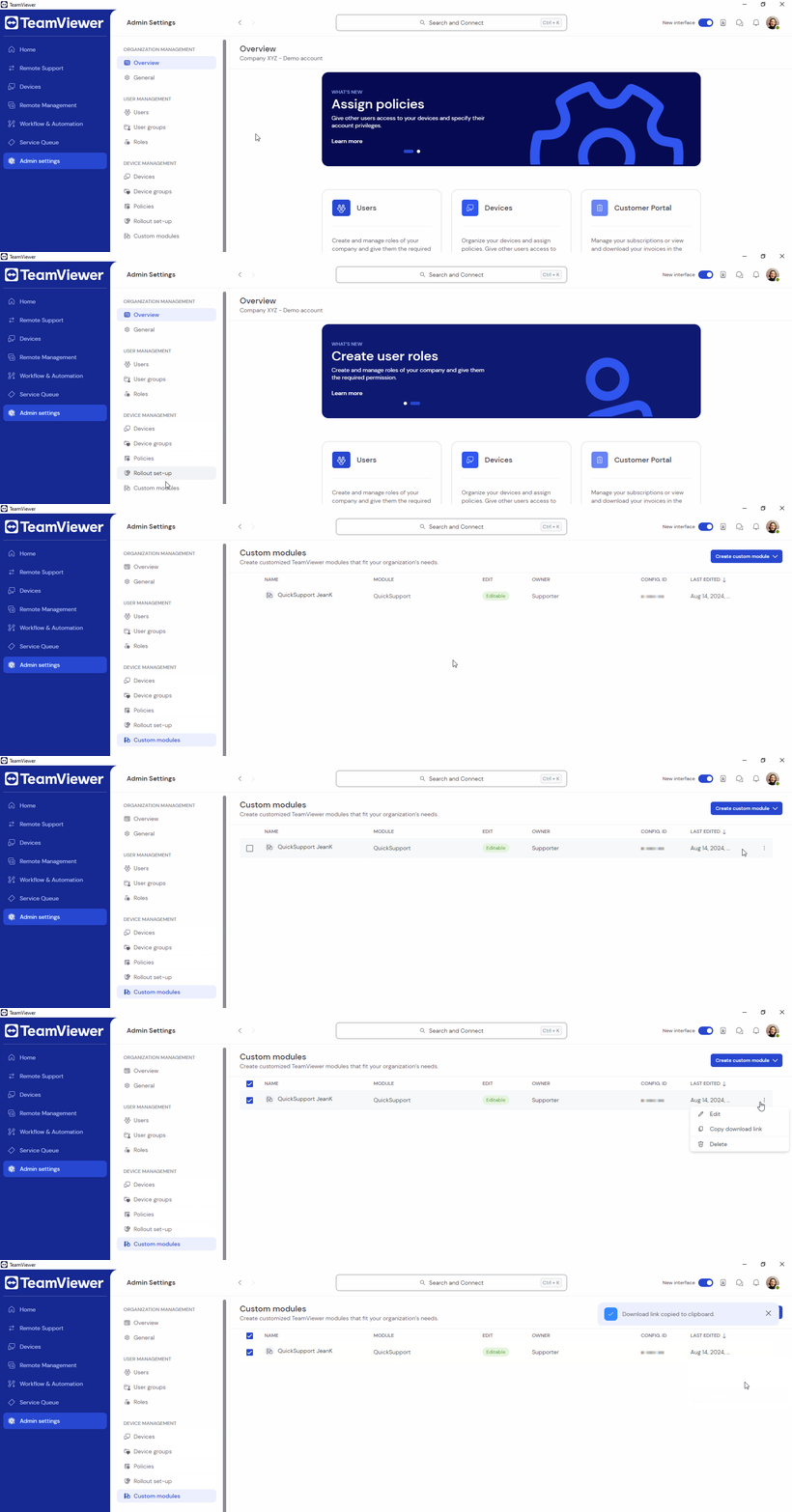
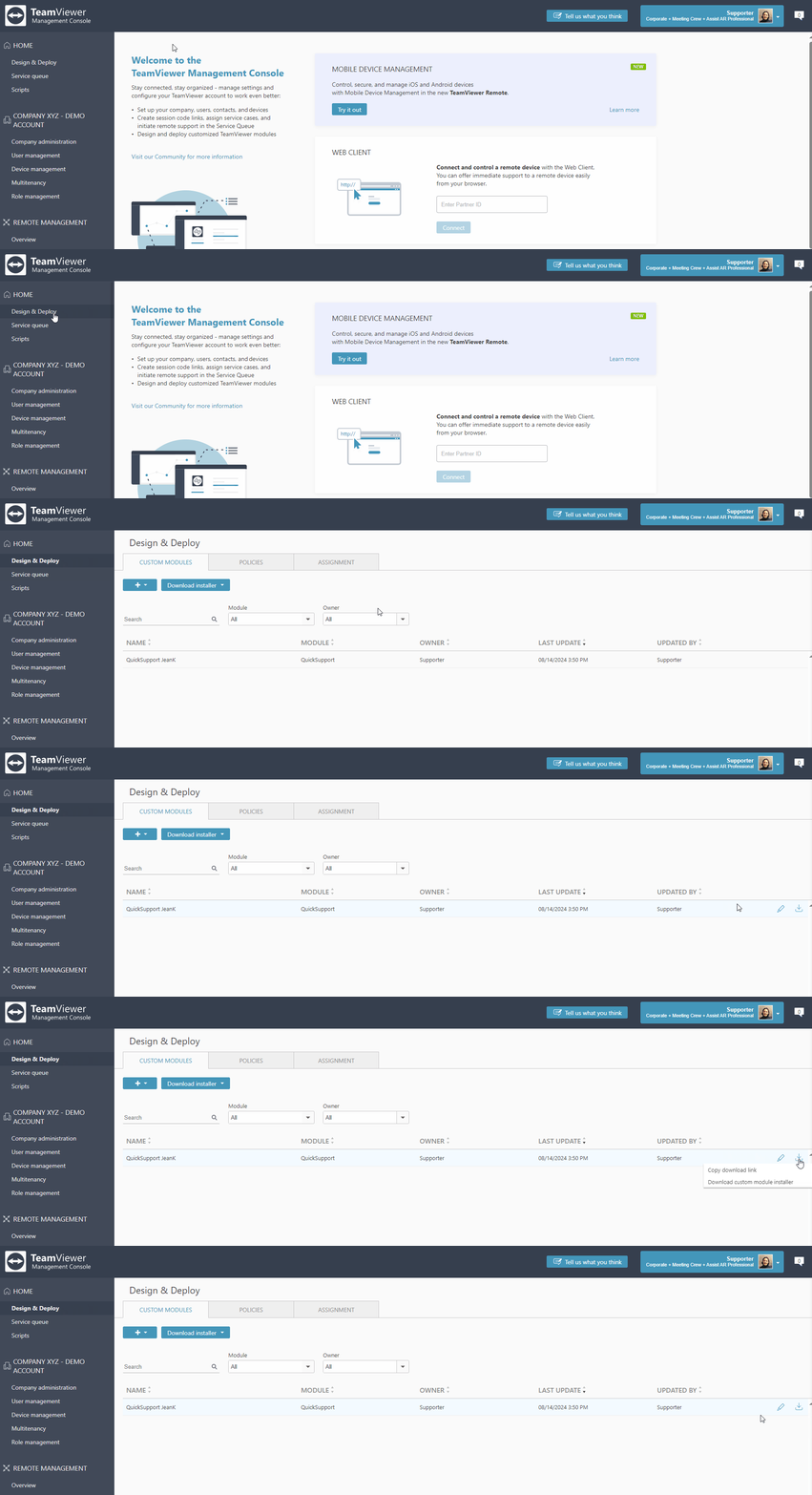
Once you create the custom QuickSupport, you can share the link with the remote user so you can start a remote support session with them.
To get the custom QuickSupport download link, please follow the steps below:
The end user now needs to download and execute your custom QuickSupport so you can get started with your remote support session.
To download the custom QuickSupport, please make sure the end user follows these steps:
- Open the custom QuickSupport link the supporter sent you in your browser. Your browser will automatically start the download.
- Once the download is finished, run the custom QuickSupport file. The module will appear and allow the supporter to connect.