Looking for a TeamViewer alternative in 2026?
We’ve compared the top remote access solutions for you, and you’ll see why TeamViewer remains one of the most trusted options for security, device coverage, and scalability.
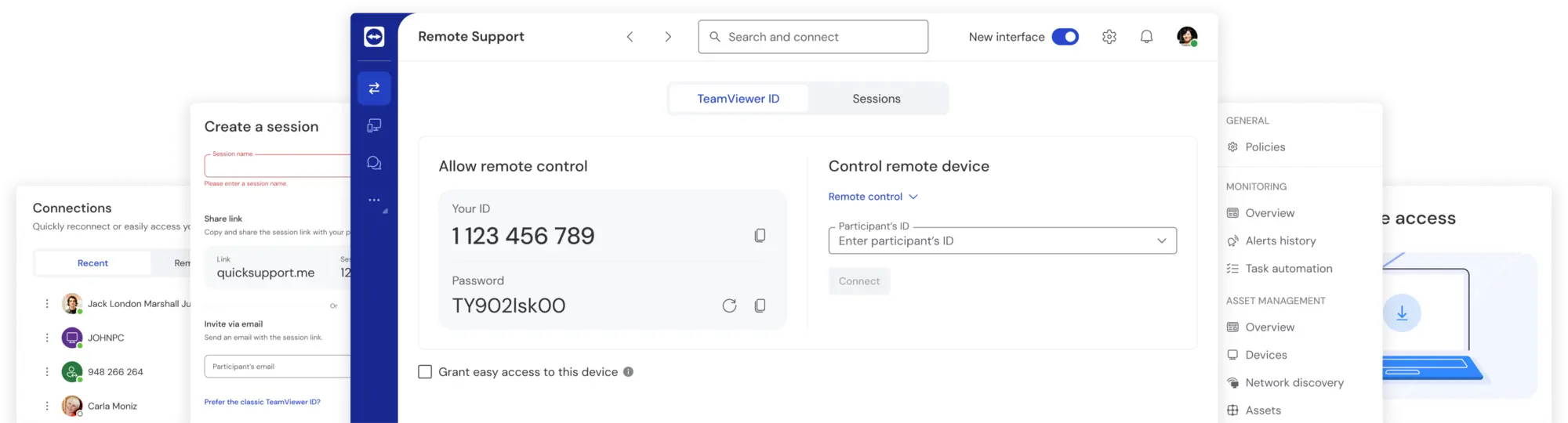
Do they really compare?
The 10 best TeamViewer alternatives for 2026
(Data as of March 2025)
Searching for remote access software? You might be considering alternatives to TeamViewer. Here’s how they compare, and what to keep in mind when making your decision.
TeamViewer | AnyDesk | Microsoft Remote Desktop | Splashtop | LogMeIn Pro | Zoho Assist | Chrome Remote Desktop | RustDesk | Apache Guacamole | DWService | Supremo | |
|---|---|---|---|---|---|---|---|---|---|---|---|
Core features | Remote control, file transfer, session recording, easy access, secure unattended access, RMM add-ons, cross platform compatibility, AI Agent for automated issue resolution, AI-powered remote support workflows, DEX Essentials (add-on for proactive endpoint management) | Low-latency remote access, unattended access, cross-platform compatibility, basic file transfer | Native Windows integration, remote desktop access, multi-monitor support, cross-platform (macOS, iOS, and Android) | Cross-platform functionality with remote streaming, multi-monitor use, and file sharing | Remote access and control, 1TB cloud file storage, multi-monitor support, AES-256-bit encryption | On-demand remote support, unattended access, cross-platform (Windows, macOS, Linux, iOS, Android), file transfer | Free, browser-based remote access; works on Windows, macOS, Linux, ChromeOS; basic remote control | Open-source, self-hosted option; end-to-end encryption; cross-platform compatibility; basic file transfer | Web-based, clientless remote access; supports RDP, VNC, and SSH; SSL/TLS encryption | Web-based, open-source remote access; works on Windows, macOS, and Linux; basic file transfer | Unattended access, file transfer, AES-256 encryption |
Two-factor authentication (2FA) | ✔︎ | ✔︎ | ✘ | ✔︎ | ✔︎ | ✔︎ | ✔︎ (via Google account) | ✔︎ (via SSH keys) | ✘ | ✘ | ✔︎ |
HIPAA and GDPR compliance | ✔︎ | ✔︎ | ✘ | ✔︎ | ✔︎ | ✔︎ | ✘ | ✘ | ✘ | ✘ | ✘ |
Integrations | 40+ | Limited | 20+ | 20+ | 20+ | ✘ | ✘ | ✘ | ✘ | Limited | +40 |
Ease of use | User-friendly interface with intuitive navigation | Easy setup | Built-in on Windows, basic functionality | Simple layout with useful features | Requires onboarding | Simple interface | Minimalist design, limited features | Open-source, requires technical knowledge | Browser-based, requires server configuration | Easy to use, basic functionality | Lightweight, simple |
Pricing | Paid plans, free version for personal use | Paid plans, free version for personal use | Free | Paid plans | Paid plans | Paid plans | Free | Free | Free | Free | Paid plans |
Pros and cons | ➕ Cross-platform support, easy installation, high security, extensive integrations ➖ Not free for businesses | ➕ User-friendly interface ➖ Limited integrations, fewer advanced features, limited scalability | ➕ Built-in on Windows, free ➖ Windows-only, lacks file transfer and business security options | ➕ Lightweight design, simplicity ➖ High pricing, fewer business integrations than TeamViewer | ➕ Comprehensive features, reliable performance ➖ High pricing, complex setup, fewer integrations | ➕ Affordable, easy integration ➖ Limited features in lower tiers, lacks advanced remote control | ➕ Free, simple setup ➖ Lacks business grade security features, confined to Chrome browser, no session recording | ➕ Open-source, customizable ➖ Limited support, complex setup, no advanced business and security features | ➕ Browser-based, no client needed ➖ Requires technical setup, no built-in file transfer or session recording | ➕ Free, open-source ➖ Lacks strong security features, not ideal for business use | ➕ Lightweight, easy to use ➖ No large-scale advanced features |
Let’s take a closer look
Why TeamViewer outperforms these remote access alternatives
Each of these alternatives has its strengths and weaknesses—but none truly measure up to TeamViewer’s advanced security, flexibility, and seamless integrations. Here’s how the solutions perform in everyday use.
Overwhelmed by options?
Here’s what really matters
Finding the right remote access software shouldn’t be complicated. Consider this.

Budget
Free tools can be tempting, but they come with limitations. Paid options offer better performance, security, and customer support. You get what you pay for—choose wisely.

Security
Look for tools with strong encryption, two-factor authentication, and transparent security practices.

Ease of use
You need a tool that’s simple for your team to use, not just your tech experts.

Specific use cases
Think about the needs of your business—unattended access for remote work, file sharing, or cross-platform support.
Concerns with TeamViewer? Let’s address them.
We hear you—concerns about pricing, security, or performance can make choosing the right remote access solution tough. We're here to make it simple. Let’s clear up the biggest misconceptions about TeamViewer.
Bottom line
TeamViewer remains one of the most trusted and established solutions for remote access
Choose a platform that delivers security, scalability, and reliability.
We deliver top-tier security, seamless device coverage, and easy scalability—perfect for growing small and medium businesses. So, if you don’t want to compromise on security, speed, or device compatibility, TeamViewer is the right choice for you.

118,115 reviews

3,649 reviews

2,714 reviews

11,513 reviews
Reasons to choose TeamViewer

Security
TeamViewer protects your remote connections from third-party interception with end-to-end 256-bit AES encryption.
Feel at ease knowing that access to your devices is protected by 2FA and secure unattended access, and enterprise-grade security controls designed for business environments.

Performance
TeamViewer’s transmission quality lets you forget you’re working remotely.
Even in low-bandwidth environments, you can connect to devices and transfer large files instantly.

Compatibility
Connect to devices of all kinds, from Windows and Mac to Linux and Raspberry Pi. Access devices when they’re switched off with Wake-on-LAN.
With unattended access, you can even work remotely on unsupervised point-of-sales units or information displays.

Security is at our core
Compliance with ISO/IEC 27001, HIPAA/HITECH, and SOC 2 & 3 reflects our commitment to data protection, operational integrity, and regulatory alignment. So you can work with confidence.

Integration partners


See what other TeamViewer customers are saying
FAQ: Your questions, answered
Not fully convinced yet? See our detailed comparisons—TeamViewer vs. AnyDesk and TeamViewer vs. LogMeIn—for more details.
Experience award-winning software for secure remote access and support