
Knowledge Base

Settings - Watchdogs

Last Modified: Mar 14, 2024

Newdocsimg202011 Sus Settings Watchdogs

Watchdogs

Watchdogs will notify you about events happening related to TeamViewer Engage. You will receive an email notification when a specific event occurs.

Create a new Watchdog

You can create a new Watchdog by clicking + New Watchdog.. Start by giving your Watchdog a recognizable name.
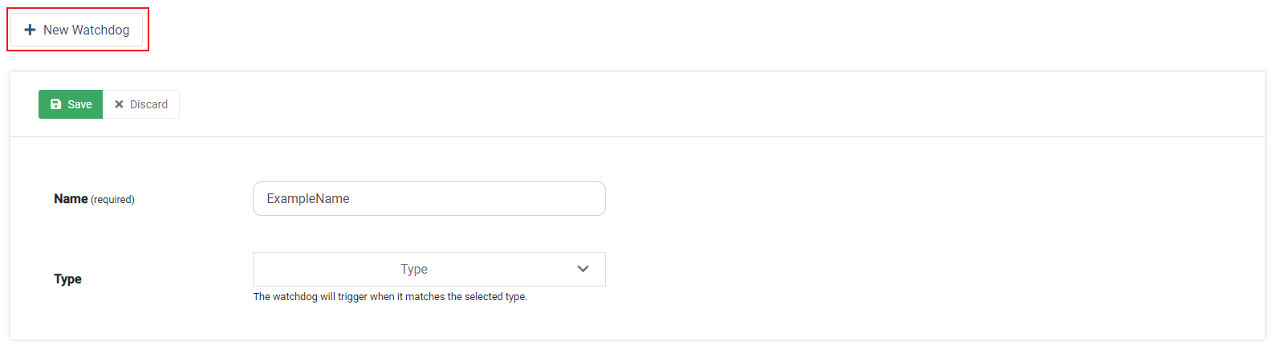
Newdocsimg202011 Sus Settings Watchdogs Create New

Afterwards you will have to select a Type, which defines the condition when the Watchdog triggers.

TypeDescription

Customer Assigned

Receive an email notification when a customer gets assigned to you (and you are logged off)

Form Submission

Get notified when a customer fills in and submits a Form

JavaScript Error

Receive a notification when a JavaScript Error occurs

Message Received

Get notified when a customer sends a message to you

Settings changed

Receive an email when the settings of Xaleon get changed

Finally, you have to select the receiver of the Watchdog by either selecting User(s) or Team(s).
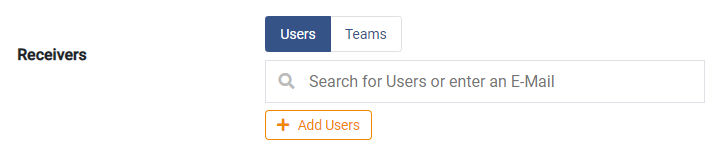
Newdocsimg202011 Sus Settings Watchdogs Receivers

📌Note: Customer Assigned does not have the option to select a receiver because it will trigger for the assigned user.