Knowledge Base
Create an access endpoint in TeamViewer
Last Modified: Oct 12, 2026
Once your access gateway is successfully set up, you can begin by adding access endpoint devices behind it. An access endpoint is a device that resides within a segmented network and is accessed securely through an access gateway. Each access endpoint behaves like a standard managed device, with its own manager assignments and support for Conditional Access.
Create an access endpoint
To add an access endpoint to an existing access gateway, please follow the instructions below:
1. Sign in to the TeamViewer client.
2. Go to the Admin settings, and within the Device Management section, click Agentless Access.
3. Click the access gateway for which the access endpoint should be added, then click Add access endpoint.
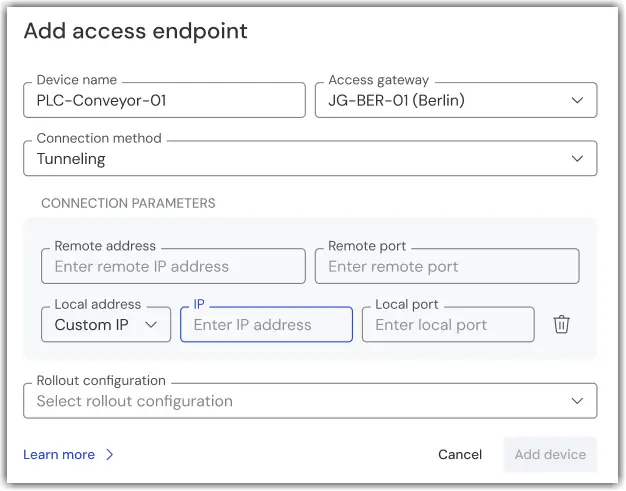
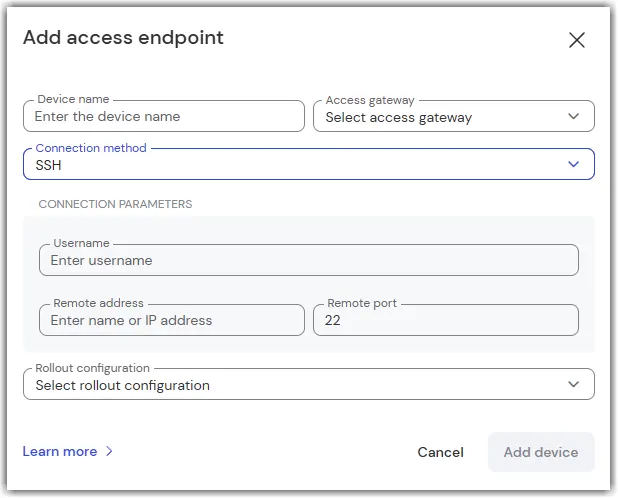
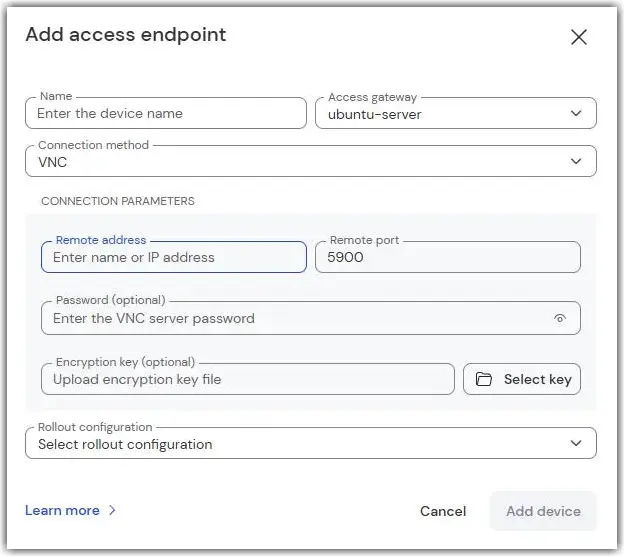
4. Fill in the required details:
- Device name: This name will appear in your device list as a managed device. Choose something clear and descriptive.
- Connection method: Select either Tunneling, SSH, VNC, or RDP depending on your network setup.