
知识库
准备电子会议 - 会议链接
上次修改时间: 2024年3月14日
目的
通过会议链接,您可以获取个人登陆页面,并将其发送给(潜在)客户,以便他们与您进行预约。 可以配置会议链接,以便客户例如 只能在特定日期的指定时间内预定约会。
功能说明
会议链接可以通过两种方式使用:
- 将会议链接添加到您/您的组织的网站
- 通过电子邮件,电子邮件签名等方式共享链接。
第一个会议链接
为了使这种可能性成为可能,您需要为自己创建一个独特的会议链接-为此,请在会议链接菜单中单击+新建会议链接。
请注意:您单位的管理员可能会为您设置此设置。 如果不清楚,请与他们联系。
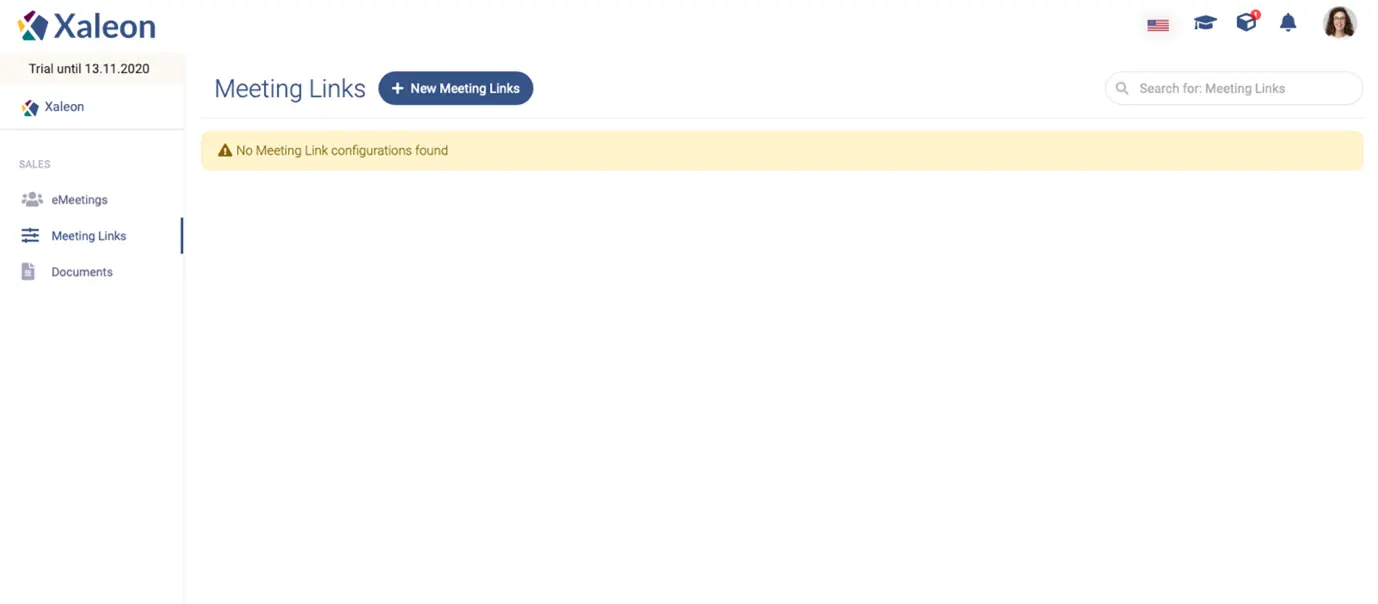
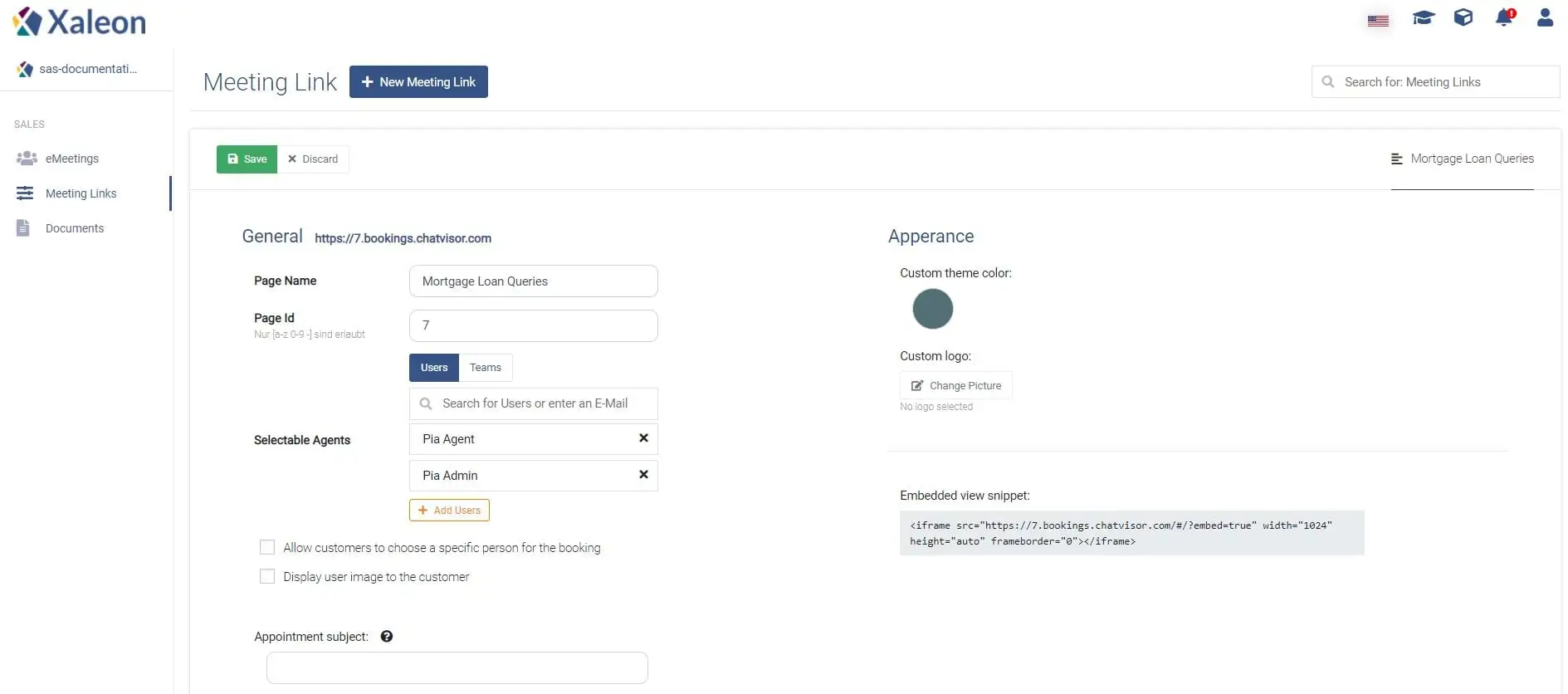
然后,只需按照应用程序中的步骤和说明来创建您的会议链接:
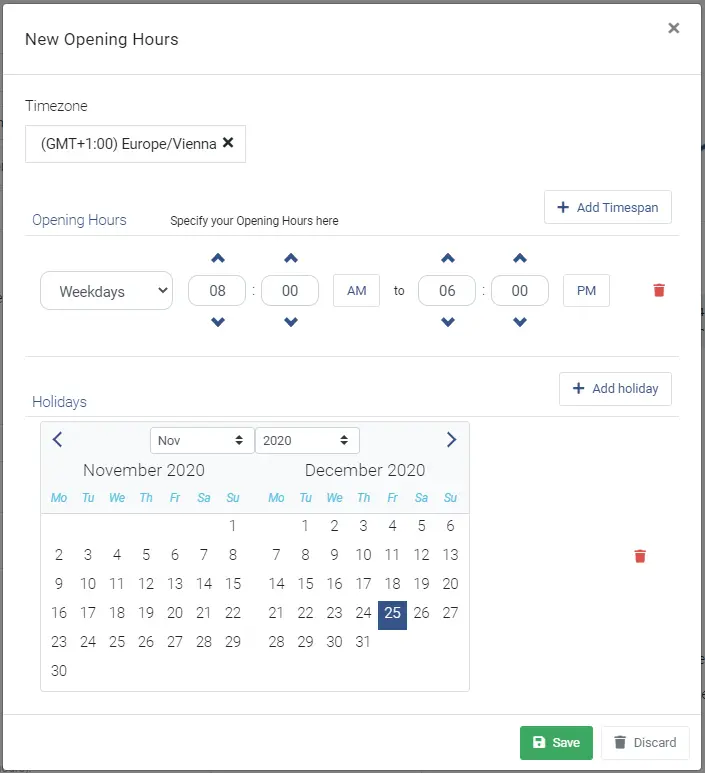
设置时间范围,使客户应该能够与您预订会议。 为此,请在“可用性设置”部分中单击+添加:
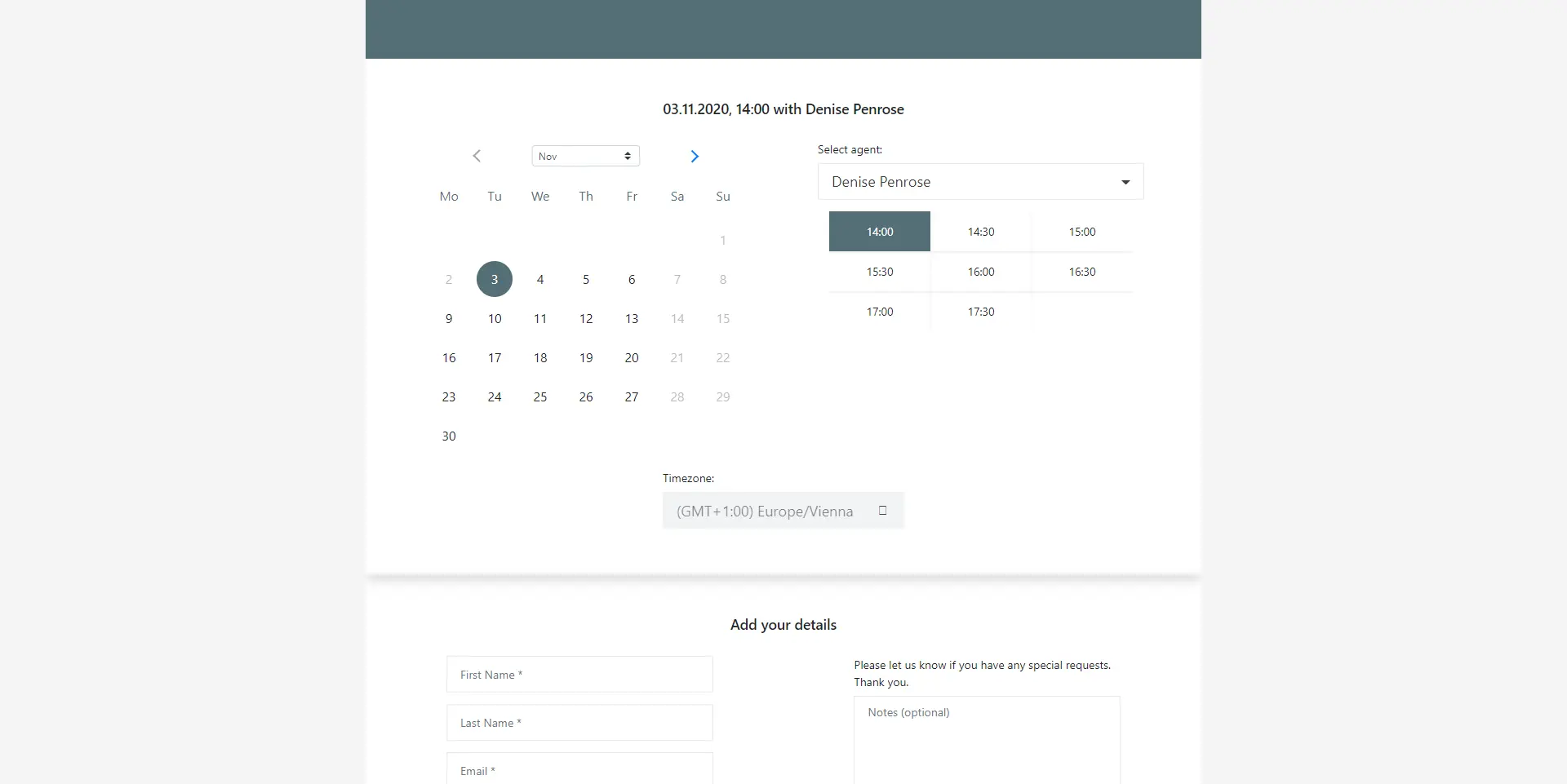
完成此操作后,您可以将个人日历链接添加到电子邮件签名中。 潜在客户和潜在客户将能够访问您的可用时间并与您预定约会:
详细输入字段
General
| 1 | 1 |
|---|---|
Page Name | Internal naming for the page; |
Selectable Agents* | Add all agents that shall be available for customers under this booking page. |
Privacy Policy link | Here you can add the link to your own privacy policy. Note that there is a checkbox for the customer on the booking page to accept your policies. |
Page ID | A unique identifier, which will be included in the URL of the booking page. |
Display user image to the customer | A setting to enable/disable the agent’s image on the booking page. |
Appointment subscription | This text area offers the possibility to add an appointment description. It features the same keywords as the Appointment subject. |
Appointment subject | In this field, the subject of the appointment is set. Furthermore, the first name, last name, and note of the customer can be displayed in the text by using ‘{‘ and ‘ }‘. The keywords are ‘firstname’, ‘lastname', and ‘notes’. Example: "Meeting with {firstname} {lastname}" |
Allow customers to choose a specific person for the booking | This checkbox indicates whether or not a customer is allowed to choose a specific person for the meeting. |
外观
| 1 | 1 |
|---|---|
Label | Description |
Custom theme color | Here you can pick a custom color for the booking page (in the example screenshot below, the theme color is blue). |
Custom logo | A custom logo can also be uploaded, which will be shown at the top of the booking page. |
议程原则
您可以在此处定义客户何时可以预定会议:
| 1 | 1 |
|---|---|
Label | Description |
Time increments | Defines the timespan between each available meeting slot |
Minimum lead time | Defines with how short of a notice a customer can book a meeting with an agent. |
Maximum lead time | Defines how many days forward in the future a customer can book a meeting with an agent. |
邮件提醒
| 1 | 1 |
|---|---|
Label | Description |
Send invitation emails immediately after an appointment was booked | This checkbox enables/disables invite emails after an appointment was booked. |
Send pre-meeting reminder emails | Here you can add email-reminders, which are sent at a selectable time (minutes, hours) before the meeting. |
可用性设置
您可能不希望客户在一天中的任何时间(例如夜间)与您预订会议。 在可用性设置中,您可以精确限制客户可以与您预订会议的时间。 限制可以例如基于营业时间或假期。