
Base de Conocimientos
Preparando eMeetings - Documentos
Última modificación: 20 mar 2024
Estás en: Documentos
Objetivo
En Documentos you can upload document templates and prepare them for your appointments in advance.
Descripción
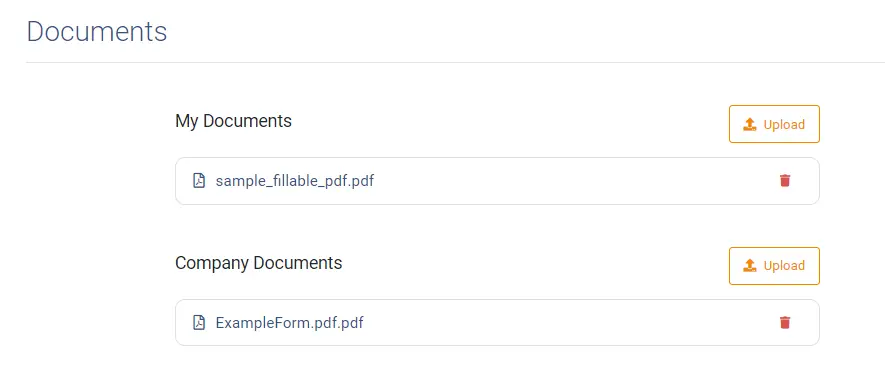
Tipos de documentos
TeamViewer Engage distingue entre dos tipos de documentos: Mis Documentos y Documentos de la Empresa. Mis Documentos son tus plantillas de documentos personales. Los documentos de empresa las suele cargar tu empresa y están disponibles para todos los empleados como plantillas.
Preparar o pre-rellenar un documento
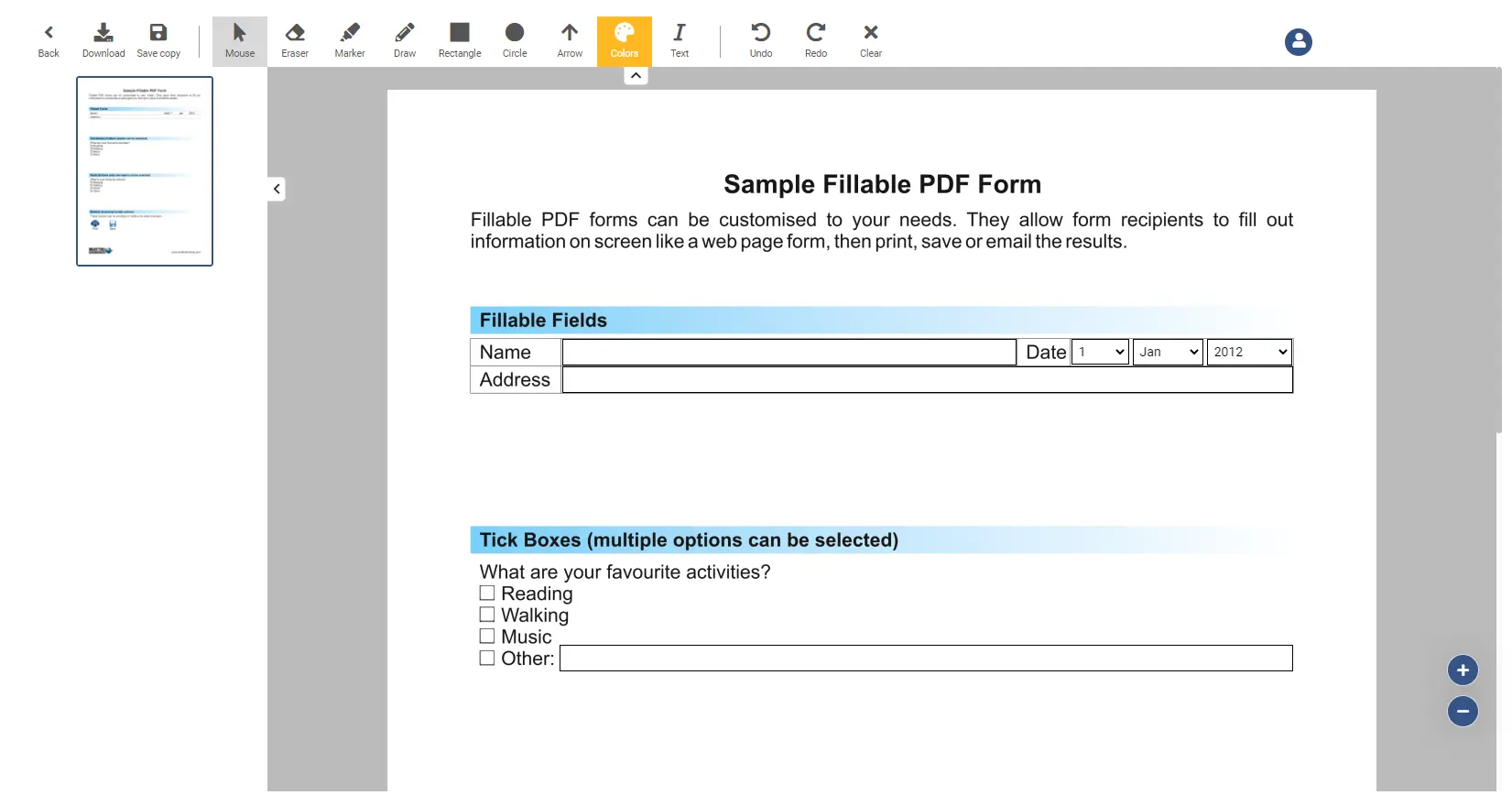
Al hacer clic en un documento cargado, puedes rellenarlo previamente y guardarlo:
Editar opciones
A continuación se muestra una lista con todas las funciones que se pueden utilizar para editar y modificar un documento abierto
| Feature | Description |
|---|---|
Arrow | Draw an arrow over the screen |
Back | Navigates you back to the overview screen |
Circle | Draw a circle over the screen |
Clear | The clear button clears all changes made to the document (Note: it does not clear fields which have been filled out by a user). |
Download | Downloads the current document |
Draw | Changes the cursor to a drawer, where you can paint on the screen. The drawing will be permanent. |
Eraser | Changes the cursor to an eraser, which you can use to remove drawings |
Marker | Changes the cursor to a marker, where you can paint on the screen. The drawing will disappear after 30 seconds. |
Mouse | Changes the cursor back to a normal mouse |
Rectangle | Draw a rectangle over the screen |
Redo | Redo the last undone action |
Save copy | Saves a copy of the current document |
Text | Insert a text into the document |
Undo | Undo the last action |