
Base de Conocimientos
Preparando eMeetings - Enlaces de reuniones
Última modificación: 20 mar 2024
Estás en: Enlaces de reuniones
Propósito
Con un Enlace de Reunión obtienes tu página de aterrizaje personal que puedes enviar a tus clientes (potenciales) para que puedan reservar una cita/reunión. Los enlaces de reunión pueden configurarse para que los clientes, por ejemplo, solo puedan reservar citas durante un tiempo determinado en días específicos.
Descripción de la herramienta
Los enlaces de reunión se pueden usar de dos maneras:
- Añadiendo el enlace de la reunión a tu página web o a la de tu organización
- Compartiendo el enlace por correo electrónico, en la firma del correo electrónico, etc.
Tu primer Enlace de reunión
Para que esto sea posible, tienes que crear un Enlace de Reunión único para ti - para hacerlo, haz clic en + New Meeting Links en el menu de links de reunión
Por favor ten en cuenta: Los administradores de tu organización pueden configurarlo para tí. Si hay algo que no está claro, por favor, ponte en contacto con ellos.
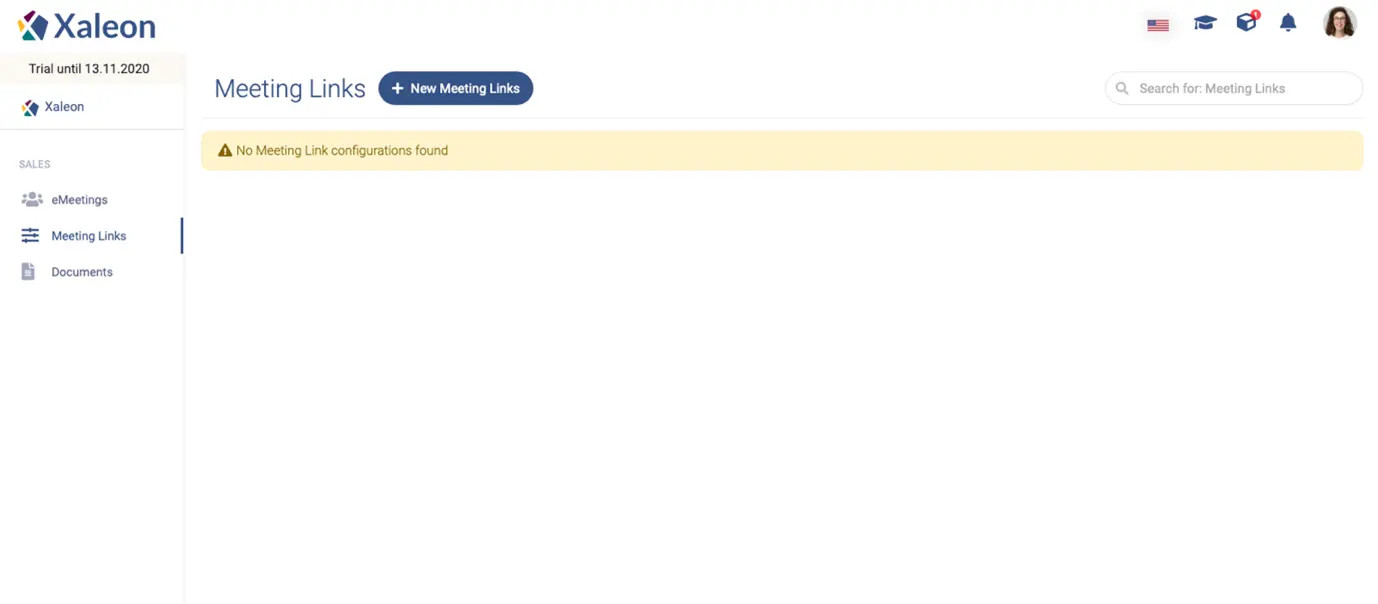
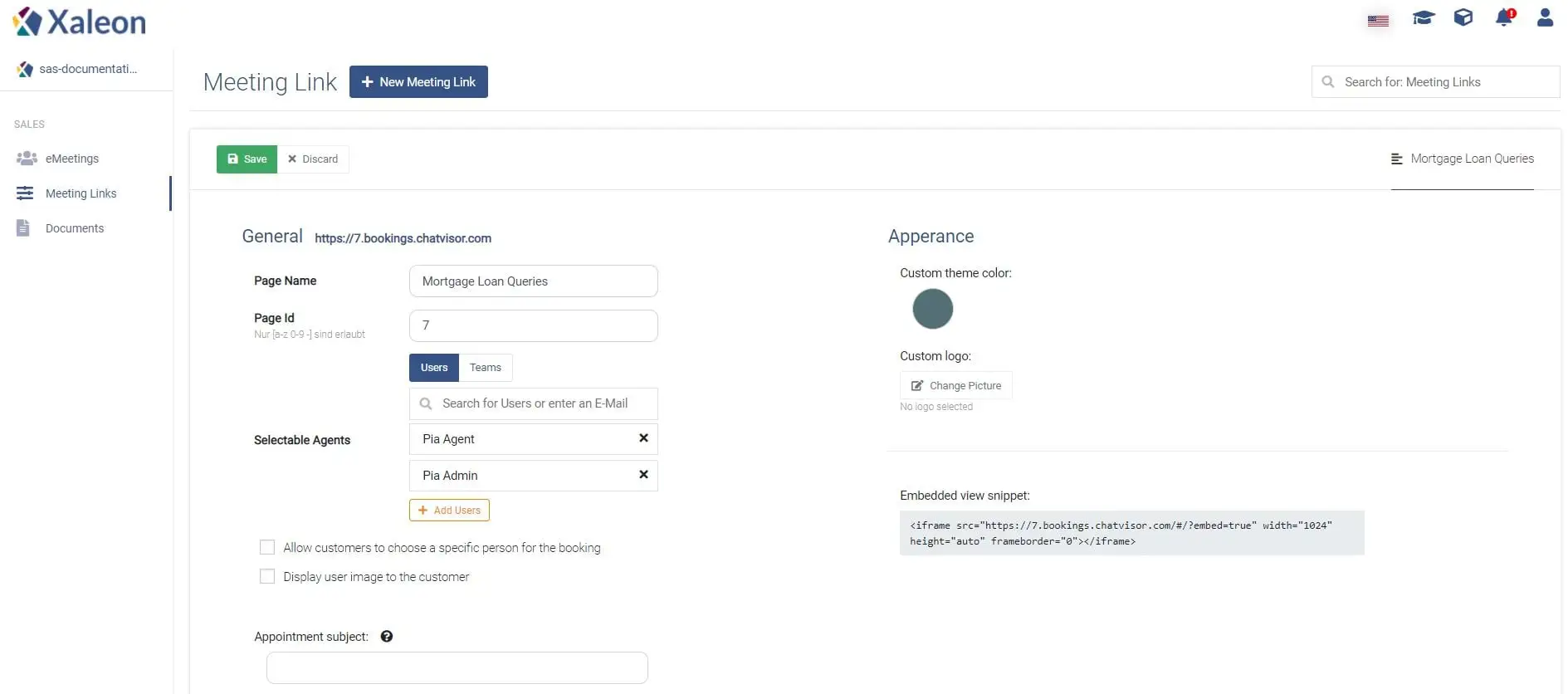
A continuación, sólo tienes que seguir los pasos y las descripciones de la aplicación para crear tu enlace de reunión:
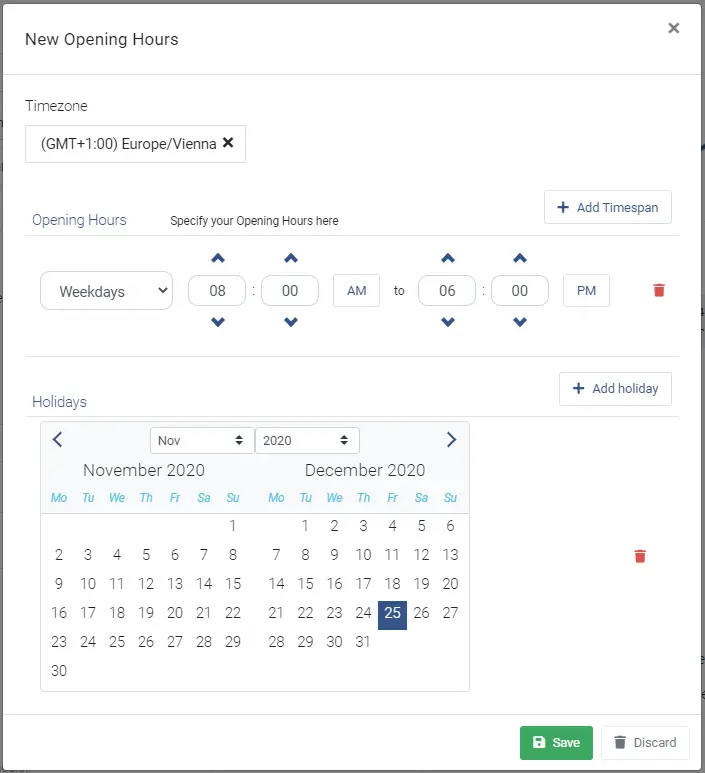
Establece los plazos en los que los clientes pueden hacer una reserva. Para ello, haga clic en + Add en la sección de ajustes de disponibilidad:
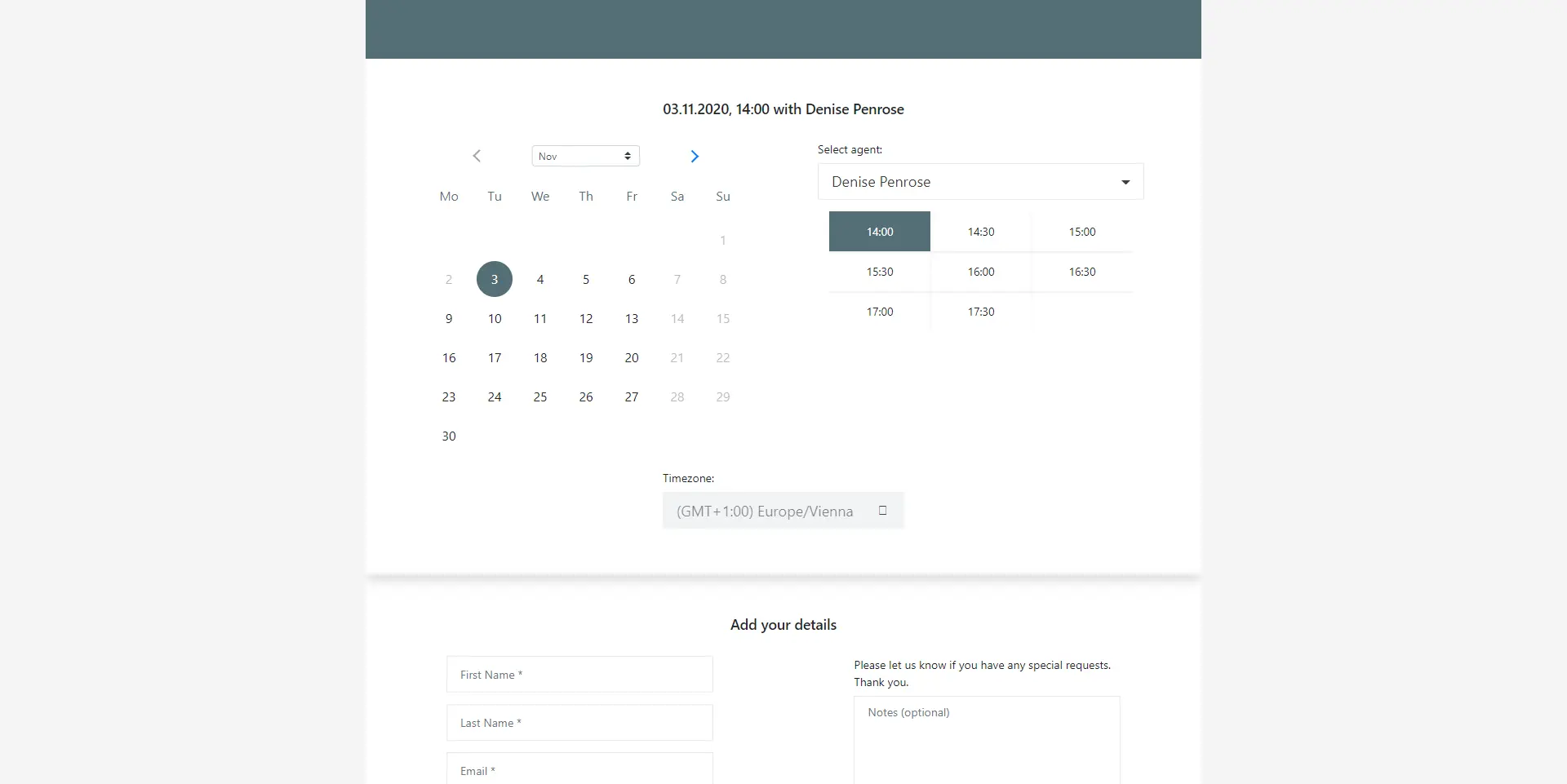
Una vez hecho esto, puedes añadir el enlace de tu calendario personal a la firma de tu correo electrónico. Los clientes potenciales podrán acceder a las horas en las que estás disponible y reservar citas contigo:
Campos de entrada en detalle
General
| Page Name | Internal naming for the page; not visible to the customer |
|---|---|
Page ID | A unique identifier, which will be included in the URL of the booking page. |
Selectable Agents* | Add all agents that shall be available for customers under this booking page. |
Allow customers to choose a specific person for the booking | This checkbox indicates whether or not a customer is allowed to choose a specific person for the meeting. |
Display user image to the customer | A setting to enable/disable the agent’s image on the booking page. |
Privacy Policy link | Here you can add the link to your own privacy policy. Note that there is a checkbox for the customer on the booking page to accept your policies. |
Appointment subject | In this field, the subject of the appointment is set. Furthermore, the first name, last name, and note of the customer can be displayed in the text by using ‘{‘ and ‘ }‘. The keywords are ‘firstname’, ‘lastname', and ‘notes’. Example: "Meeting with {firstname} {lastname}" |
Appointment subscription | This text area offers the possibility to add an appointment description. It features the same keywords as the Appointment subject. |
Apariencia
| Label | Description |
|---|---|
Custom theme color | Here you can pick a custom colour for the booking page (in the example screenshot below, the theme colour is blue). |
Custom logo | A custom logo can also be uploaded, which will be shown at the top of the booking page. |
Política de programación
Aquí puedes definir, cuándo pueden reservar reuniones los clientes:
| Label | Description |
|---|---|
Time increments (in min) | Defines the timespan between each available meeting slot (e.g. 08:00, 08:30, 09:00 …) |
Minimum lead time (in h) | Defines how short of a notice a customer can book a meeting with an agent. |
Maximum lead time (in days) | Defines how many days forward in the future, a customer can book a meeting with an agent. |
Notificaciones por correo electrónico
| Label | Description |
|---|---|
Send invitation emails immediately after an appointment was booked | This checkbox enables/disables invite emails after an appointment is booked. |
Send pre-meeting reminder emails | Here you can add email-reminders, which are sent at a selectable time (minutes, hours) before the meeting. |
Ajustes de disponibilidad
Seguramente no quieras que los clientes reserven reuniones contigo a cualquier hora del día (por ejemplo, durante la noche). En los ajustes de disponibilidad puedes restringir la hora en la que los clientes puedan reservar citas. Una restricción puede basarse, por ejemplo, en los horarios de apertura o en los días festivos.