
Knowledge Base
Starting With Frontline Spatial
Last Modified: Apr 9, 2026
Frontline Spatial is an add-on for the Frontline Platform for creating and visualizing 3D and AR workflows. It offers tools that are used in training and upskilling for complex procedures with a focus on aftersales use cases like inspection/maintenance.
Frontline Spatial has three components that work together to bring 3D/AR content to users' devices: an editor, a management system, and a viewer.
- Frontline Command Center (FCC) handles the management of workflows and users and is accessible through an internet browser.
- Spatial Editor is a Windows application for creating workflows.
- Spatial Workplace is used to visualize workflows in AR or VR. The application runs on iOS and Android mobile devices and on desktops.
The way information is shared between Spatial Editor, FCC, and Spatial Workplace is through Workflow files. Workflows are step-by-step flows. They can be exported from the Editor to Workplace, and they hold all the information added to your Editor project.
This information includes content like:
- 3D models,
- holograms,
- animations,
- text information,
- pictures,
- videos,
- PDFs, and more.
Spatial Workflow Management
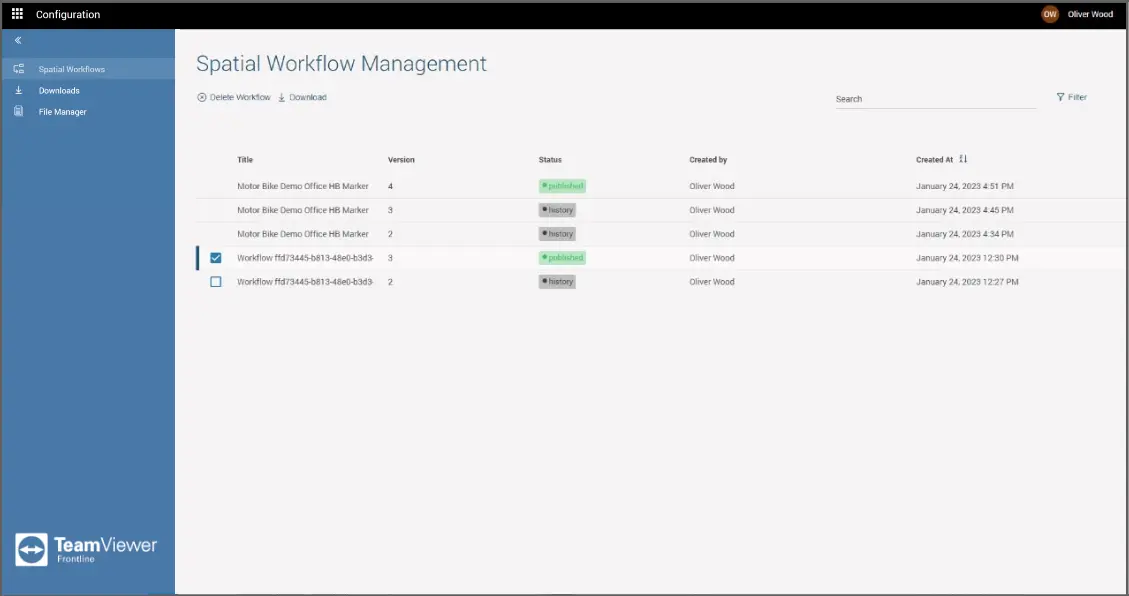
Spatial Workflow Management lets you view Workflows that are currently running or have run in the past. To access it, you need to:
- On the FCC dashboard, select Spatial Editor from the navigation menu.
- Open the Spatial Workflows tab.
The list provides the following information in the form of a table:
- Title: Name of the workflow
- Version: Version of the workflow
- Status: Current status of the workflow
- Created by: Name of the user who created the workflow
- Created at: The date and time when the workflow was created
To delete or download a Workflow from your server:
- Select the Workflow.
- Click on either Delete Workflow or Download.
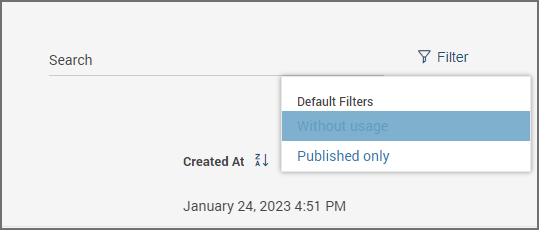
You can also search and filter workflows according to your needs:
Device Monitoring
Spatial Workplace devices can be monitored through the Frontline Command Center. For more information, please check out the Monitoring page.